





Question: The file material_mr.csv located in the /examples/ folder contains information the name and the machinability rating for multiple materials. Remember that material rating is given
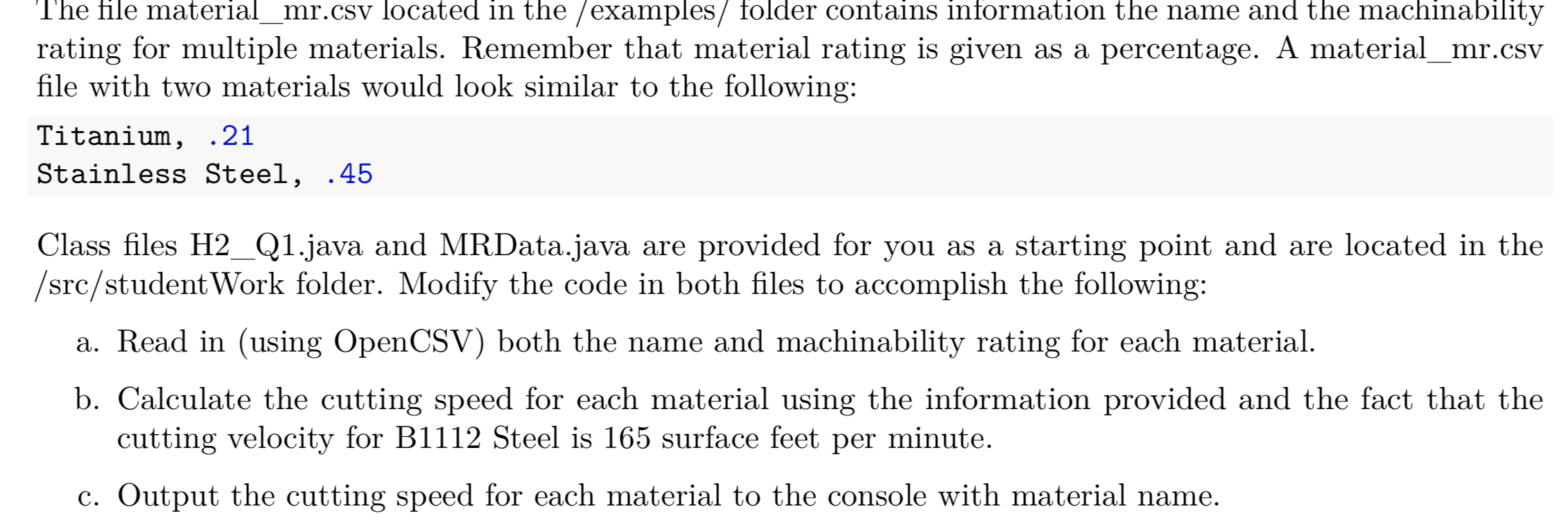
 The file material_mr.csv located in the /examples/ folder contains information thename and the machinability rating for multiple materials. Remember that material ratingis given as a percentage. A material_mr.csv file with two materials would

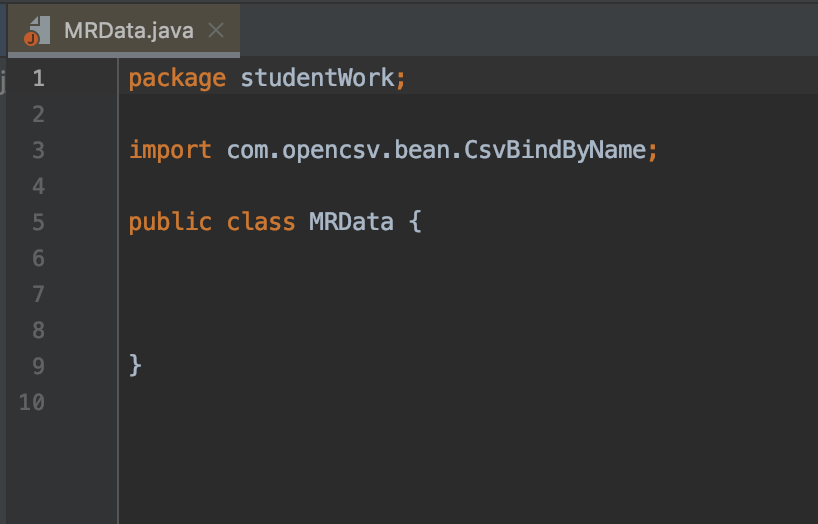
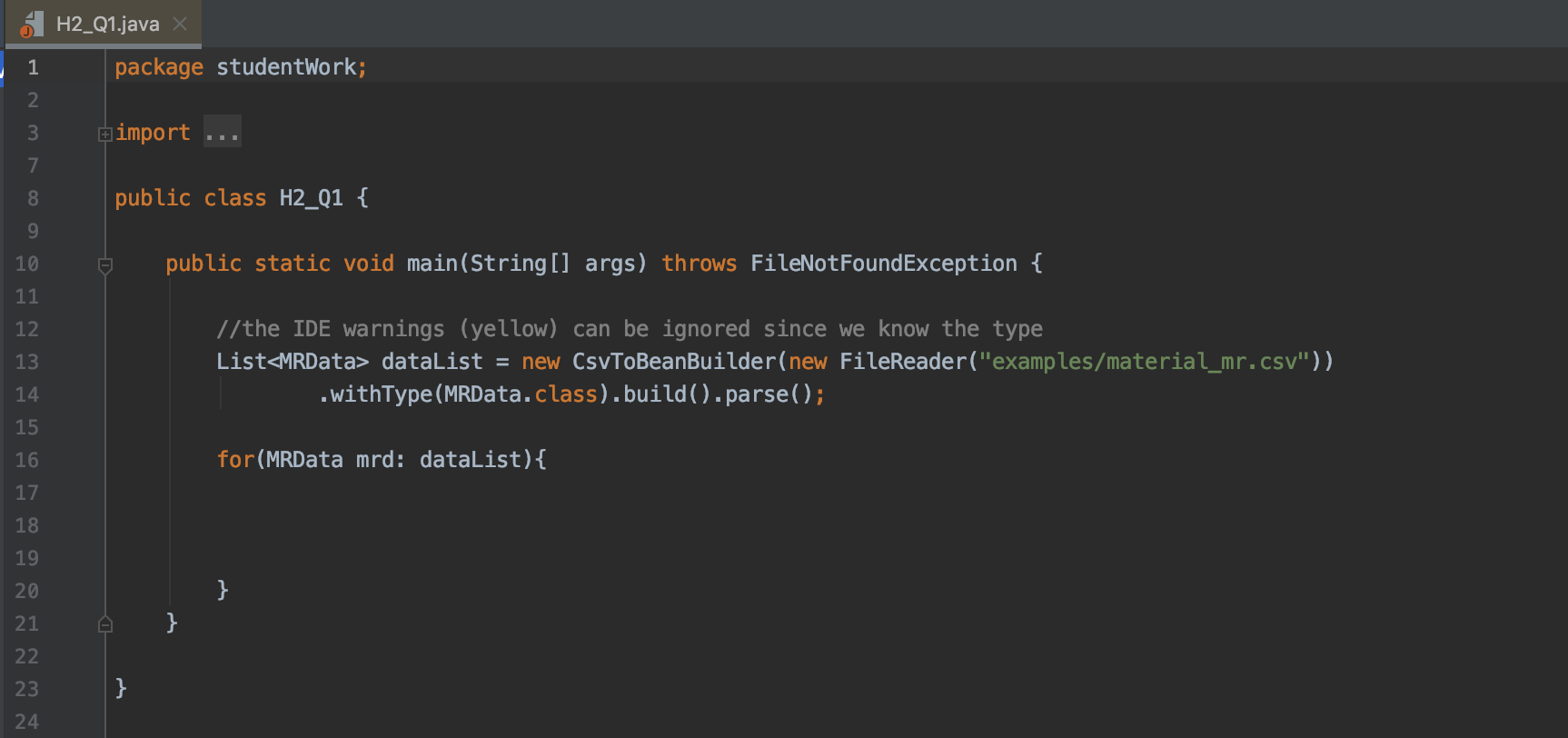
The file material_mr.csv located in the /examples/ folder contains information the name and the machinability rating for multiple materials. Remember that material rating is given as a percentage. A material_mr.csv file with two materials would look similar to the following: Titanium, .21 Stainless Steel, .45 Class files H2_Q1.java and MRData.java are provided for you as a starting point and are located in the /src/student Work folder. Modify the code in both files to accomplish the following: a. Read in (using OpenCSV) both the name and machinability rating for each material. b. Calculate the cutting speed for each material using the information provided and the fact that the cutting velocity for B1112 Steel is 165 surface feet per minute. c. Output the cutting speed for each material to the console with material name. MRData.java x package studentwork; import com.opencsv.bean. CsvBindByName; 5 000 wou A WNA public class MRData { 6 H2_Q1.java x 1 package studentwork; import ... 600 v w NP public class H2_Q1 { public static void main(String[] args) throws FileNotFoundException { 22 //the IDE warnings (yellow) can be ignored since we know the type List dataList = new CsvToBeanBuilder(new FileReader("examples/material_mr.csv")); .withType (MRData.class).build() .parse(); 14 15 16 for(MRData mrd: dataList){ 17 18 19 20 21 22 The file material_mr.csv located in the /examples/ folder contains information the name and the machinability rating for multiple materials. Remember that material rating is given as a percentage. A material_mr.csv file with two materials would look similar to the following: Titanium, .21 Stainless Steel, .45 Class files H2_Q1.java and MRData.java are provided for you as a starting point and are located in the /src/student Work folder. Modify the code in both files to accomplish the following: a. Read in (using OpenCSV) both the name and machinability rating for each material. b. Calculate the cutting speed for each material using the information provided and the fact that the cutting velocity for B1112 Steel is 165 surface feet per minute. c. Output the cutting speed for each material to the console with material name. MRData.java x package studentwork; import com.opencsv.bean. CsvBindByName; 5 000 wou A WNA public class MRData { 6 H2_Q1.java x 1 package studentwork; import ... 600 v w NP public class H2_Q1 { public static void main(String[] args) throws FileNotFoundException { 22 //the IDE warnings (yellow) can be ignored since we know the type List dataList = new CsvToBeanBuilder(new FileReader("examples/material_mr.csv")); .withType (MRData.class).build() .parse(); 14 15 16 for(MRData mrd: dataList){ 17 18 19 20 21 22
Step by Step Solution

There are 3 Steps involved in it

1 Expert Approved Answer
Step: 1 Unlock blur-text-image
Question Has Been Solved by an Expert!

Get step-by-step solutions from verified subject matter experts

Step: 2 Unlock
Step: 3 Unlock

Students Have Also Explored These Related Databases Questions!