







Question: The following code is used to develop a simple application for a flowers shop. As showa in the interface when the user choose the flower
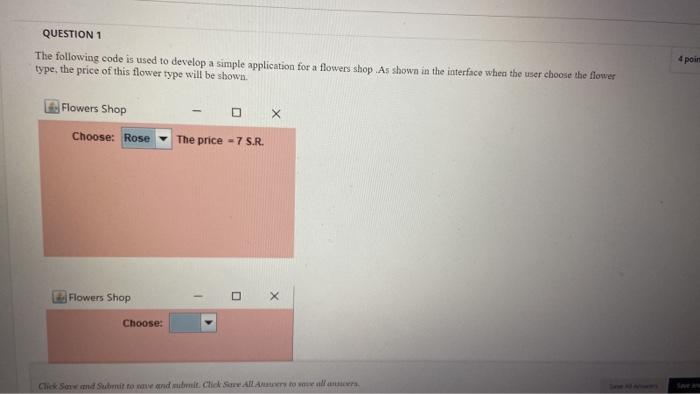
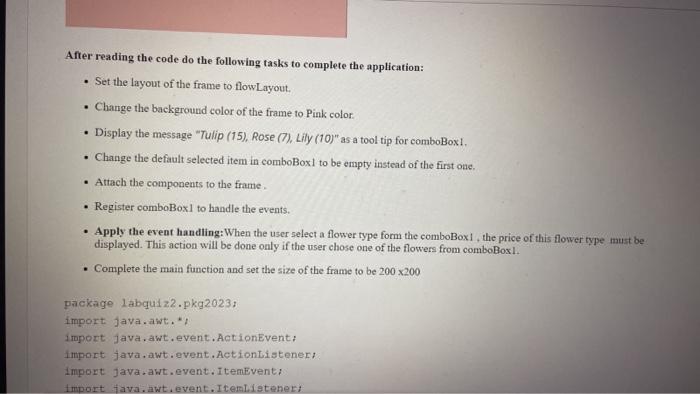
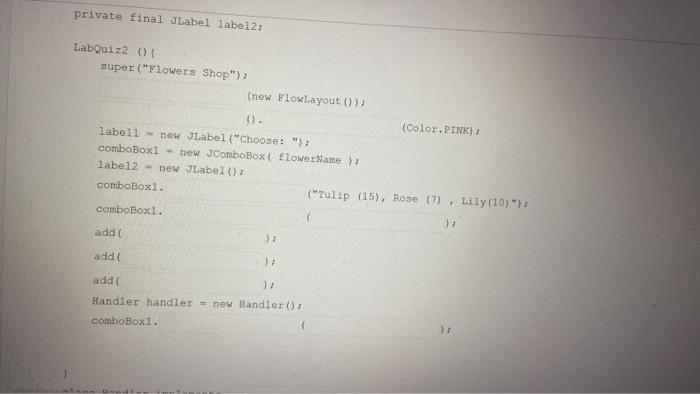
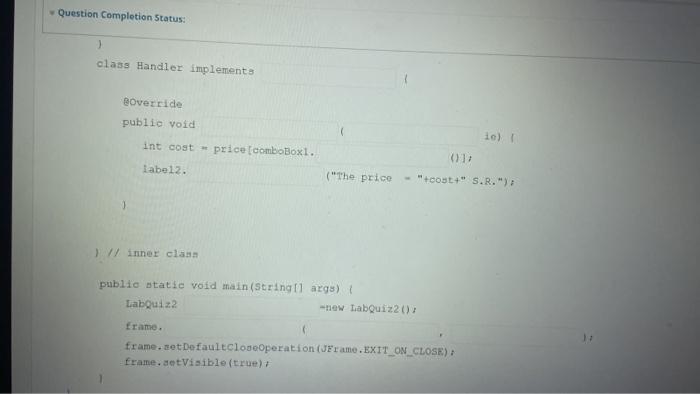
The following code is used to develop a simple application for a flowers shop. As showa in the interface when the user choose the flower type, the price of this flower type will be shown. Flowers Shop Choose: After reading the code do the following tasks to complete the application: - Set the layout of the frame to flowLayout. - Change the background color of the frame to Pink color. - Display the message "Tulip (15), Rose (7), Lily (10)" as a tool tip for comboBox1. - Change the default selected item in comboBoxl to be empty instead of the first one. - Attach the components to the frame. - Register comboBoxl to handle the events. - Apply the event handing: When the user select a flower type form the comboBox1, the price of this flower type must be displayed. This action will be done only if the user chose one of the flowers from comboBoxl. - Complete the main function and set the size of the frame to be 200200 package 1 abquiz2.pkg2023z import java.awt. * i 1 mport java.awt. event. Actionevent; import java.awt. event. ActionListenert Import java.awt. event. Itemevent: import fava. awt, event. Itemistener; private final JLabel label2; Labquize () auper ("Flowers Shop"); (new Flowlayout ()) t (). label1 = new JLabel ("Choose: ")t comboBox1 - new JComboBox ( flowerMame ), label2 - new Jabel (1) comboBox1. ("Tulip (15), Rose (7), Lily (10)=); comboBox1. add(2) addi 1 , addi ), Handler handler = new Handler (), comboBox1. 17 Boverride publio void Int cost * price [comboboxt. tabe12. ("The price - "teoyt+" S.R.")
Step by Step Solution
There are 3 Steps involved in it

Get step-by-step solutions from verified subject matter experts
 Study Help