







Question: The following data shows Hatfield's latest financial statements plus some ratios and other data for the Corporate valuation and nancial planning analysis. Use the following
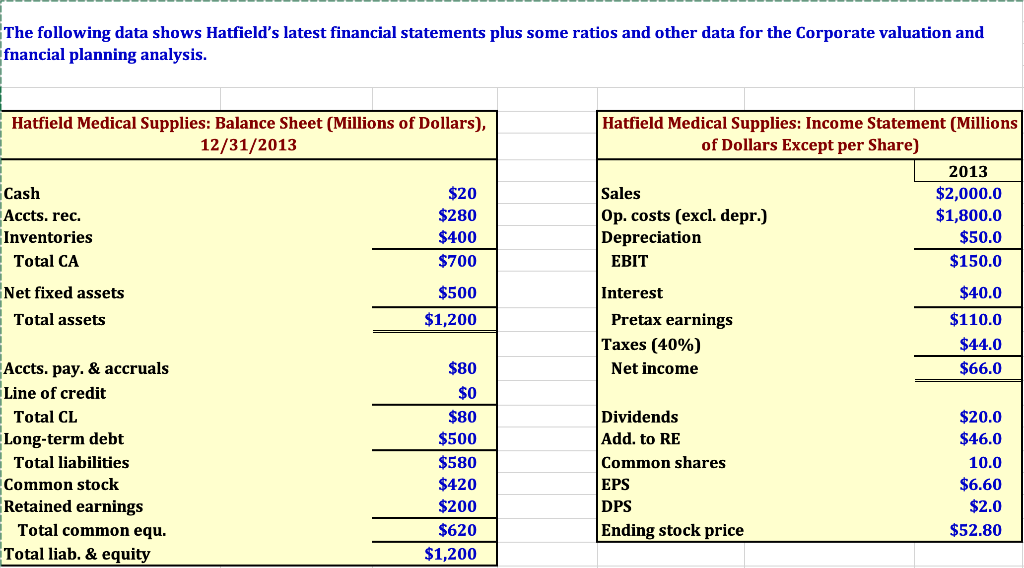
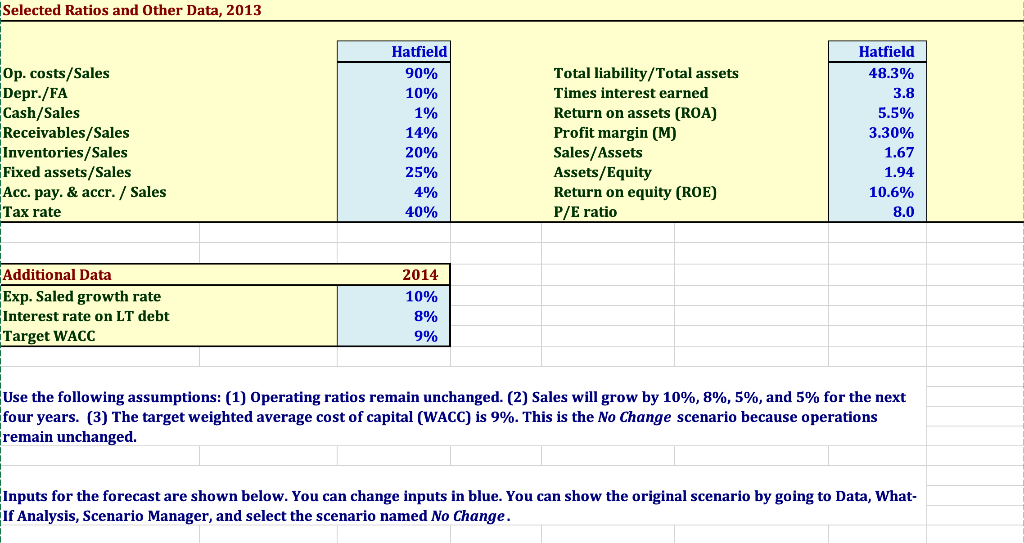
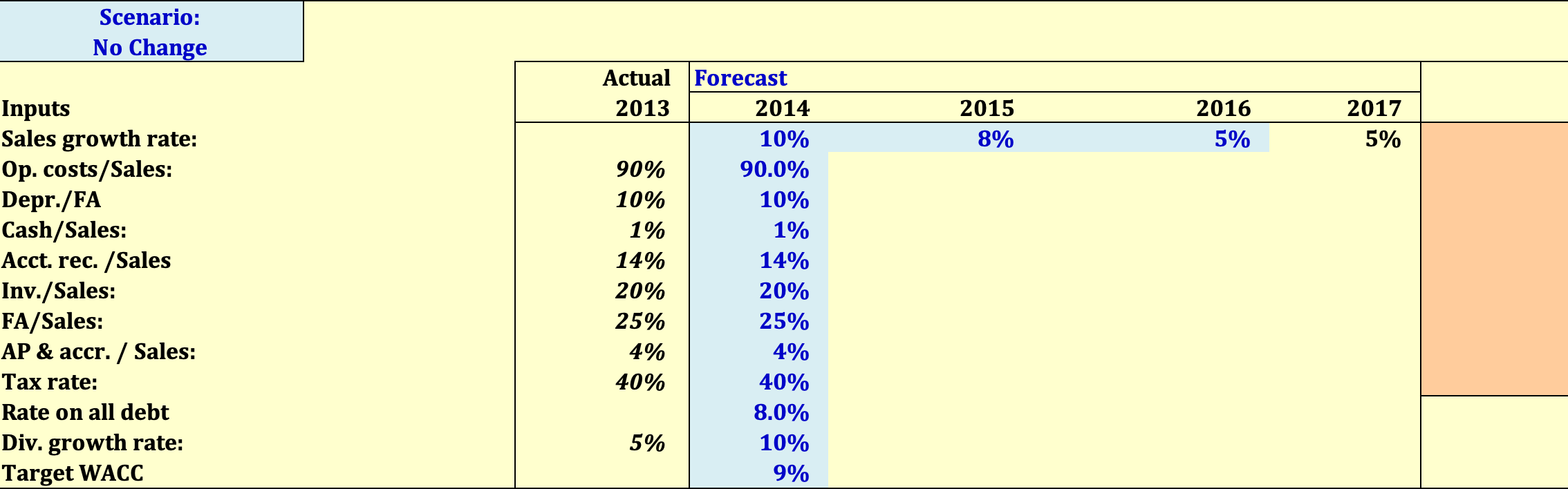
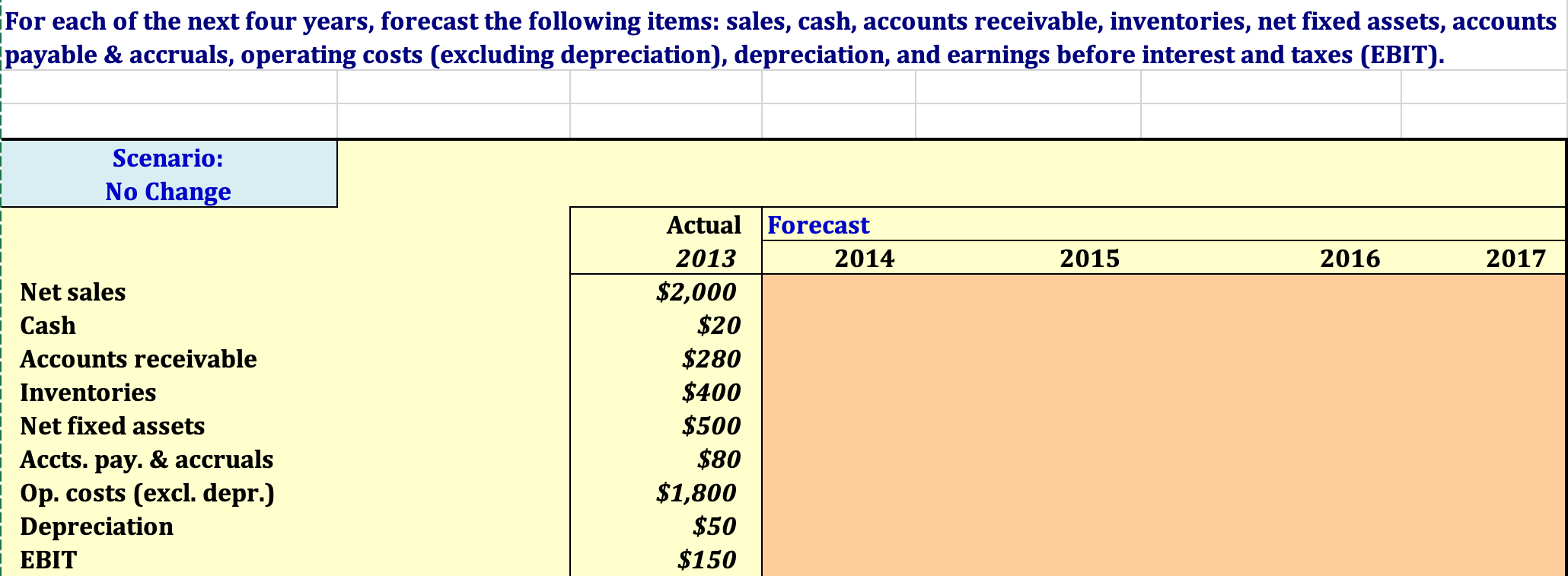
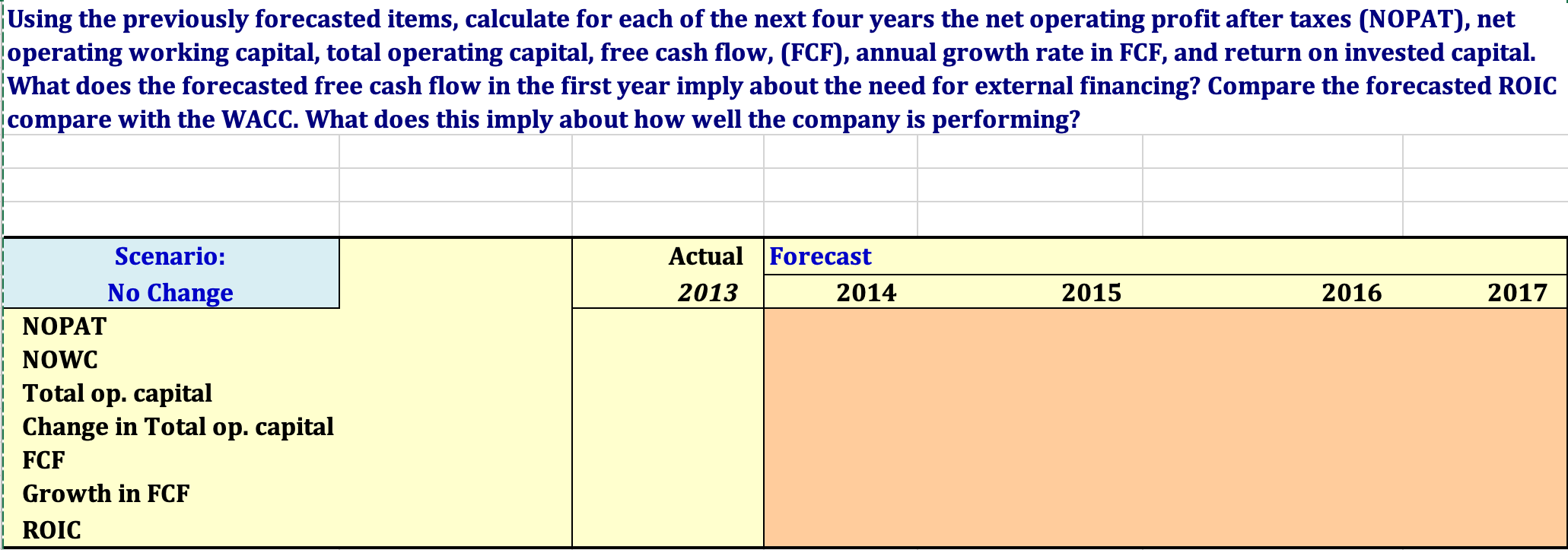
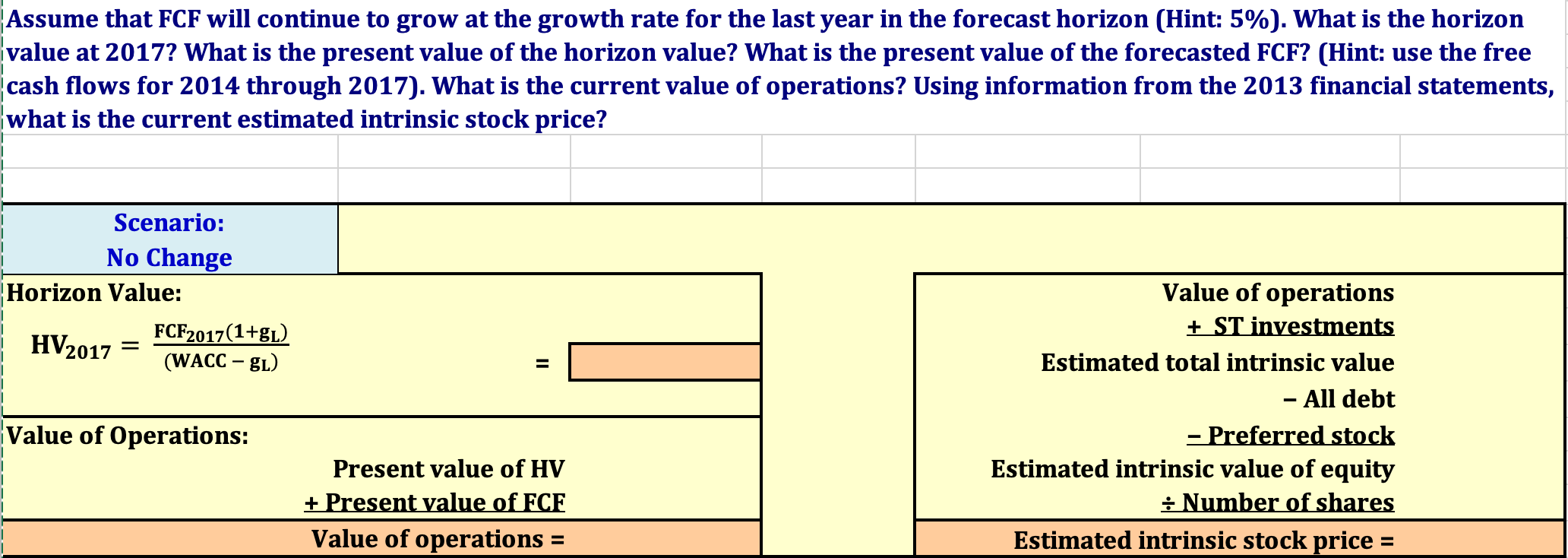
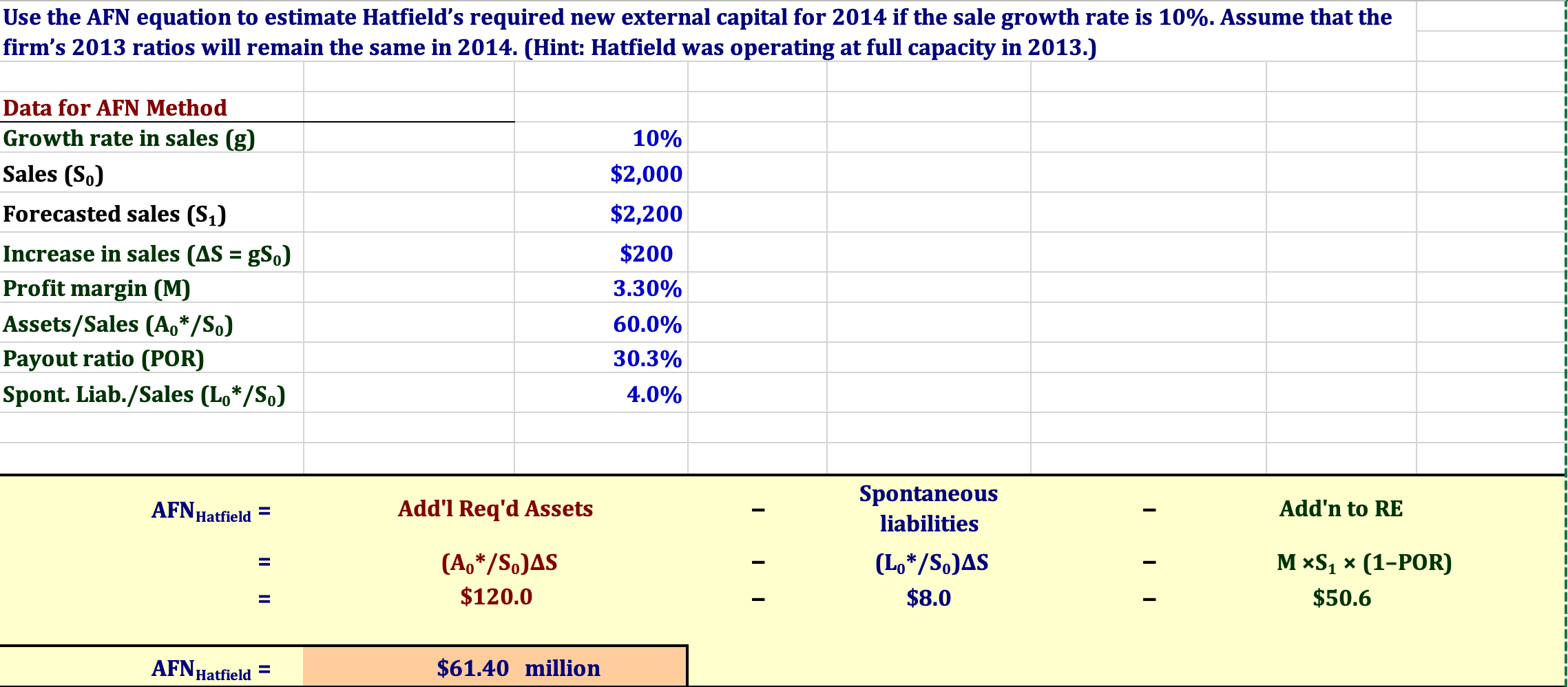
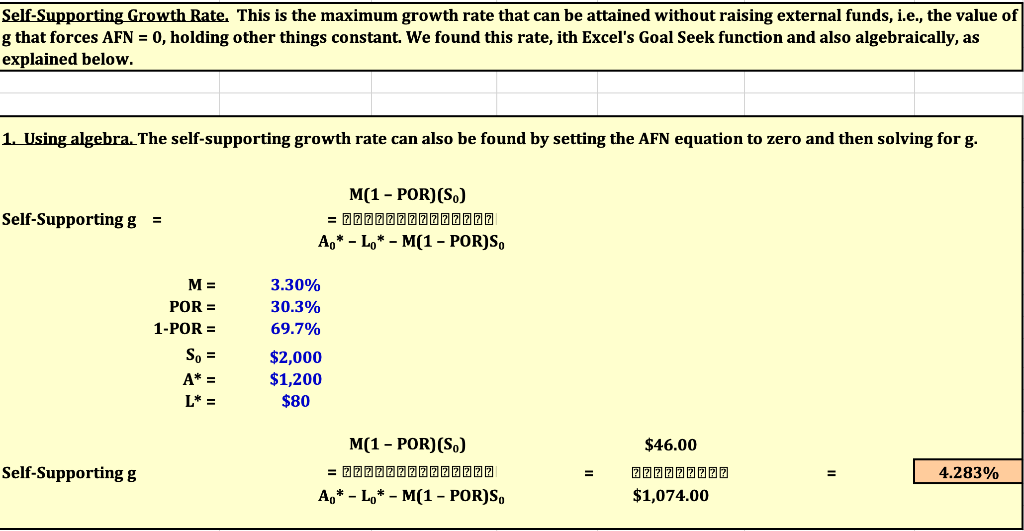
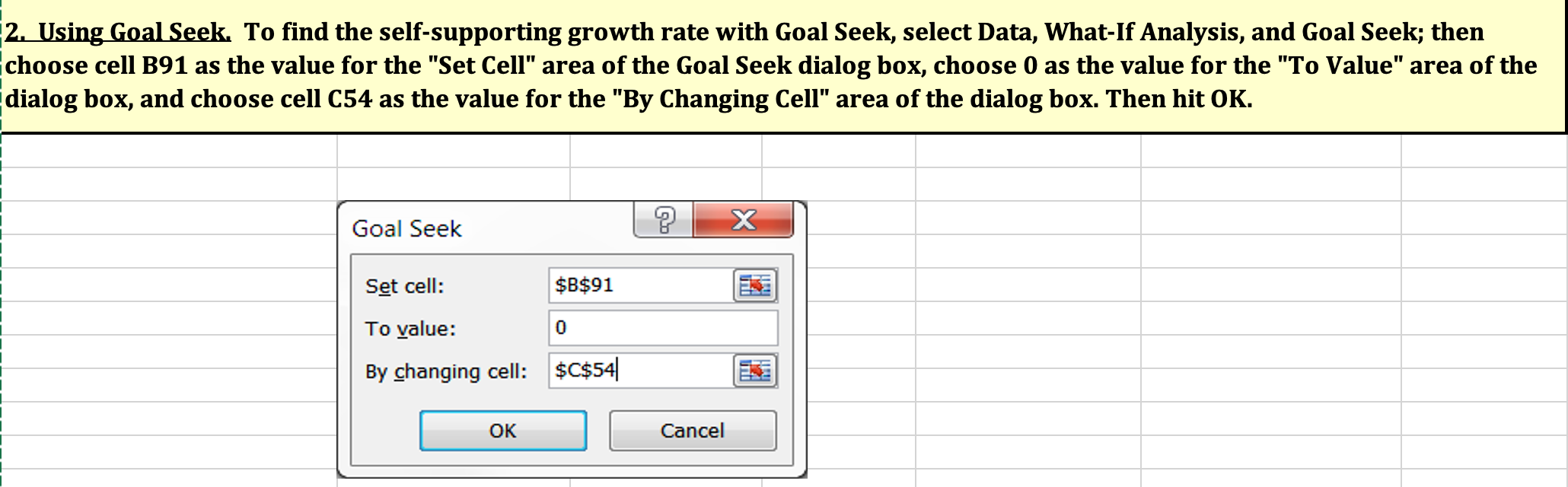
The following data shows Hatfield's latest financial statements plus some ratios and other data for the Corporate valuation and nancial planning analysis. Use the following assumptions: (1) Operating ratios remain unchanged. (2) Sales will grow by 10%,8%,5%, and 5% for the next four years. (3) The target weighted average cost of capital (WACC) is 9%. This is the No Change scenario because operations remain unchanged. inputs for the forecast are shown below. You can change inputs in blue. You can show the original scenario by going to Data, WhatIf Analysis, Scenario Manager, and select the scenario named No Change. Inputs Sales growth rate: 0p. costs/Sales: Depr./FA Cash/Sales: Acct. rec. /Sales Inv./Sales: FA/Sales: AP \& accr. / Sales: Tax rate: Rate on all debt Div. growth rate: Target WACC or each of the next four years, forecast the following items: sales, cash, accounts receivable, inventories, net fixed assets, accounts oyable & accruals, operating costs (excluding depreciation), depreciation, and earnings before interest and taxes (EBIT). Using the previously forecasted items, calculate for each of the next four years the net operating profit after taxes (NOPAT), net operating working capital, total operating capital, free cash flow, (FCF), annual growth rate in FCF, and return on invested capital. What does the forecasted free cash flow in the first year imply about the need for external financing? Compare the forecasted R0IC compare with the WACC. What does this imply about how well the company is performing? Assume that FCF will continue to grow at the growth rate for the last year in the forecast horizon (Hint: 5%). What is the horizon value at 2017? What is the present value of the horizon value? What is the present value of the forecasted FCF? (Hint: use the free cash flows for 2014 through 2017). What is the current value of operations? Using information from the 2013 financial statements, what is the current estimated intrinsic stock price? Use the AFN equation to estimate Hatfield's required new external capital for 2014 if the sale growth rate is 10%. Assume that the firm's 2013 ratios will remain the same in 2014. (Hint: Hatfield was operating at full capacity in 2013.) Data for AFN Method Growth rate in sales (g) Sales (S0) Forecasted sales ( S1) Increase in sales (S=g0) Profit margin (M) Assets/Sales (A0/S0) Payout ratio (POR) Spont. Liab./Sales (L0/S0) \begin{tabular}{|r|} \hline 10% \\ \hline$2,000 \\ \hline$2,200 \\ \hline$200 \\ \hline 3.30% \\ \hline 60.0% \\ \hline 30.3% \\ \hline 4.0% \\ \hline \end{tabular} AFNHatfield=$61.40 million Self-Supporting Growth Rate. This is the maximum growth rate that can be attained without raising external funds, i.e., the value g that forces AFN = 0, holding other things constant. We found this rate, ith Excel's Goal Seek function and also algebraically, as exnlained helnw. 1. Using algebra. The self-supporting growth rate can also be found by setting the AFN equation to zero and then solving for g. 2. Using Goal Seek. To find the self-supporting growth rate with Goal Seek, select Data, What-If Analysis, and Goal Seek; then choose cell B91 as the value for the "Set Cell" area of the Goal Seek dialog box, choose 0 as the value for the "To Value" area of the dialog box, and choose cell C54 as the value for the "By Changing Cell" area of the dialog box. Then hit OK
Step by Step Solution
There are 3 Steps involved in it

Get step-by-step solutions from verified subject matter experts
 Study Help