







Question: The following incomplete user interface application should calculate the tip using the amount that the user will enter in billField and value of TIP_RATE. The
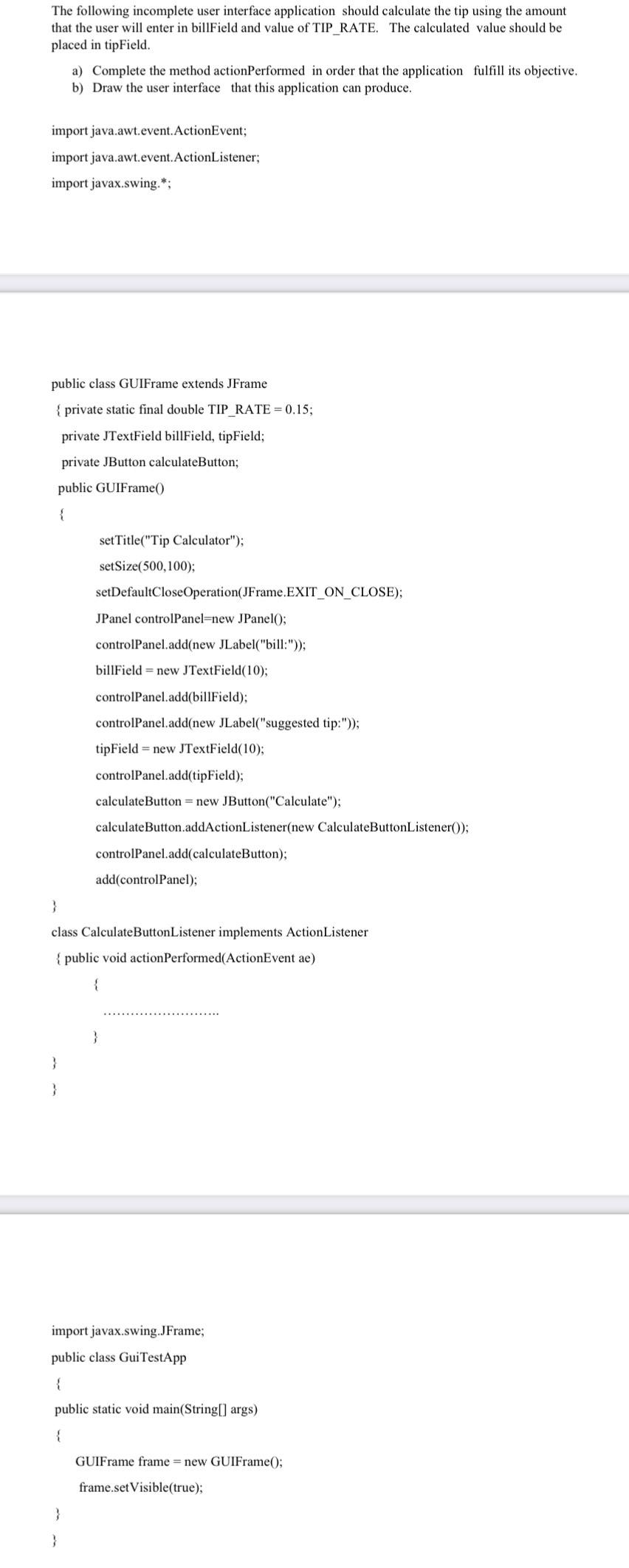
The following incomplete user interface application should calculate the tip using the amount that the user will enter in billField and value of TIP_RATE. The calculated value should be placed in tipField. a) Complete the method actionPerformed in order that the application fulfill its objective. b) Draw the user interface that this application can produce. import java.awt.event.ActionEvent; import java.awt.event.ActionListener; import javax.swing.*; public class GUIFrame extends JFrame { private static final double TIP_RATE =0.15; private JTextField billField, tipField; private JButton calculateButton; public GUIFrame() setTitle("Tip Calculator"); setSize (500,100); setDefaultCloseOperation(JFrame.EXIT_ON_CLOSE); JPanel controlPanel=new JPanel(); controlPanel.add(new JLabel("bill:")); billField = new JTextField(10); controlPanel.add(billField); controlPanel.add(new JLabel("suggested tip:")); tipField = new JTextField(10); controlPanel.add(tipField); calculateButton = new JButton("Calculate"); calculateButton.addActionListener(new CalculateButtonListener()); controlPanel.add(calculateButton); add(controlPanel); \} class CalculateButtonListener implements ActionListener \{ public void actionPerformed(ActionEvent ae) import javax.swing.JFrame; public class GuiTestApp \{ public static void main(String[] args) \{ GUIFrame frame = new GUIFrame (; frame.setVisible(true); \} The following incomplete user interface application should calculate the tip using the amount that the user will enter in billField and value of TIP_RATE. The calculated value should be placed in tipField. a) Complete the method actionPerformed in order that the application fulfill its objective. b) Draw the user interface that this application can produce. import java.awt.event.ActionEvent; import java.awt.event.ActionListener; import javax.swing.*; public class GUIFrame extends JFrame { private static final double TIP_RATE =0.15; private JTextField billField, tipField; private JButton calculateButton; public GUIFrame() setTitle("Tip Calculator"); setSize (500,100); setDefaultCloseOperation(JFrame.EXIT_ON_CLOSE); JPanel controlPanel=new JPanel(); controlPanel.add(new JLabel("bill:")); billField = new JTextField(10); controlPanel.add(billField); controlPanel.add(new JLabel("suggested tip:")); tipField = new JTextField(10); controlPanel.add(tipField); calculateButton = new JButton("Calculate"); calculateButton.addActionListener(new CalculateButtonListener()); controlPanel.add(calculateButton); add(controlPanel); \} class CalculateButtonListener implements ActionListener \{ public void actionPerformed(ActionEvent ae) import javax.swing.JFrame; public class GuiTestApp \{ public static void main(String[] args) \{ GUIFrame frame = new GUIFrame (; frame.setVisible(true); \}
Step by Step Solution
There are 3 Steps involved in it

Get step-by-step solutions from verified subject matter experts
 Study Help