







Question: The following php code read from a table named info in the database named information all the records that have id =4567 and print the
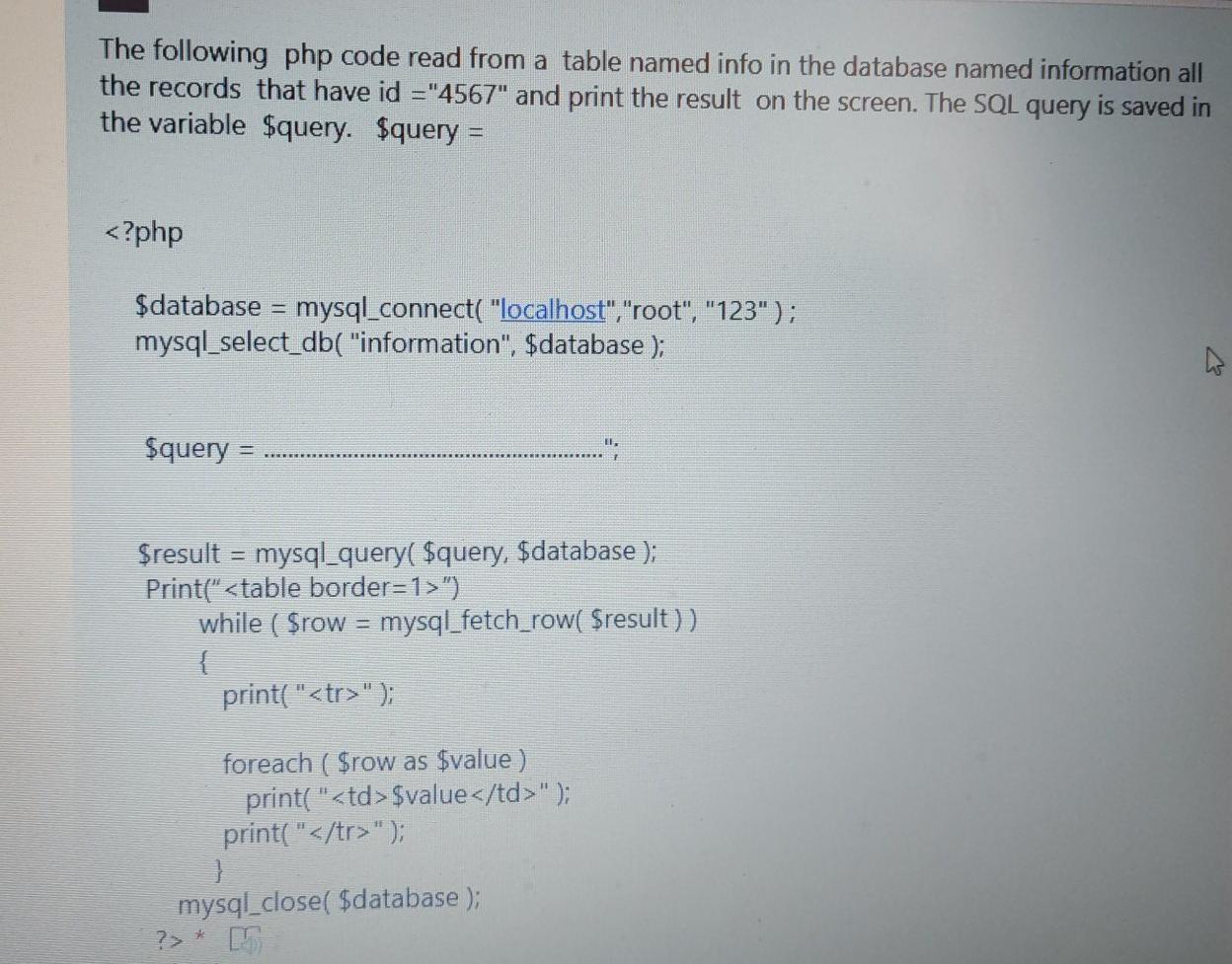
The following php code read from a table named info in the database named information all the records that have id ="4567" and print the result on the screen. The SQL query is saved in the variable $query. $query = "). while ( $row = mysql_fetch_row( $result ) ) { print("
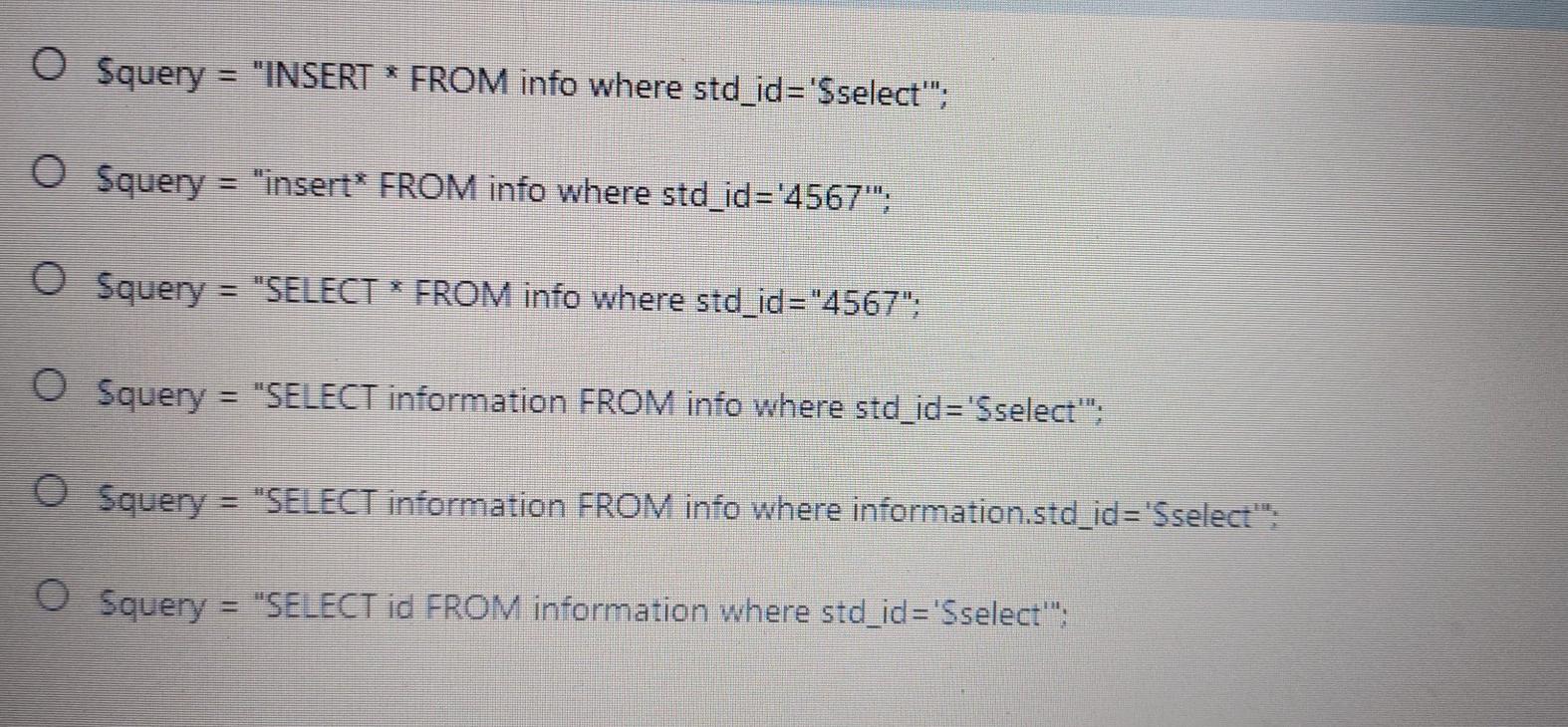
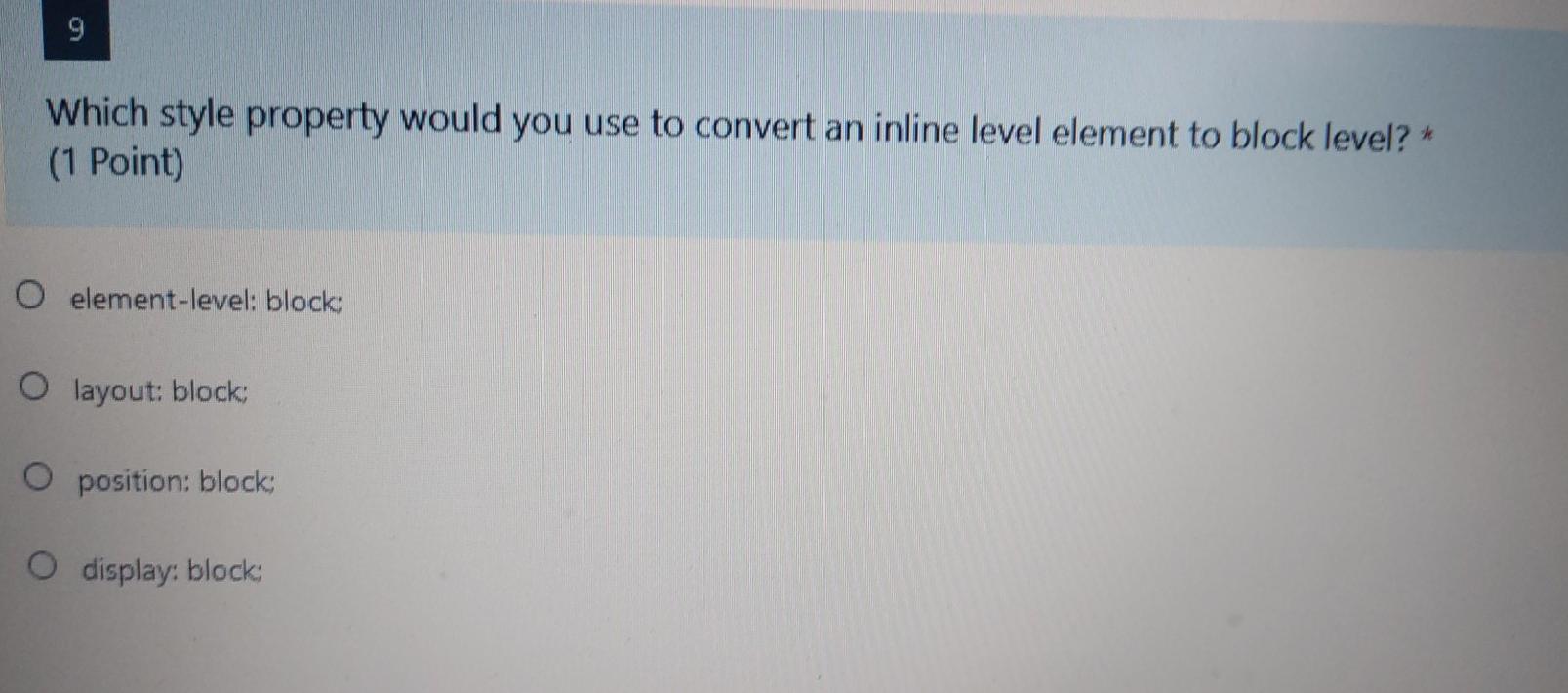
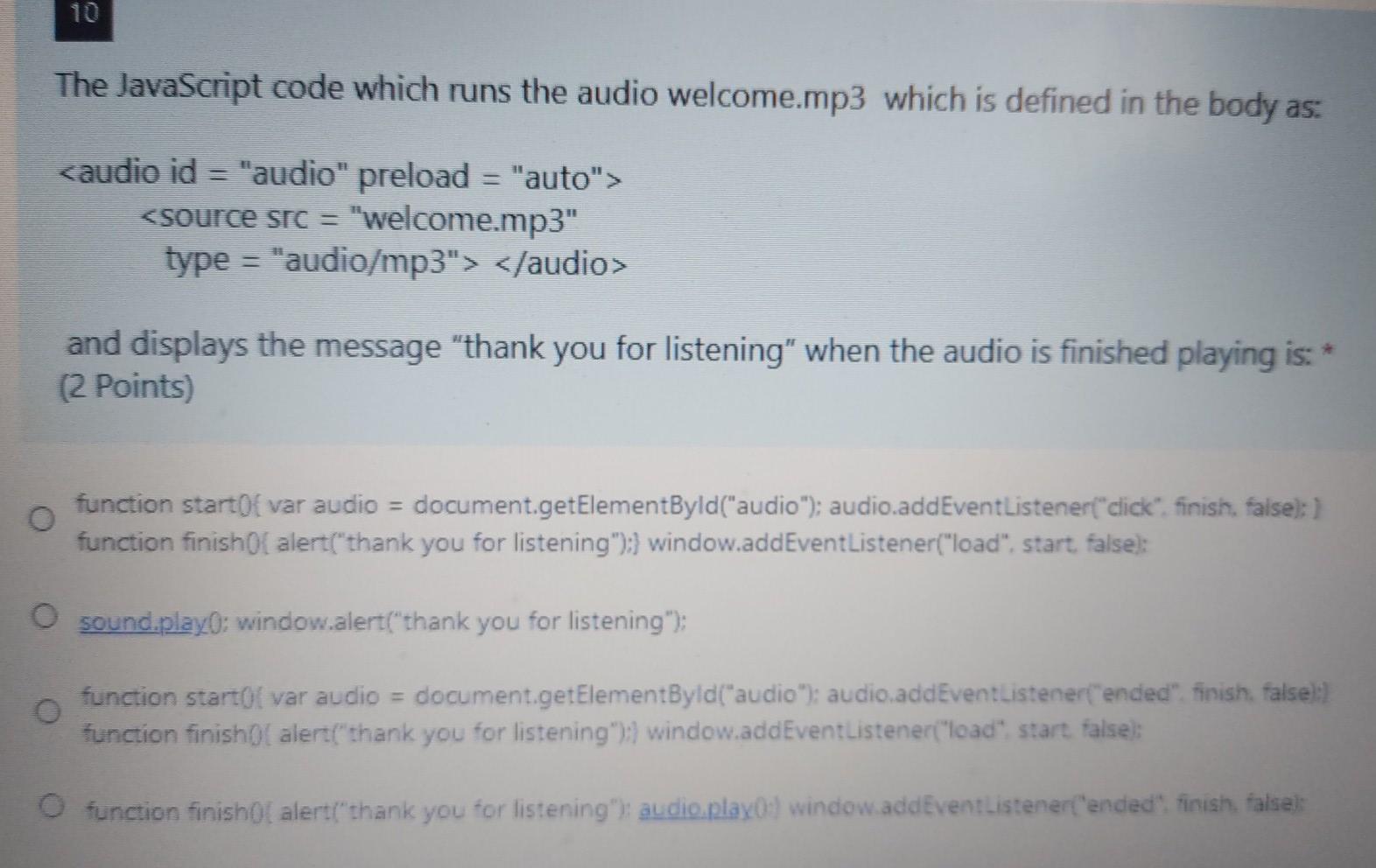
"); 3 mysql_close( $database ); O Squery = "INSERT * FROM info where std_id='Sselect""; O Squery = "insert* FROM info where std_id='4567""; O Squery = "SELECT * FROM info where std_id="4567": O Squery = "SELECT information FROM info where std_id='Sselect": O Squery = "SELECT information FROM info where information.std_id='Sselect": O Squery = "SELECT id FROM information where std_id='Sselect": 9 Which style property would you use to convert an inline level element to block level? (1 Point) O element-level: block: O layout: blocks O position: block display: block The JavaScript code which runs the audio welcome.mp3 which is defined in the body as: and displays the message "thank you for listening" when the audio is finished playing is: (2 Points) O function startOf var audio = document.getElementByld("audio"); audio.addEventListener("click", finish. false): 1 function finish Of alert("thank you for listening"):) window.addEventListener("load". start, false): O sound.playo: window.alert("thank you for listening"); function startol var audio = document.getElementById("audio"); audio.addEventListener("ended", finish. false): function finish alert("thank you for listening"):) window.addEventListener("load" start, false): function finishol alert("thank you for listening"); audio play(s) window.addEventListener("ended' finish, falsek
Step by Step Solution
There are 3 Steps involved in it

Get step-by-step solutions from verified subject matter experts
 Study Help