







Question: The format being discuss in the question are using .format() or conversion specifiers % for the string. Given a message that may contain multiple lines,
The format being discuss in the question are using .format() or conversion specifiers % for the string.
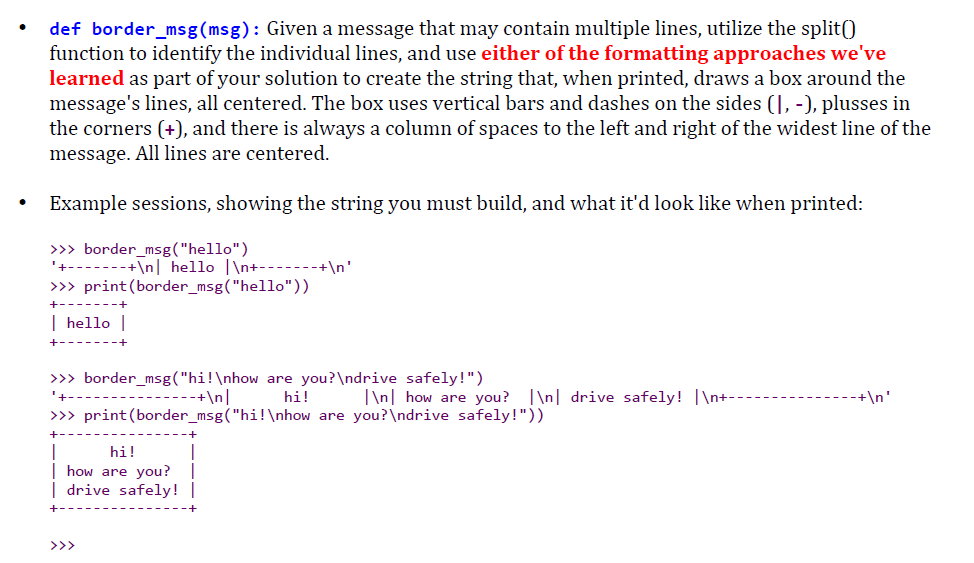
Given a message that may contain multiple lines, utilize the split() function to identify the individual lines, and use either of the formatting approaches we've learned as part of your solution to create the string that, when printed, draws a box around the message's lines, all centered. The box uses vertical bars and dashes on the sides (|, -), plusses in the corners (+), and there is always a column of spaces to the left and right of the widest line of the message. All lines are centered. Example sessions, showing the string you must build, and what it'd look like when printed: > > > border_msg("hello") '+ + | hello | + + ' > > > print(border_msg("hello")) + + | hello | + + > > > border_msg("hi! how are you? drive safely!") '+ + | hi! | | how are you? | | drive safely! | + + ' > > > print(border_msg("hi! how are you? drive safely!")) + + hi! how are you? drive safely! + + > > >
Step by Step Solution
There are 3 Steps involved in it

Get step-by-step solutions from verified subject matter experts
 Study Help