







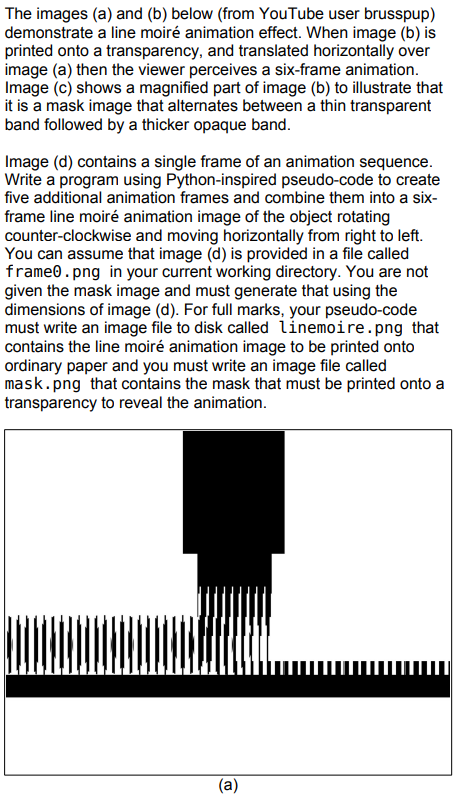
Question: The images ( a ) and ( b ) below ( from YouTube user brusspup ) demonstrate a line moir animation effect. When image (
The images a and b below from YouTube user brusspup
demonstrate a line moir animation effect. When image b is
printed onto a transparency, and translated horizontally over
image a then the viewer perceives a sixframe animation.
Image c shows a magnified part of image b to illustrate that
it is a mask image that alternates between a thin transparent
band followed by a thicker opaque band.
Image d contains a single frame of an animation sequence.
Write a program using Pythoninspired pseudocode to create
five additional animation frames and combine them into a six
frame line moir animation image of the object rotating
counterclockwise and moving horizontally from right to left.
You can assume that image d is provided in a file called
frame png in your current working directory. You are not
given the mask image and must generate that using the
dimensions of image d For full marks, your pseudocode
must write an image file to disk called linemoire.png that
contains the line moire animation image to be printed onto
ordinary paper and you must write an image file called
mask.png that contains the mask that must be printed onto a
transparency to reveal the animation.
a
Step by Step Solution
There are 3 Steps involved in it
1 Expert Approved Answer
Step: 1 Unlock

Question Has Been Solved by an Expert!
Get step-by-step solutions from verified subject matter experts
Step: 2 Unlock
Step: 3 Unlock
 Study Help