







Question: The Insert copied cells command is useful in which circumstance?Which of the following is not a method to reference the value in another cell? Type
The "Insert copied cells" command is useful in which circumstance?Which of the following is not a method to reference the value in another cell?
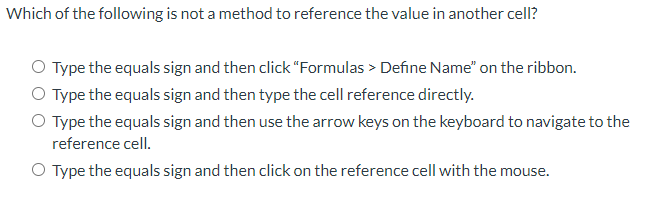
Type the equals sign and then click "Formulas Define Name" on the ribbon.
Type the equals sign and then type the cell reference directly.
Type the equals sign and then use the arrow keys on the keyboard to navigate to the
reference cell.
Type the equals sign and then click on the reference cell with the mouse.
A user has copied a data range and wants to paste it multiple times throughout the
spreadsheet.
A user has copied a column or row and wants to paste it into a new column or row
before the currently selected one.
A user has copied a data range and wants to paste it on another worksheet other
than the one it was copied from.
A user has copied a column or row and wants to overwrite data in another column
or row.
Step by Step Solution
There are 3 Steps involved in it
1 Expert Approved Answer
Step: 1 Unlock

Question Has Been Solved by an Expert!
Get step-by-step solutions from verified subject matter experts
Step: 2 Unlock
Step: 3 Unlock
 Study Help