



Question: The in.txt file has the integers : 97 1 2 3 4 5 6 7 8 9 10 (1) Open an existing input file called
The "in.txt" file has the integers :
97
1
2
3
4
5
6
7
8
9
10
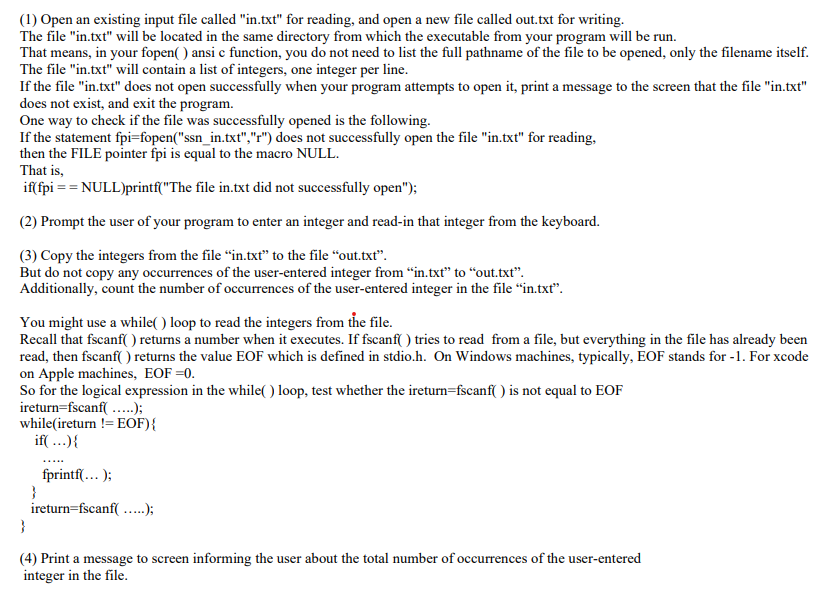
(1) Open an existing input file called "in.txt" for reading, and open a new file called out.txt for writing. The file "in.txt" will be located in the same directory from which the executable from your program will be run. That means in your fopen() ansi c function, you do not need to list the full pathname of the file to be opened, only the filename itself. The file "in.txt" will contain a list of integers, one integer per line. If the file "in.txt" does not open successfully when your program attempts to open it, print a message to the screen that the file "in.txt" does not exist, and exit the program. One way to check if the file was successfully opened is the following. If the statement fpi=fopen("ssn_in.txt", "r") does not successfully open the file "in.txt" for reading, then the FILE pointer fpi is equal to the macro NULL. That is, if(fpi == NULL)printf("The file in.txt did not successfully open"); (2) Prompt the user of your program to enter an integer and read-in that integer from the keyboard. (3) Copy the integers from the file in.txt" to the file "out.txt. But do not copy any occurrences of the user-entered integer from in.txt" to "out.txt. Additionally, count the number of occurrences of the user-entered integer in the file in.txt. You might use a while( ) loop to read the integers from the file. Recall that fscanf( ) returns a number when it executes. If fscanf( ) tries to read from a file, but everything in the file has already been read, then fscanf( ) returns the value EOF which is defined in stdio.h. On Windows machines, typically, EOF stands for -1. For xcode on Apple machines, EOF=0. So for the logical expression in the while( ) loop, test whether the ireturn=fscanf() is not equal to EOF ireturn=fscanf(.....); whileireturn !=EOF){ if(...){ fprintf(...); } ireturn=fscanf(.....); } (4) Print a message to screen informing the user about the total number of occurrences of the user-entered integer in the file
Step by Step Solution
There are 3 Steps involved in it

Get step-by-step solutions from verified subject matter experts