







Question: The language is Visual Studios.. Thanks 9:29 . 4G courses.portal2learn.com Form. Set its Text to Power On/Off and its Size to 75, 55. e. Adding
The language is Visual Studios.. Thanks
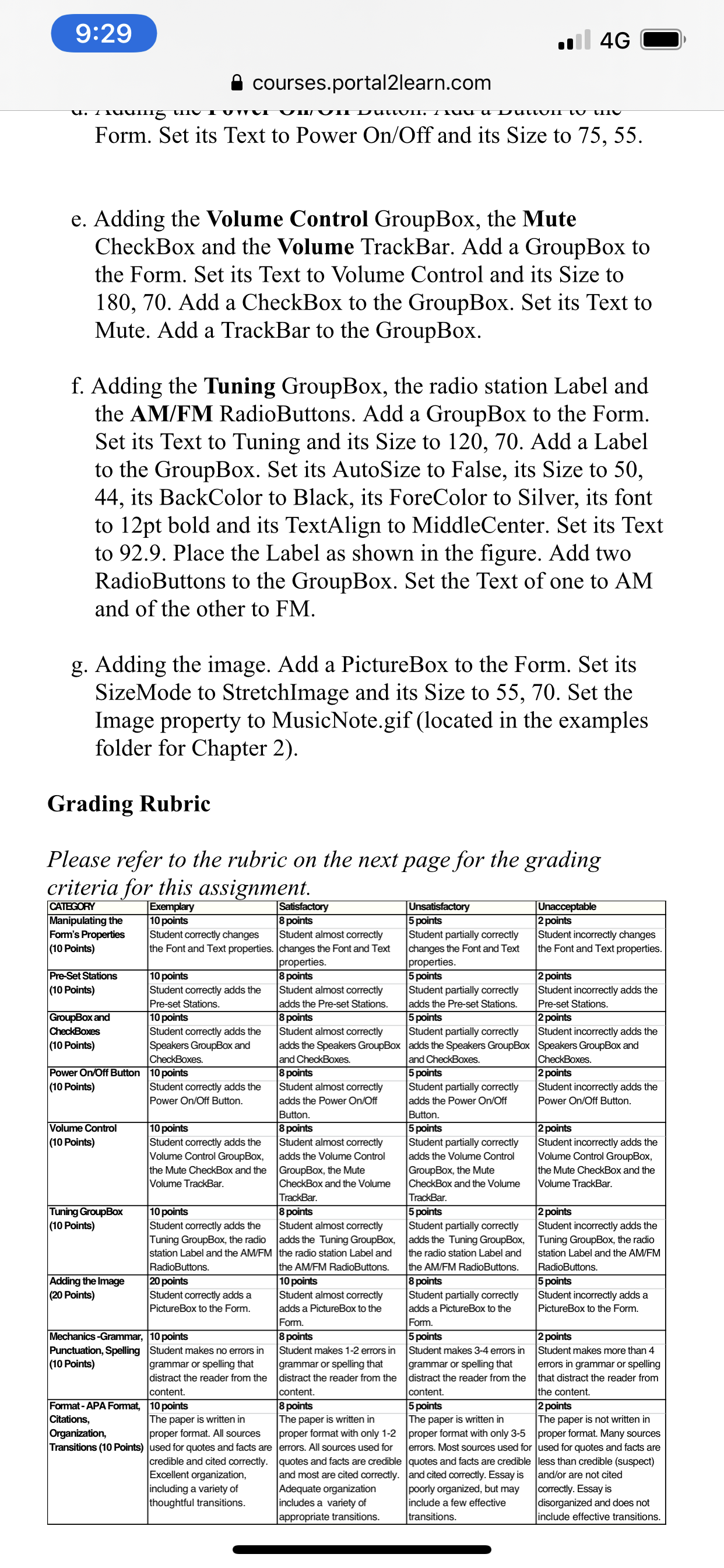
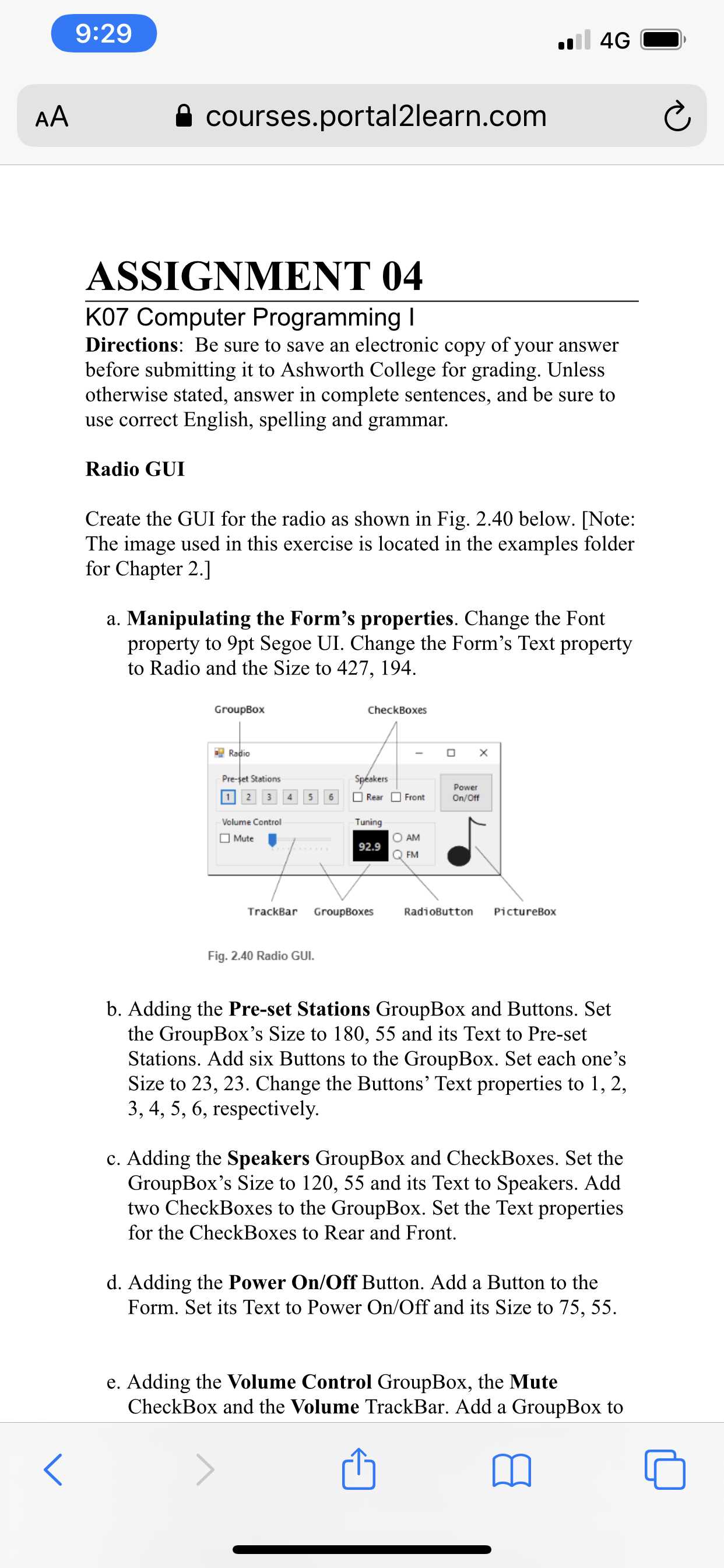
9:29 . 4G courses.portal2learn.com Form. Set its Text to Power On/Off and its Size to 75, 55. e. Adding the Volume Control GroupBox, the Mute CheckBox and the Volume TrackBar. Add a GroupBox to the Form. Set its Text to Volume Control and its Size to 180, 70. Add a CheckBox to the GroupBox. Set its Text to Mute. Add a TrackBar to the GroupBox. f. Adding the Tuning GroupBox, the radio station Label and the AM/FM RadioButtons. Add a GroupBox to the Form. Set its Text to Tuning and its Size to 120, 70. Add a Label to the GroupBox. Set its AutoSize to False, its Size to 50, 44, its BackColor to Black, its ForeColor to Silver, its font to 12pt bold and its TextAlign to MiddleCenter. Set its Text to 92.9. Place the Label as shown in the figure. Add two RadioButtons to the GroupBox. Set the Text of one to AM and of the other to FM. g. Adding the image. Add a PictureBox to the Form. Set its SizeMode to StretchImage and its Size to 55, 70. Set the Image property to MusicNote.gif (located in the examples folder for Chapter 2). Grading Rubric Please refer to the rubric on the next page for the grading criteria for this assignment. CATEGORY Exemplary Satisfactory Unsatisfactory Unacceptable Manipulating the 10 points 8 points 5 points 2 points Form's Properties Student correctly changes Student almost correctly Student partially correctly Student incorrectly changes (10 Points) the Font and Text properties. changes the Font and Text changes the Font and Text the Font and Text properties. properties. properties. Pre-Set Stations 10 points 8 points 5 points 2 points (10 Points) Student correctly adds the Student almost correctly Student partially correctly Student incorrectly adds the Pre-set Station adds the Pre-set Stations. adds the Pre-set Stations. Pre-set Stations GroupBox and 10 points 8 points 5 points 2 points CheckBoxes Student correctly adds the Student almost correctly Student partially correctly Student incorrectly adds the (10 Points) Speakers GroupBox and adds the Speakers GroupBox adds the Speakers GroupBox Speakers GroupBox and CheckBoxes. and CheckBoxes. and CheckBoxes. CheckBoxes Power On/Off Button 10 points 8 points 5 points 2 points (10 Points) Student correctly adds the Student almost correctly Student partially correctly Student incorrectly adds the Power On/Off Button. adds the Power On/Off adds the Power On/Off Power On/Off Button. Buttor Button. Volume Control 10 points 8 points 5 point 2 points (10 Points) Student correctly adds the Student almost correctly Student partially correctly Student incorrectly adds the Volume Control GroupBox, adds the Volume Control adds the Volume Control Volume Control GroupBox, the Mute CheckBox and the GroupBox, the Mute GroupBox, the Mute the Mute CheckBox and the Volume TrackBar. CheckBox and the Volume CheckBox and the Volume Volume TrackBar. TrackBar. TrackBa Tuning GroupBox 10 points 8 points 5 points 2 points (10 Points) Student correctly adds the Student almost correctly Student partially correctly Student incorrectly adds the Tuning GroupBox, the radio adds the Tuning GroupBox, adds the Tuning GroupBox, Tuning GroupBox, the radio station Label and the AM/FM |the radio station Label and the radio station Label and station Label and the AM/FM RadioButtons the AM/FM RadioButtons. the AM/FM RadioButtons. RadioButtons Adding the Image 20 points 10 points 8 points 5 points (20 Points) Student correctly adds a Student almost correctly Student partially correctly Student incorrectly adds a PictureBox to the Form adds a PictureBox to the adds a PictureBox to the PictureBox to the Form. Form Form. Mechanics -Grammar, 10 points 8 points 5 points 2 points Punctuation, Spelling Student makes no errors in Student makes 1-2 errors in Student makes 3-4 errors in Student makes more than 4 (10 Points) grammar or spelling that grammar or spelling tha grammar or spelling that errors in grammar or spelling distract the reader from the distract the reader from the distract the reader from the that distract the reader from content. content. content the content Format - APA Format, 10 points 8 points 5 points 2 points Citations, The paper is written in The paper is written in The paper is written in The paper is not written in Organization, proper format. All sources proper format with only 1-2 proper format with only 3-5 proper format. Many sources Transitions (10 Points) used for quotes and facts are errors. All sources used for errors. Most sources used for used for quotes and facts are credible and cited correctly. quotes and facts are credible quotes and facts are credible less than credible (suspect) Excellent organization and most are cited correctly. and cited correctly. Essay is and/or are not cited including a variety of Adequate organization poorly organized, but may correctly. Essay is thoughtful transitions. includes a variety of include a few effective disorganized and does not appropriate transitions. transitions. include effective transitions.9:29 . 4G AA courses.portal2learn.com C ASSIGNMENT 04 K07 Computer Programming I Directions: Be sure to save an electronic copy of your answer before submitting it to Ashworth College for grading. Unless otherwise stated, answer in complete sentences, and be sure to use correct English, spelling and grammar. Radio GUI Create the GUI for the radio as shown in Fig. 2.40 below. [Note: The image used in this exercise is located in the examples folder for Chapter 2.] a. Manipulating the Form's properties. Change the Font property to 9pt Segoe UI. Change the Form's Text property to Radio and the Size to 427, 194 GroupBox CheckBoxes Radio O X Pre-get Stations Speakers 1 2 3 4 5 6 Rear Front Powe On/Off Volume Control Tuning Mute 92.9 AM Q FM TrackBar GroupBoxes RadioButton PictureBox Fig. 2.40 Radio GUI. b. Adding the Pre-set Stations GroupBox and Buttons. Set the GroupBox's Size to 180, 55 and its Text to Pre-set Stations. Add six Buttons to the GroupBox. Set each one's Size to 23, 23. Change the Buttons' Text properties to 1, 2, 3, 4, 5, 6, respectively. c. Adding the Speakers GroupBox and CheckBoxes. Set the GroupBox's Size to 120, 55 and its Text to Speakers. Add two CheckBoxes to the GroupBox. Set the Text properties for the CheckBoxes to Rear and Front. d. Adding the Power On/Off Button. Add a Button to the Form. Set its Text to Power On/Off and its Size to 75, 55. e. Adding the Volume Control GroupBox, the Mute CheckBox and the Volume TrackBar. Add a GroupBox to A
Step by Step Solution
There are 3 Steps involved in it

Get step-by-step solutions from verified subject matter experts
 Study Help