







Question: the ( matlab code ) for the following command window Step 2 : it ask prime vale for p and q shows in figure 1&2
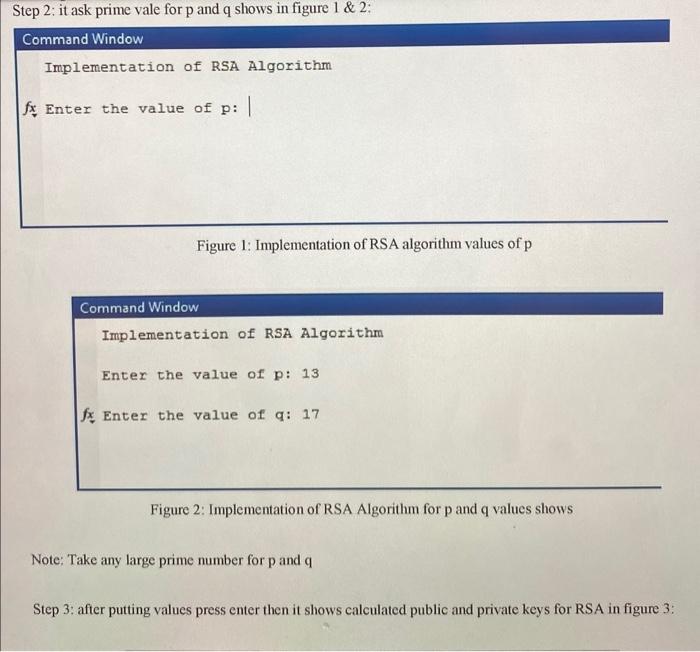
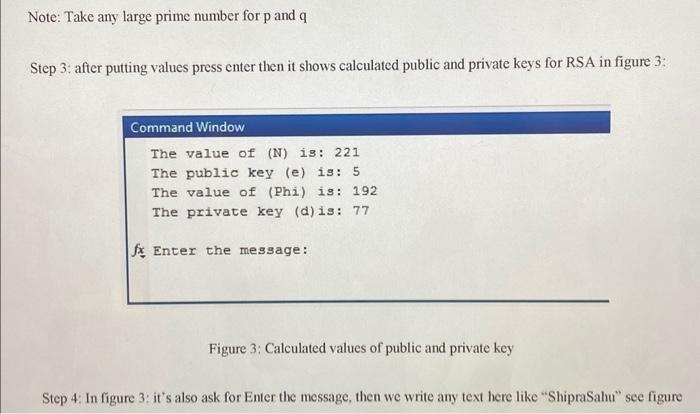
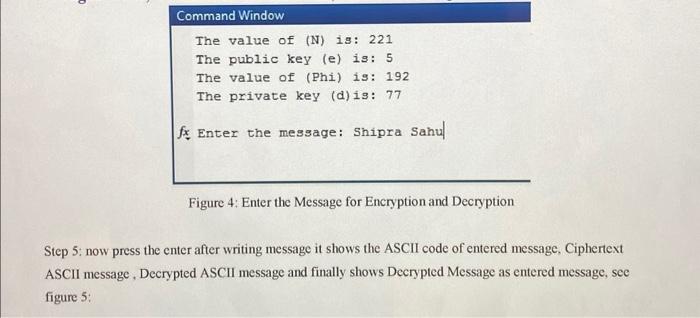
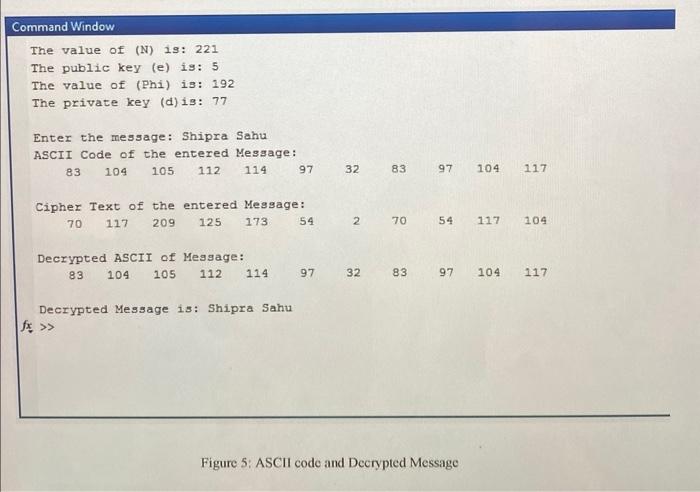
Step 2 : it ask prime vale for p and q shows in figure 1&2 : Command Window Implementation of RSA Algorithm fx Enter the value of p : Figure 1: Implementation of RSA algorithm values of p Command Window Implementation of RSA Algorithm Enter the value of p:13 fx Enter the value of q:17 Figure 2: Implementation of RSA Algorithm for p and q values shows Note: Take any large prime number for p and q Step 3: after putting values press enter then it shows calculated public and private keys for RSA in figure 3: Note: Take any large prime number for p and q Step 3: after putting values press enter then it shows calculated public and private keys for RSA in figure 3 : Command Window The value of (N) is: 221 The public key (e) is: 5 The value of (Phi) is: 192 The private key (d) is: 77 fx Enter the message: Figure 3: Calculated values of public and private key Step 4: In figure 3: it's also ask for Enter the message, then we write any text here like "ShipraSahu" see figure Command Window The value of (N) 1s: 221 The public key (e) is: 5 The value of (Phi) is: 192 The private key (d) is: 77 fx Enter the message: Shipra Sahul Figure 4: Enter the Message for Encryption and Decryption Step 5: now press the enter after writing message it shows the ASCII code of entered message, Ciphertext ASCII message, Decrypted ASCII message and finally shows Decrypted Message as entered message, see figure 5 : Figure 5: ASCII code and Decrypted Message
Step by Step Solution
There are 3 Steps involved in it

Get step-by-step solutions from verified subject matter experts
 Study Help