







Question: The net present value should now be between $ 5 6 , 4 0 0 and $ 5 6 , 5 3 5 depending on
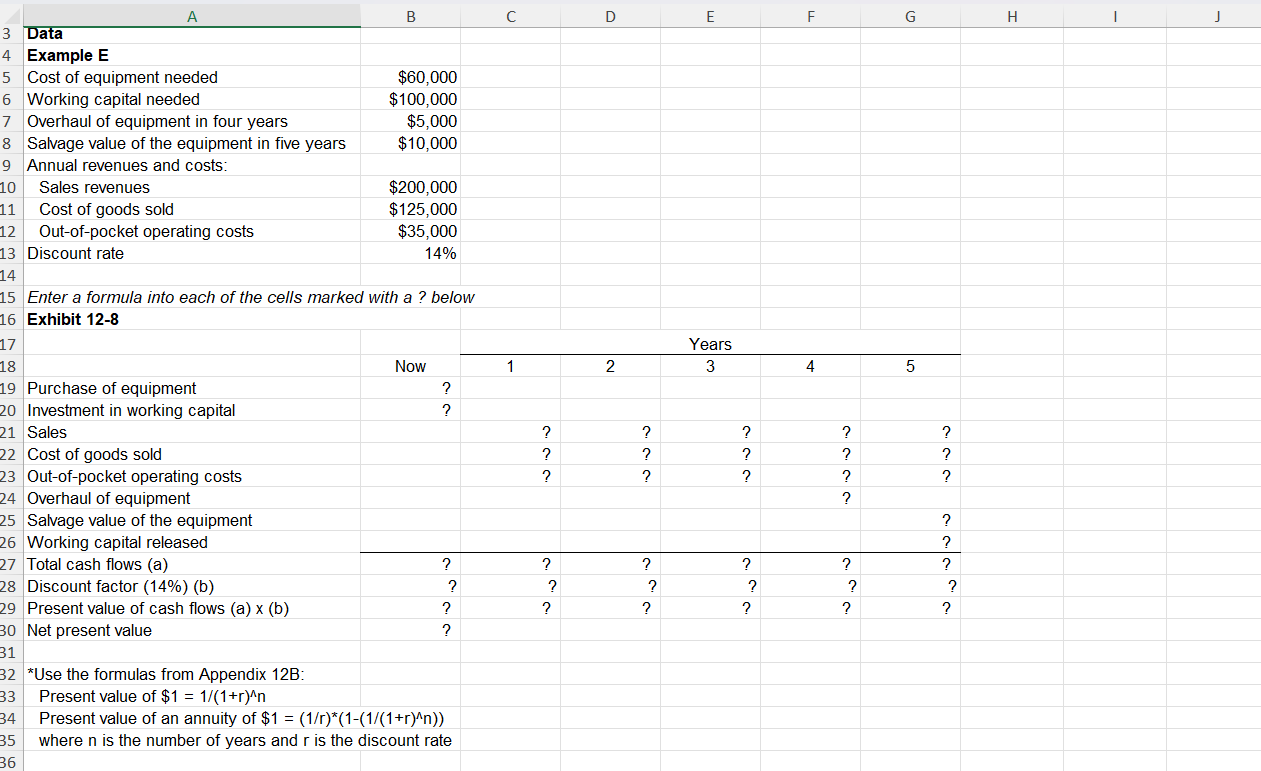
The net present value should now be between $ and $depending on the precision of the calculations. If you do not get an answer in this range, find the errors in your worksheet and correct them. If you did not use formulas to calculate the Discount Factors, be sure that those values are updated appropriately using the Appendix B formulas that are also noted at the bottom of the spreadsheet instead of using the Discount Factor tables. Click here to view Exhibit B and Exhibit B to determine Chapter : Applying Excel: Excel Worksheet Part of Algo Download the Applying Excel form and enter formulas in all cells that contain question marks. For example, in cell C enter the formula B Note: The present value factors could be computed using the builtin Excel function PV but we recommend using the formulas in Appendix B Verify that your worksheet matches the example in the text. Check your worksheet by changing the discount rate to The net present value should now be between $ and $ depending on the precision of the calculations. If you do not get an answer in this range, find the errors in your worksheet and correct them. If you did not use formulas to calculate the Discount Factors, be sure that those values are updated appropriately using the Appendix B formulas that are also noted at the bottom of the spreadsheet instead of using the Discount Factor tables.
Step by Step Solution
There are 3 Steps involved in it
1 Expert Approved Answer
Step: 1 Unlock

Question Has Been Solved by an Expert!
Get step-by-step solutions from verified subject matter experts
Step: 2 Unlock
Step: 3 Unlock
 Study Help