







Question: The printf function also recognizes a 8 p format specifier, which expects a value of type pointer. However, unlike the 8 s format, 8 p
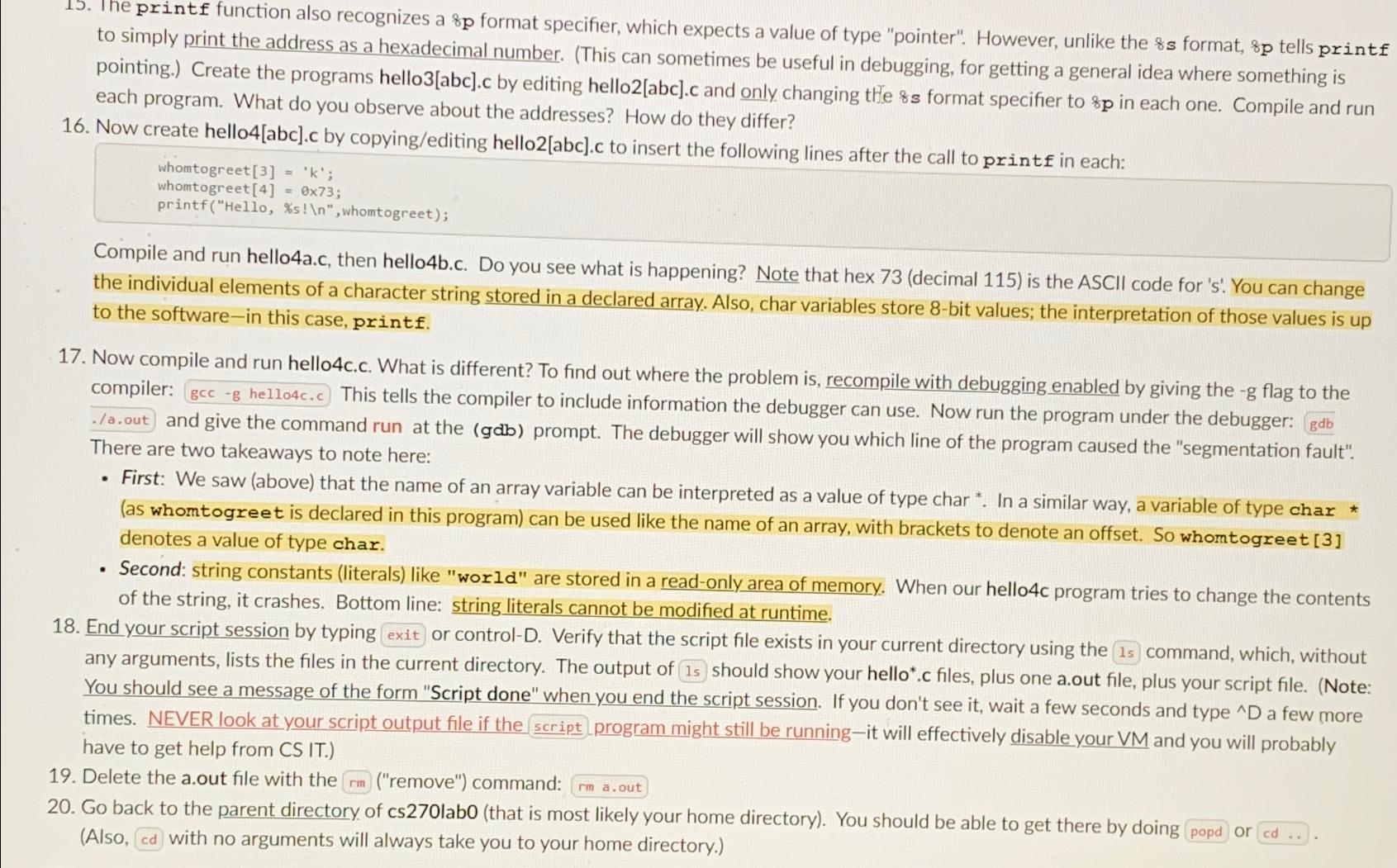
The printf function also recognizes a p format specifier, which expects a value of type "pointer". However, unlike the s format, p tells printf to simply print the address as a hexadecimal number. This can sometimes be useful in debugging, for getting a general idea where something is pointing. Create the programs helloabcc by editing helloabcc and only changing the format specifier to p in each one. Compile and run each program. What do you observe about the addresses? How do they differ?
Now create helloabcc by copyingediting helloabcc to insert the following lines after the call to printf in each:
whomtogreet ;
whomtogreet ;
printfHellos
whomtogreet;
Compile and run helloac then hellobc Do you see what is happening? Note that hex decimal is the ASCII code for s You can change the individual elements of a character string stored in a declared array. Also, char variables store bit values; the interpretation of those values is up to the softwarein this case, printf.
Now compile and run hellocc What is different? To find out where the problem is recompile with debugging enabled by giving the flag to the compiler: This tells the compiler to include information the debugger can use. Now run the program under the debugger: gdb aout and give the command run at the gab prompt. The debugger will show you which line of the program caused the "segmentation fault". There are two takeaways to note here:
First: We saw above that the name of an array variable can be interpreted as a value of type char In a similar way, a variable of type char as whomtogreet is declared in this program can be used like the name of an array, with brackets to denote an offset. So whomtogreet denotes a value of type char.
Second: string constants literals like "world" are stored in a readonly area of memory. When our helloc program tries to change the contents of the string, it crashes. Bottom line: string literals cannot be modified at runtime.
End your script session by typing exit or controlD Verify that the script file exists in your current directory using the command, which, without any arguments, lists the files in the current directory. The output of should show your helloc files, plus one aout file, plus your script file. Note: You should see a message of the form "Script done" when you end the script session. If you don't see it wait a few seconds and type a few more times. NEVER look at your script output file if the scriptprogram might still be runningit will effectively disable your VM and you will probably have to get help from CS IT
Delete the aout file with the remove command:
Go back to the parent directory of cslabo that is most likely your home directory You should be able to get there by doing popd or cd Also cd with no arguments will always take you to your home directory.
Step by Step Solution
There are 3 Steps involved in it
1 Expert Approved Answer
Step: 1 Unlock

Question Has Been Solved by an Expert!
Get step-by-step solutions from verified subject matter experts
Step: 2 Unlock
Step: 3 Unlock
 Study Help