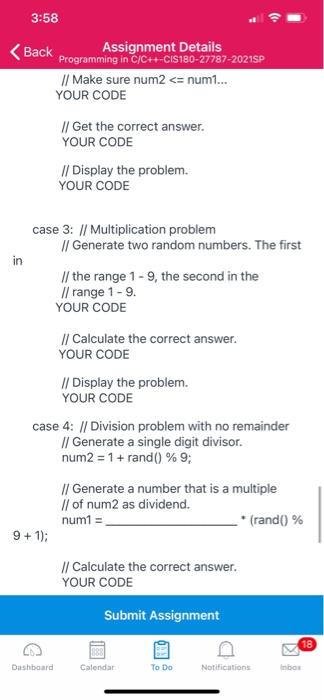
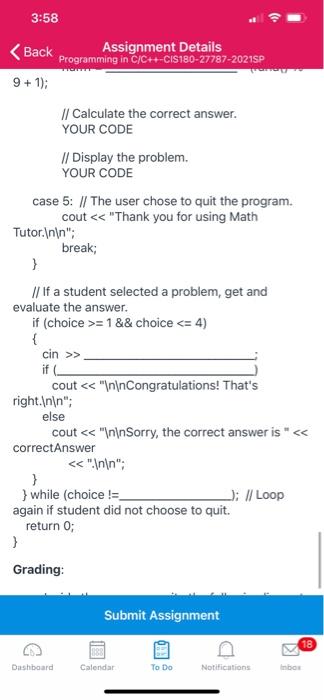
Question: the pseudo code for the program Write a program that displays a menu allowing the user to select addition, subtraction, multiplication, or division problem. The
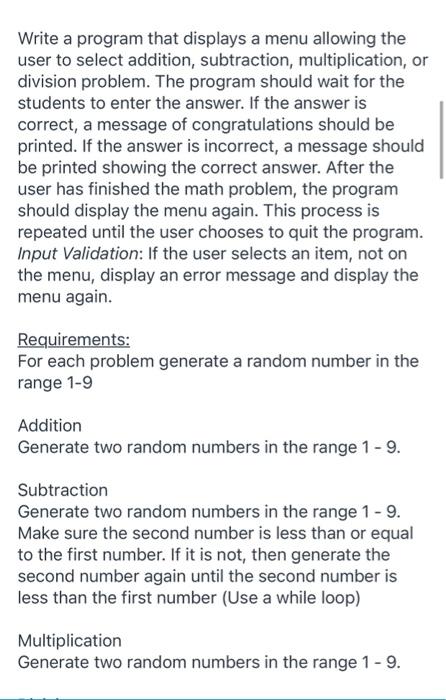
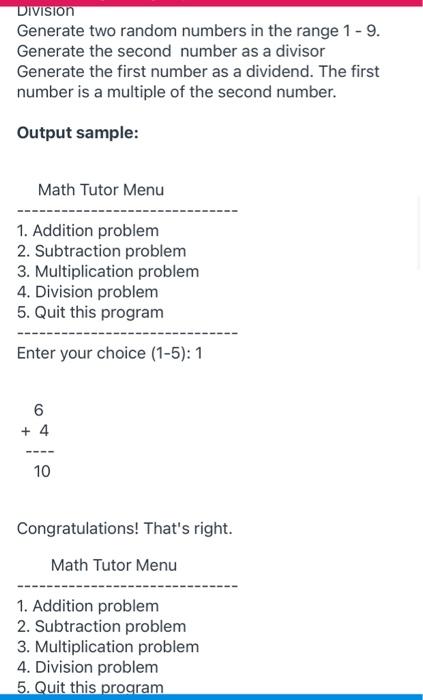
 the pseudo code for the program Write a program that displays
a menu allowing the user to select addition, subtraction, multiplication, or division
problem. The program should wait for the students to enter the answer.
If the answer is correct, a message of congratulations should be printed.
If the answer is incorrect, a message should be printed showing the
correct answer. After the user has finished the math problem, the program
should display the menu again. This process is repeated until the user
chooses to quit the program. Input Validation: If the user selects an
item, not on the menu, display an error message and display the
menu again. Requirements: For each problem generate a random number in the
the pseudo code for the program range 1-9 Addition Generate two random numbers in the range 1 -
9. Subtraction Generate two random numbers in the range 1 - 9.
Make sure the second number is less than or equal to the
first number. If it is not, then generate the second number again

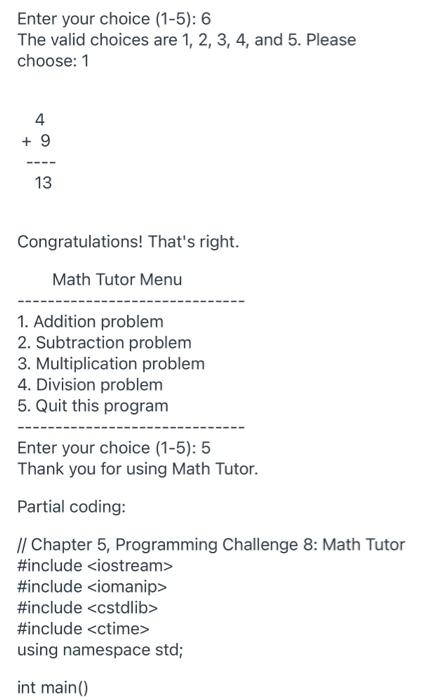
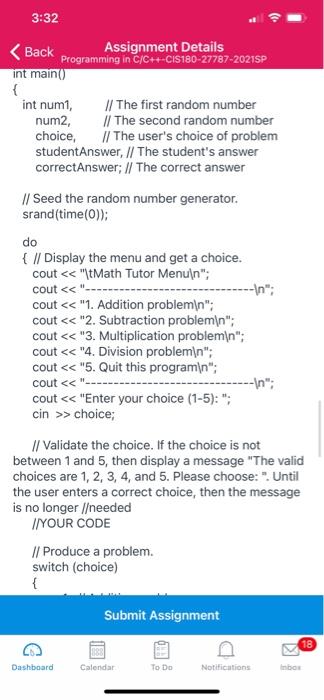
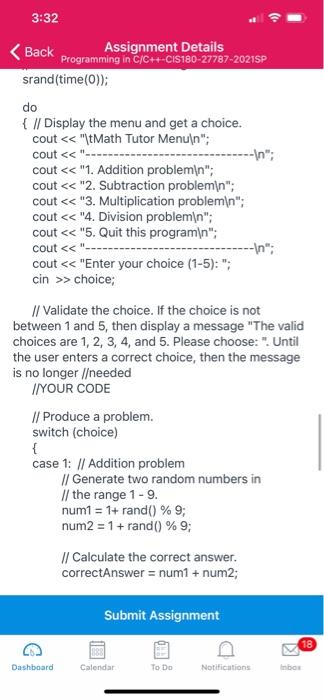
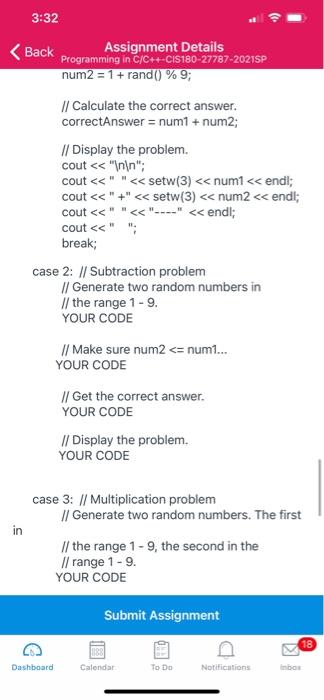
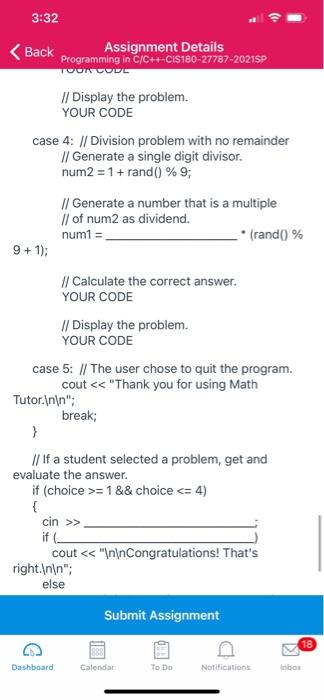
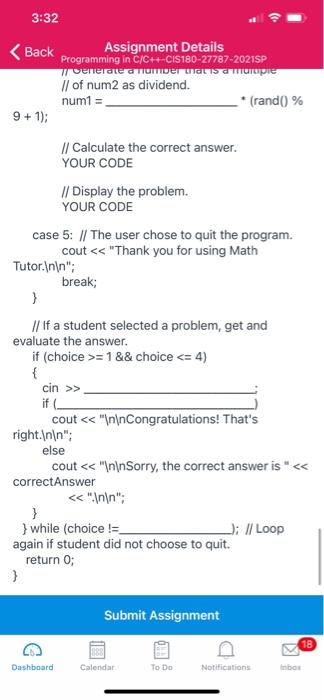
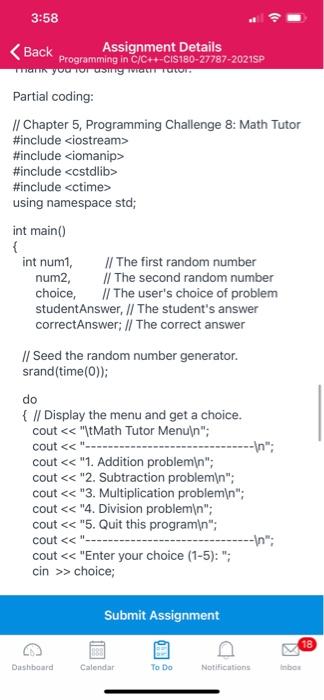
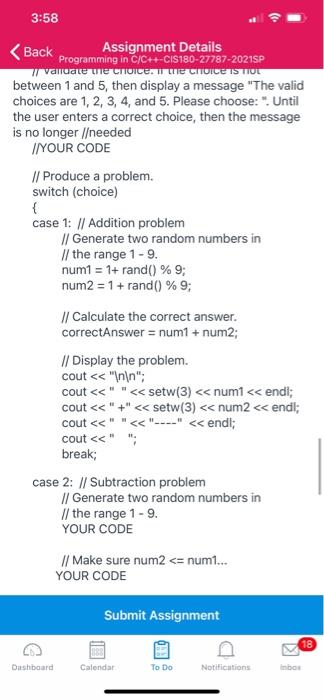
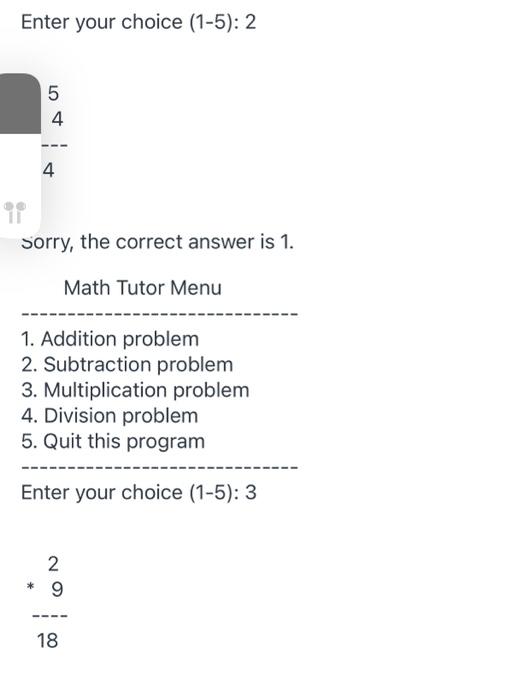
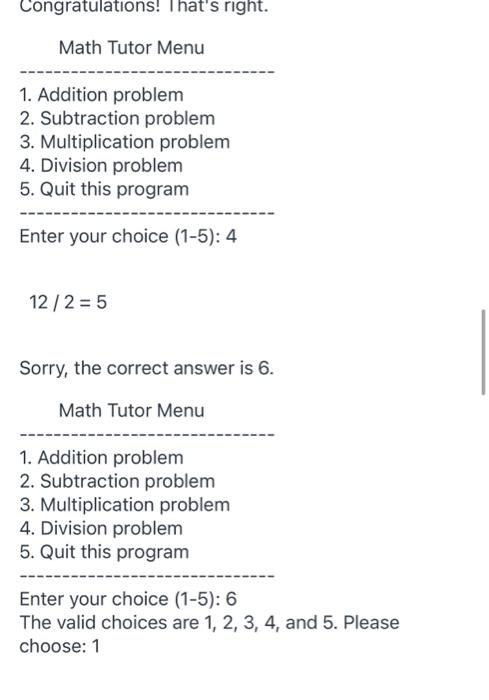
Write a program that displays a menu allowing the user to select addition, subtraction, multiplication, or division problem. The program should wait for the students to enter the answer. If the answer is correct, a message of congratulations should be printed. If the answer is incorrect, a message should be printed showing the correct answer. After the user has finished the math problem, the program should display the menu again. This process is repeated until the user chooses to quit the program. Input Validation: If the user selects an item, not on the menu, display an error message and display the menu again. Requirements: For each problem generate a random number in the range 1-9 Addition Generate two random numbers in the range 1 - 9. Subtraction Generate two random numbers in the range 1 - 9. Make sure the second number is less than or equal to the first number. If it is not, then generate the second number again until the second number is less than the first number (Use a while loop) Multiplication Generate two random numbers in the range 1 - 9. DIVISION Generate two random numbers in the range 1 - 9. Generate the second number as a divisor Generate the first number as a dividend. The first number is a multiple of the second number. Output sample: Math Tutor Menu 1. Addition problem 2. Subtraction problem 3. Multiplication problem 4. Division problem 5. Quit this program Enter your choice (1-5): 1 6 + 4 10 Congratulations! That's right. Math Tutor Menu 1. Addition problem 2. Subtraction problem 3. Multiplication problem 4. Division problem 5. Quit this program Enter your choice (1-5): 2 5 4 4 11 Sorry, the correct answer is 1. Math Tutor Menu 1. Addition problem 2. Subtraction problem 3. Multiplication problem 4. Division problem 5. Quit this program Enter your choice (1-5): 3 ON * 18 Congratulations! That's right. Math Tutor Menu 1. Addition problem 2. Subtraction problem 3. Multiplication problem 4. Division problem 5. Quit this program Enter your choice (1-5): 4 12/2 = 5 Sorry, the correct answer is 6. Math Tutor Menu 1. Addition problem 2. Subtraction problem 3. Multiplication problem 4. Division problem 5. Quit this program Enter your choice (1-5): 6 The valid choices are 1, 2, 3, 4, and 5. Please choose: 1 Enter your choice (1-5): 6 The valid choices are 1, 2, 3, 4, and 5. Please choose: 1 4 + 9 13 Congratulations! That's right. Math Tutor Menu 1. Addition problem 2. Subtraction problem 3. Multiplication problem 4. Division problem 5. Quit this program Enter your choice (1-5): 5 Thank you for using Math Tutor. Partial coding: // Chapter 5, Programming Challenge 8: Math Tutor #include #include #include #include using namespace std; int main() 3:32 > choice; // Validate the choice. If the choice is not between 1 and 5, then display a message "The valid choices are 1, 2, 3, 4, and 5. Please choose: ". Until the user enters a correct choice, then the message is no longer needed I/YOUR CODE // Produce a problem. switch (choice) { Submit Assignment 18 6 Dashboard Calendar To Do Notifications Inbox 3:32 Back Assignment Details Programming in C/C++-C1S180-27787-2021SP srand(time(0)); do { // Display the menu and get a choice. cout > choice; // Validate the choice. If the choice is not between 1 and 5, then display a message "The valid choices are 1, 2, 3, 4, and 5. Please choose: Until the user enters a correct choice, then the message is no longer /eeded //YOUR CODE // Produce a problem. switch (choice) { case 1: // Addition problem // Generate two random numbers in // the range 1 - 9. num1 = 1+ rand() % 9; num2 = 1 + rand() % 9; // Calculate the correct answer. correctAnswer = num1 + num2; Submit Assignment 18 Dashboard Calendar To Do Notifications Inbox 3:32 Back Assignment Details Programming in C/C++-CIS180-27787-2021SP num2 = 1 + rand() % 9; // Calculate the correct answer. correctAnswer = num1 + num2; // Display the problem. cout = 1 && choice > cout = 1 && choice > cout #include #include #include using namespace std; int main() { int num1, // The first random number num2, // The second random number choice, // The user's choice of problem student Answer, // The student's answer correct Answer: // The correct answer // Seed the random number generator. srand(time(0)); do { // Display the menu and get a choice. cout > choice; Submit Assignment 18 Dashboard Calendar To Do Notifications Inbox 3:58 Back Assignment Details Programming in C/C++-C1S180-27787-2021SP y valuate ule choice. Ime CHOICE IS TIUL between 1 and 5, then display a message "The valid choices are 1, 2, 3, 4, and 5. Please choose: "Until the user enters a correct choice, then the message is no longer /eeded IN YOUR CODE // Produce a problem. switch (choice) { case 1: // Addition problem // Generate two random numbers in // the range 1 - 9. num1 = 1+ rand() % 9; num2 = 1 + rand() % 9; // Calculate the correct answer. correctAnswer = num1 + num2; // Display the problem. cout = 1 && choice > cout
Step by Step Solution

There are 3 Steps involved in it

1 Expert Approved Answer
Step: 1 Unlock blur-text-image
Question Has Been Solved by an Expert!

Get step-by-step solutions from verified subject matter experts

Step: 2 Unlock
Step: 3 Unlock

Students Have Also Explored These Related Databases Questions!