







Question: The steps here are for aws, but using AWS is optional, if you would like to use Oracle VirtualBox and create VMs, that is a
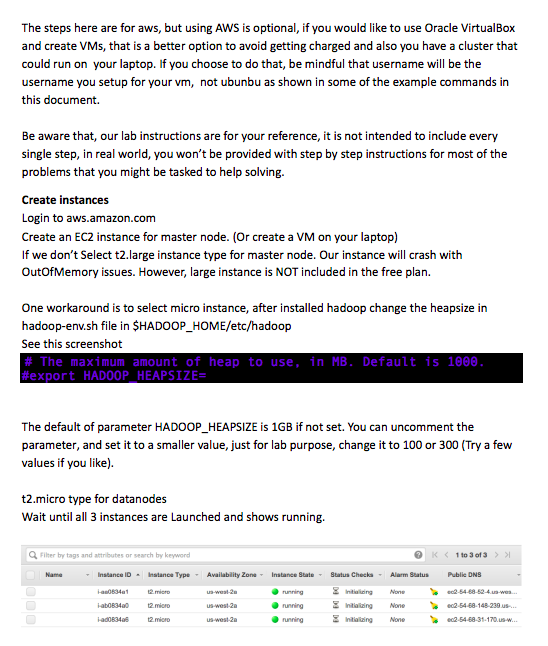
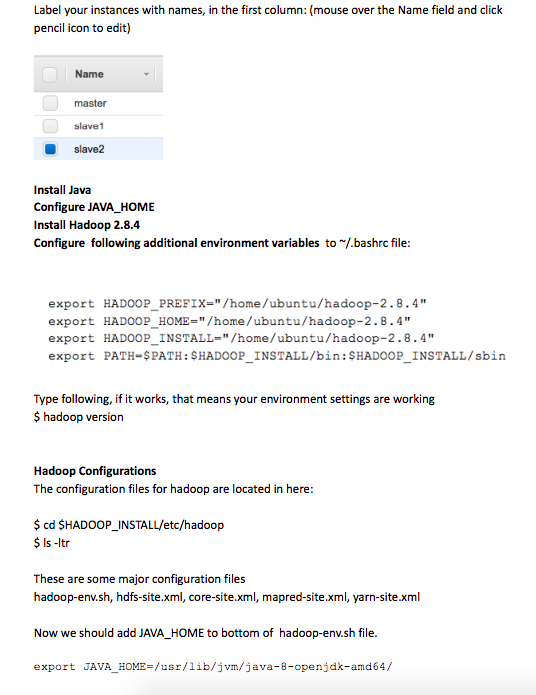
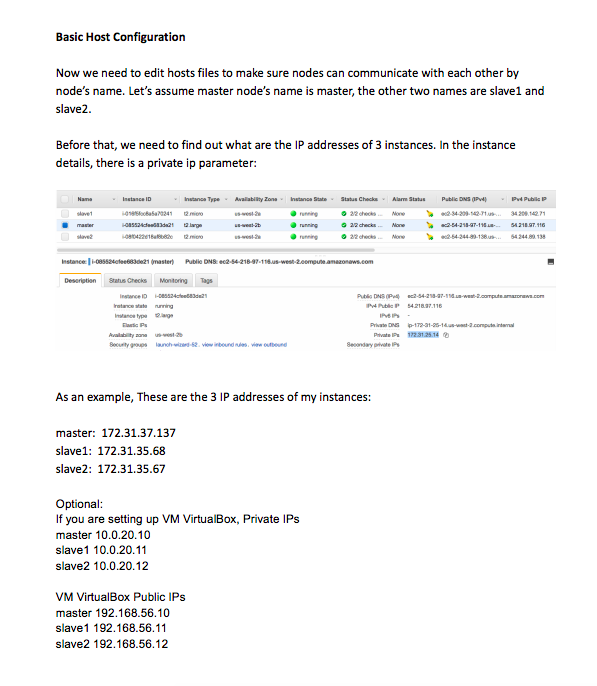
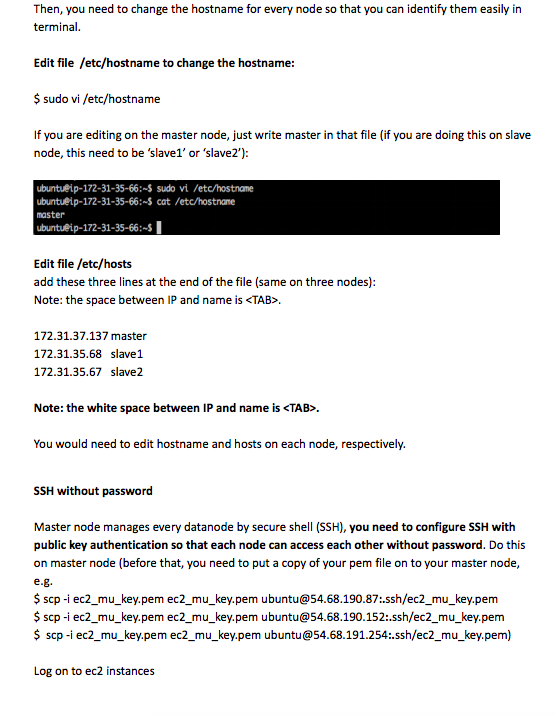
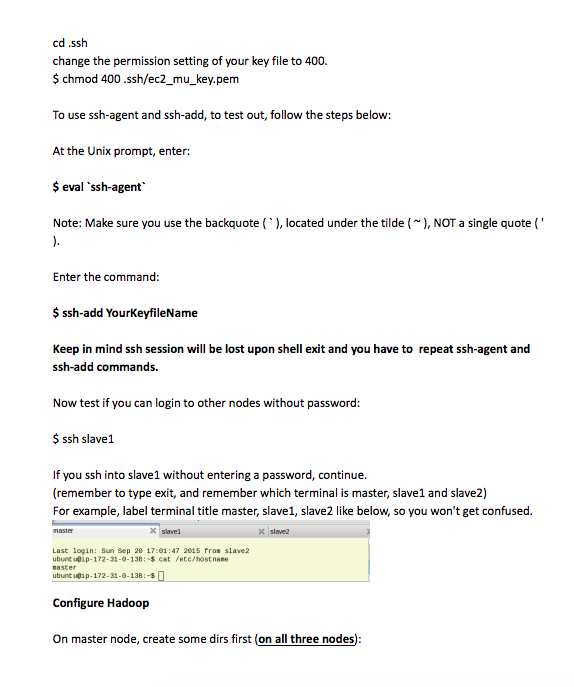
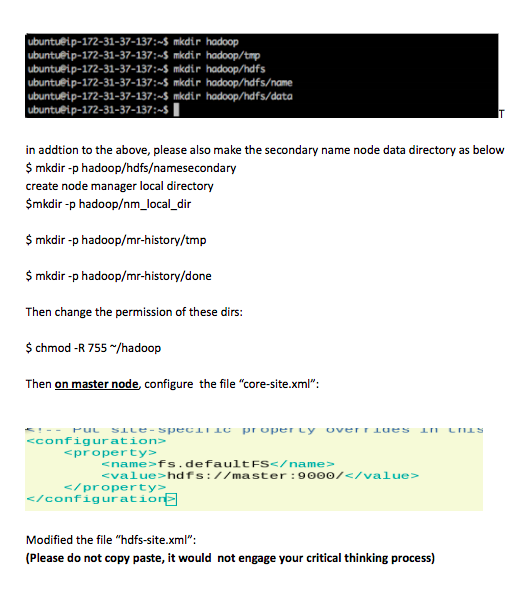
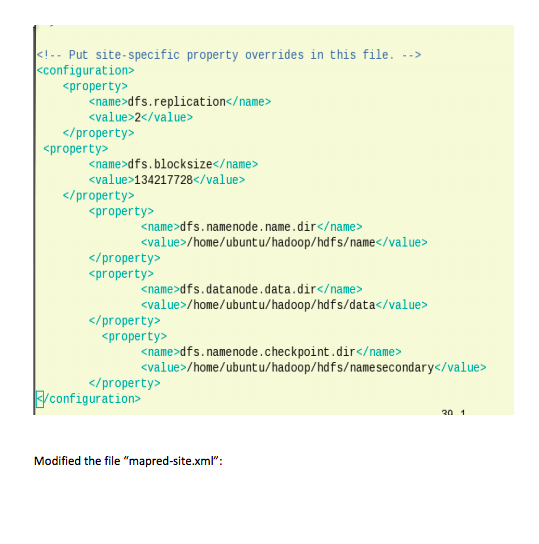
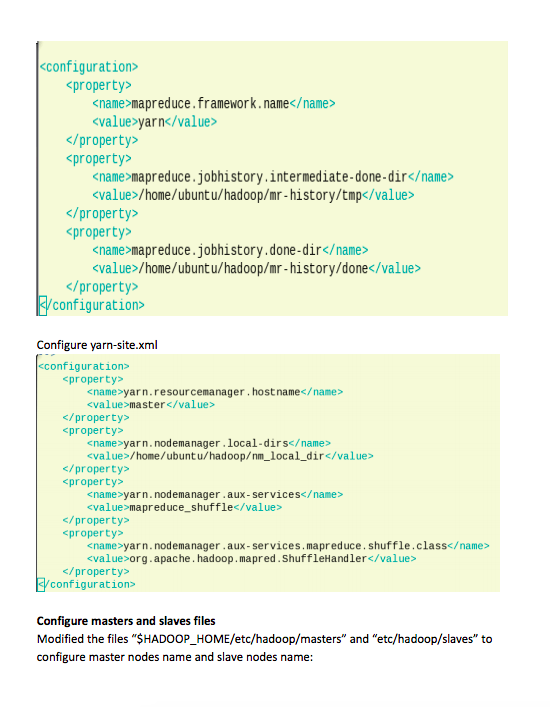
The steps here are for aws, but using AWS is optional, if you would like to use Oracle VirtualBox and create VMs, that is a better option to avoid getting charged and also you have a cluster that could run on your laptop. If you choose to do that, be mindful that username will be the username you setup for your vm, not ubunbu as shown in some of the example commands in this document. Be aware that, our lab instructions are for your reference, it is not intended to include every single step, in real world, you won't be provided with step by step instructions for most of the problems that you might be tasked to help solving. Create instances Login to aws.amazon.com Create an EC2 instance for master node. (Or create a VM on your laptop) If we don't Select t2.large instance type for master node. Our instance will crash with OutOfMemory issues. However, large instance is NOT included in the free plan. One workaround is to select micro instance, after installed hadoop change the heapsize in hadoop-env.sh file in $HADOOP_HOME/etc/hadoop See this screenshot # The maximum amount of heap to use, in MB . Default is 10ee #export HADOOP HEAPSIZE- The default of parameter HADOOP_HEAPSIZE is 1GB if not set. You can uncomment the parameter, and set it to a smaller value, just for lab purpose, change it to 100 or 300 (Try a few values if you like). t2.micro type for datanodes Wait until all 3 instances are Launched and shows running Q, Filher by tags and attributes or search by keyword Instancu iD.lnstance Type Availability Zona Instance 9bate8batus Checks. Alarm 8atus Public DNS . intial ing running running None 54-68-148-239 us us-west-2a nalng None The steps here are for aws, but using AWS is optional, if you would like to use Oracle VirtualBox and create VMs, that is a better option to avoid getting charged and also you have a cluster that could run on your laptop. If you choose to do that, be mindful that username will be the username you setup for your vm, not ubunbu as shown in some of the example commands in this document. Be aware that, our lab instructions are for your reference, it is not intended to include every single step, in real world, you won't be provided with step by step instructions for most of the problems that you might be tasked to help solving. Create instances Login to aws.amazon.com Create an EC2 instance for master node. (Or create a VM on your laptop) If we don't Select t2.large instance type for master node. Our instance will crash with OutOfMemory issues. However, large instance is NOT included in the free plan. One workaround is to select micro instance, after installed hadoop change the heapsize in hadoop-env.sh file in $HADOOP_HOME/etc/hadoop See this screenshot # The maximum amount of heap to use, in MB . Default is 10ee #export HADOOP HEAPSIZE- The default of parameter HADOOP_HEAPSIZE is 1GB if not set. You can uncomment the parameter, and set it to a smaller value, just for lab purpose, change it to 100 or 300 (Try a few values if you like). t2.micro type for datanodes Wait until all 3 instances are Launched and shows running Q, Filher by tags and attributes or search by keyword Instancu iD.lnstance Type Availability Zona Instance 9bate8batus Checks. Alarm 8atus Public DNS . intial ing running running None 54-68-148-239 us us-west-2a nalng None
Step by Step Solution
There are 3 Steps involved in it

Get step-by-step solutions from verified subject matter experts
 Study Help