







Question: The task: Create a program with BorderPane as the layout panel. In the south you should have two push buttons: Square and Circle. When you
The task: Create a program with BorderPane as the layout panel. In the south you should have two push buttons: Square and Circle. When you press one of the buttons, a square or circle should appear in the center panel of your BordePane. The figures should appear in a random place, but in their entirety within the panel that is in the center. A new print should create a new shape, and the old square or circle should disappear (maximum two shapes up at the same time, a circle and a square). In the north, you should have a text field that tells which figures are displayed, the x and y coordinates of these. In the west, you should have two push buttons for color, Red and Blue. It is the "current" figure that can be colored. The current figure is the one that was last created, or the one that was clicked on last with the mouse. In the east, you should have a Rotate button that rotates the square 45 degrees (around itself) for each press. Write event handlers as lambda expressions.
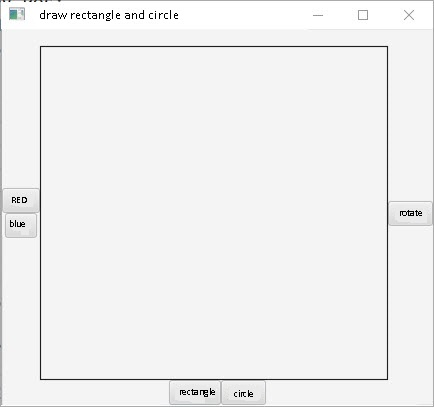
draw rectangle and circle RED rotate blue rectangle circle
Step by Step Solution
There are 3 Steps involved in it
1 Expert Approved Answer
Step: 1 Unlock

Question Has Been Solved by an Expert!
Get step-by-step solutions from verified subject matter experts
Step: 2 Unlock
Step: 3 Unlock
 Study Help