



Question: The third picture is the sales tab the second is database tab and the third is the addition tab. Instructions Step Download and open the
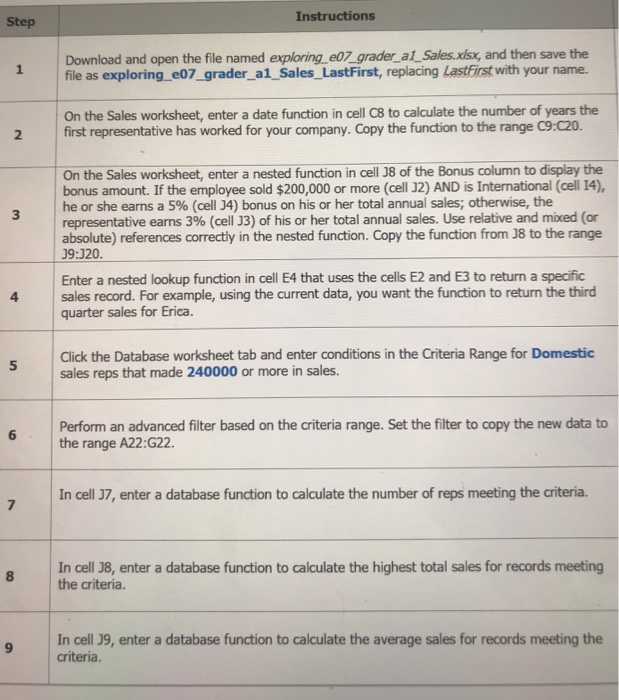
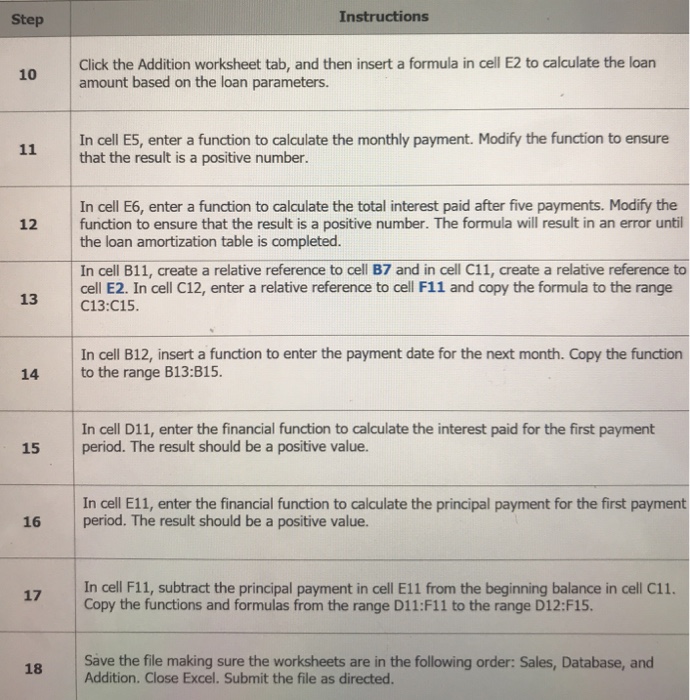
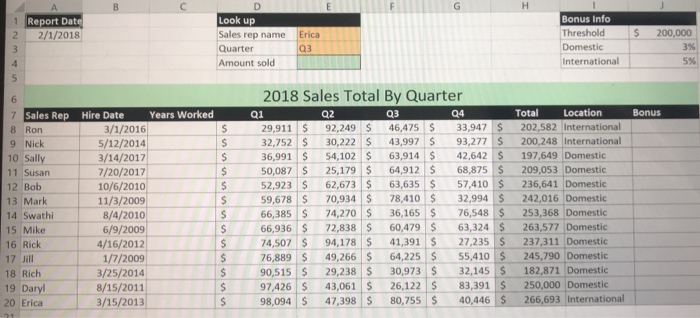
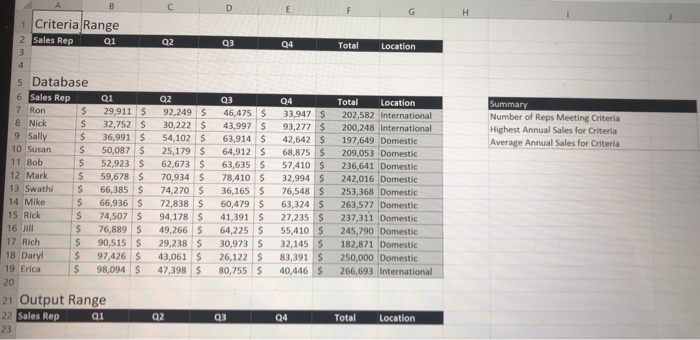
Instructions Step Download and open the file named exploring ed7_grader al Sales.xlsx, and then save the file as exploring_e07_ grader_a1_Sales_LastFirst, replacing Lastirst with your name. On the Sales worksheet, enter a date function in cell C8 to calculate the number of years the first representative has worked for your company. Copy the function to the range C9:c20 2 On the Sales worksheet, enter a nested function in cell J8 of the Bonus column to display the bonus amount. If the employee sold $200,000 or more (cell J2) AND is International (cell 14), he or she earns a 5% (cell 34) bonus on his or her total annual sales, otherwise, the representative earns 3% (cell J3) of his or her total annual sales. Use relative and mixed (or absolute) references correctly in the nested function. Copy the function from J8 to the range 19:320 3 Enter a nested lookup function in cell E4 that uses the cells E2 and E3 to return a specific 4 4 sales record. For example, using the current data, you want the function to return the third quarter sales for Erica. Click the Database worksheet tab and enter conditions in the Criteria Range for Domestic sales reps that made 240000 or more in sales 5 Perform an advanced filter based on the criteria range. Set the filter to copy the new data to the range A22:G22. 6 In cell 37, enter a database function to calculate the number of reps meeting the criteria In cell 38, enter a database function to calculate the highest total sales for records meeting the criteria. In cell J9, enter a database function to calculate the average sales for records meeting the criteria 9
Step by Step Solution
There are 3 Steps involved in it

Get step-by-step solutions from verified subject matter experts