







Question: There are two database products from Microsoft. In this exercise we only deal with Microsoft Access database or .mdb file. Since most of us do
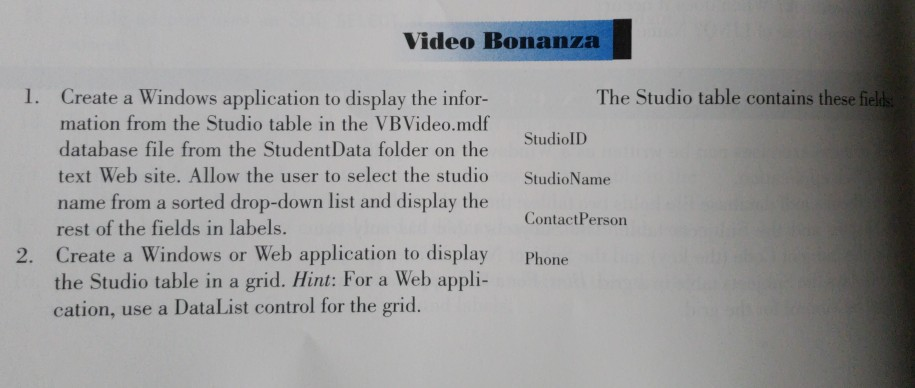
There are two database products from Microsoft. In this exercise we only deal with Microsoft Access database or .mdb file. Since most of us do not have another Microsoft database product, Microsoft SQL Server, your weekly assignment do not need to include any exercise with SQL Server or .mdf file. You can just use .mdb file from your Student CD to get your weekly assignment completed. Please include your .mdb file in your project so that I can test your exercises. 1. Use a ComboBox for Studio Name to choose from 2. Add three TextBox for Studio, Phone Number and Contact Person 3. Add a new DataGrid to contain data from Access Database (.mdb file) Please make sure to include an Access Database file (.mdb file) in your VB project. Do NOT work on SQL Server database, another database product from Microsoft as you may not have SQL server installed on your PC. Access Database comes with Microsoft Office Suite. Your final VB project this week should combine Database Detail View (A Combo Menu Box) The Top Half and Database Grid View (DataGridView) The Bottom Half into one Form. When it runs you make one selection from one of those two views, another view will also show the result of this selection. Thus, correct way (required in this assignment) is to combine them into one Form. This way if I choose one specific Studio Name or Studio ID from either view, both views get updated at the same time.
please complete in visual basic .net and include screen shot of what the form will look.
Video Bonanza 1. The Studio table contains these fiel Create a Windows application to display the infor- mation from the Studio table in the VBVideo.mdf database file from the StudentData folder on the text Web site. Allow the user to select the studio name from a sorted drop-down list and display the rest of the fields in labels. Create a Windows or Web application to display the Studio table in a grid. Hint: For a Web appli- cation, use a DataList control for the grid. StudiolD StudioName ContactPerson Phone 2
Step by Step Solution
There are 3 Steps involved in it

Get step-by-step solutions from verified subject matter experts
 Study Help