







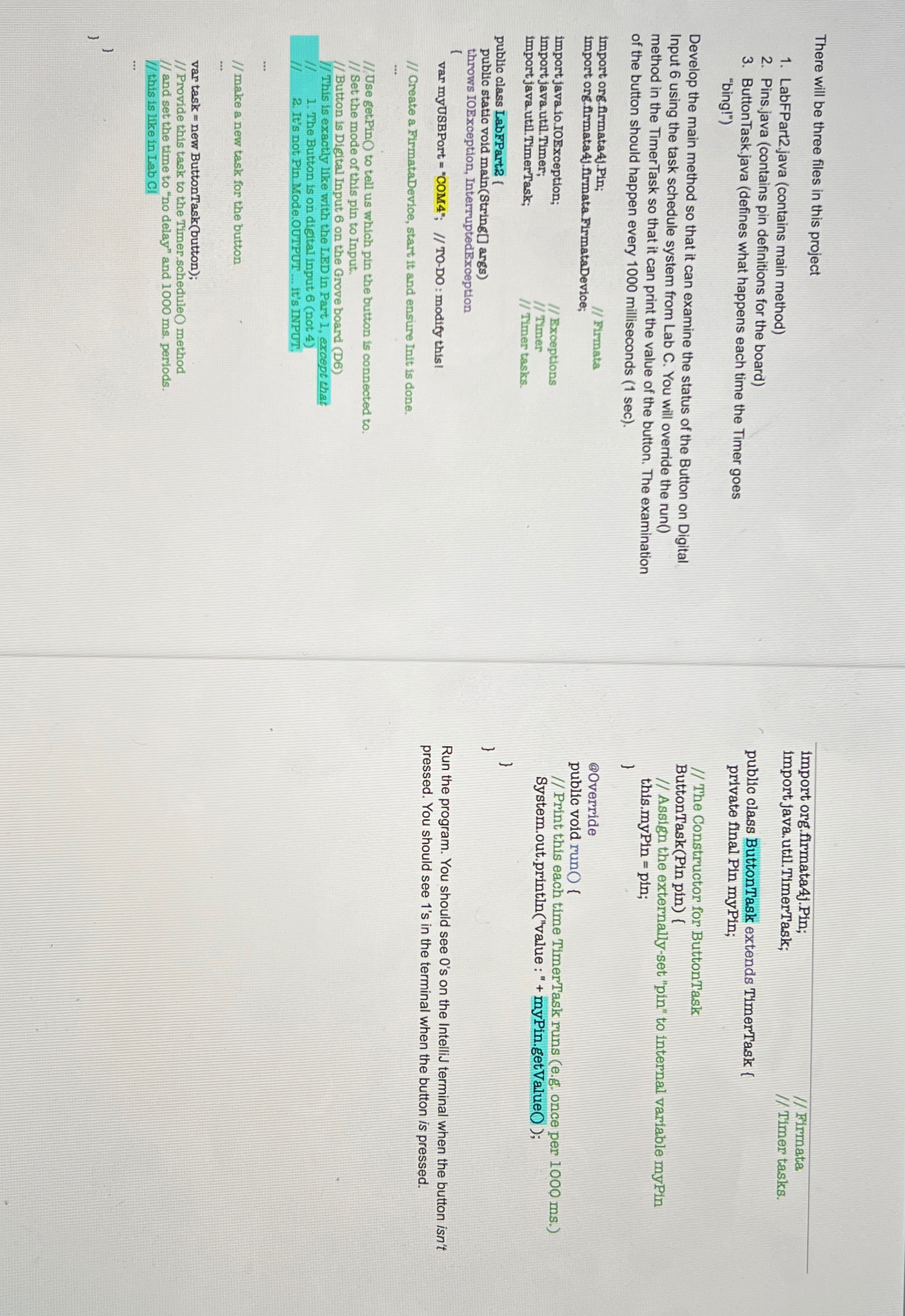
Question: There will be three files in this project LabFPart 2 . java ( contains main method ) Pins.java ( contains pin definitions for the board
There will be three files in this project
LabFPartjava contains main method
Pins.java contains pin definitions for the board
ButtonTask.java defines what happens each time the Timer goes "bing!"
Develop the main method so that it can examine the status of the Button on Digital Input using the task schedule system from Lab C You will override the run method in the TimerTask so that it can print the value of the button. The examination of the button should happen every milliseconds
import org.flrmatajPin; Firmata
import org.firmatajfirmata. FirmataDevice;
importjava.IoIOException; Bxceptions
import java.util.Timer; Timer
import java.util.TimerTask; Timer tasks,
public class LabFPartz
public static void mainString args
throws IOException, InterruptedException
var myUSBPort "COM; TODO: modify this!
Create a FirmataDevice, start it and ensure Init is done.
Use getPin to tell us which pin the button is connected to
Set the mode of this pin to Input.
Button is Digital Input on the Grove board D
This is exactly like with the LED in Part I, except thet
II The Button is on digital input not
II It's not Pin.Mode.OUTPUT it's INPUT:
make a new task for the button
var task new ButtonTaskbutton;
Provide this task to the Timer.scheduleO method
and set the time to no delay" and periods.
this is like in Lab Cl
import org.firmatajPin; Firmata
import java.util.TimerTask; Timer tasks.
public class ButtonTask extends TimerTask
private final Pin myPin;
The Constructor for ButtonTask
ButtonTaskPin pin
Assign the externallyset "pin" to internal variable myPin
this. ;
@Override
public void runO
Print this each time TimerTask runs eg once per
System.out.printlnvalue : myPin.getValueO;
Run the program. You should see s on the IntelliJ terminal when the button isn't pressed. You should see s in the terminal when the button is pressed.
Note: for me button is located at D and LED is at Dport is devcuusbserial
Step by Step Solution
There are 3 Steps involved in it
1 Expert Approved Answer
Step: 1 Unlock

Question Has Been Solved by an Expert!
Get step-by-step solutions from verified subject matter experts
Step: 2 Unlock
Step: 3 Unlock
 Study Help