







Question: These are intructions for creating a 2D plane in MATLAB. 1) Plot a 2D shape which resembles an airplane, and which starts by being centered
These are intructions for creating a 2D plane in MATLAB.
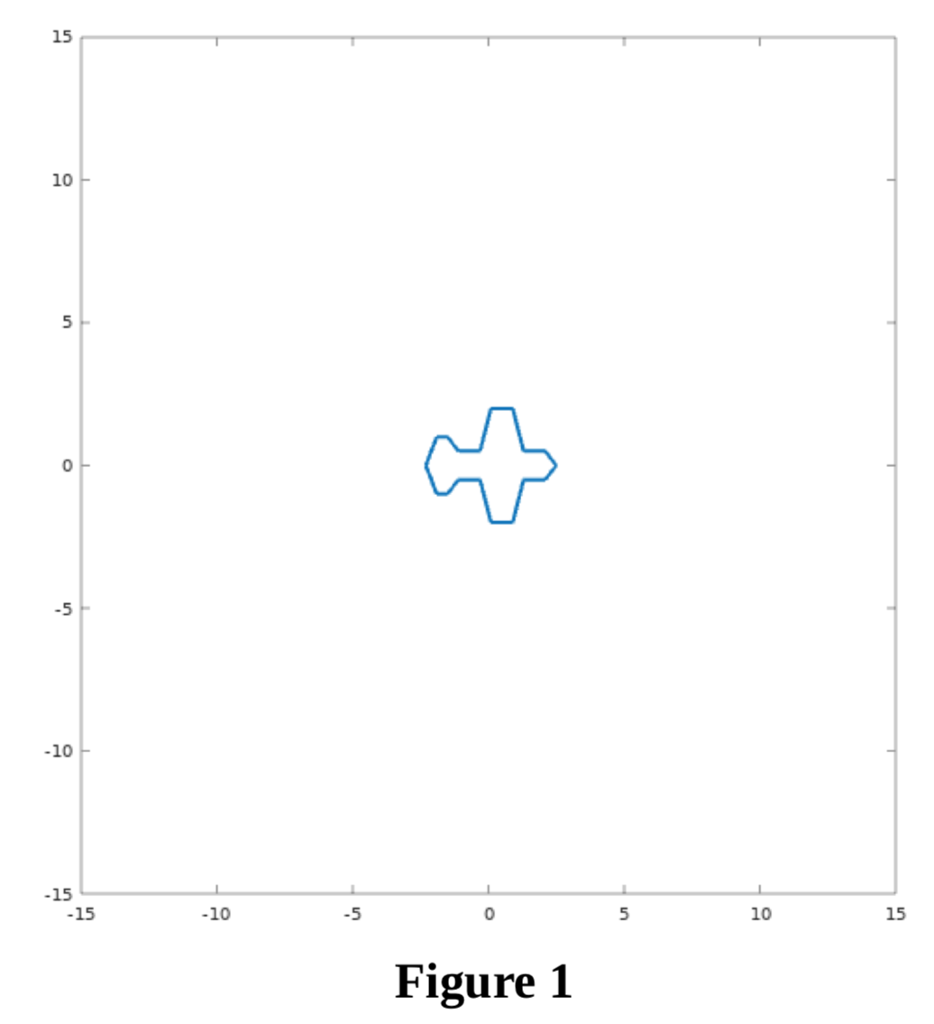
1) Plot a 2D shape which resembles an airplane, and which starts by being centered at location (0,0) (i.e., the geometric center of the points which define the shape should be (0,0)).
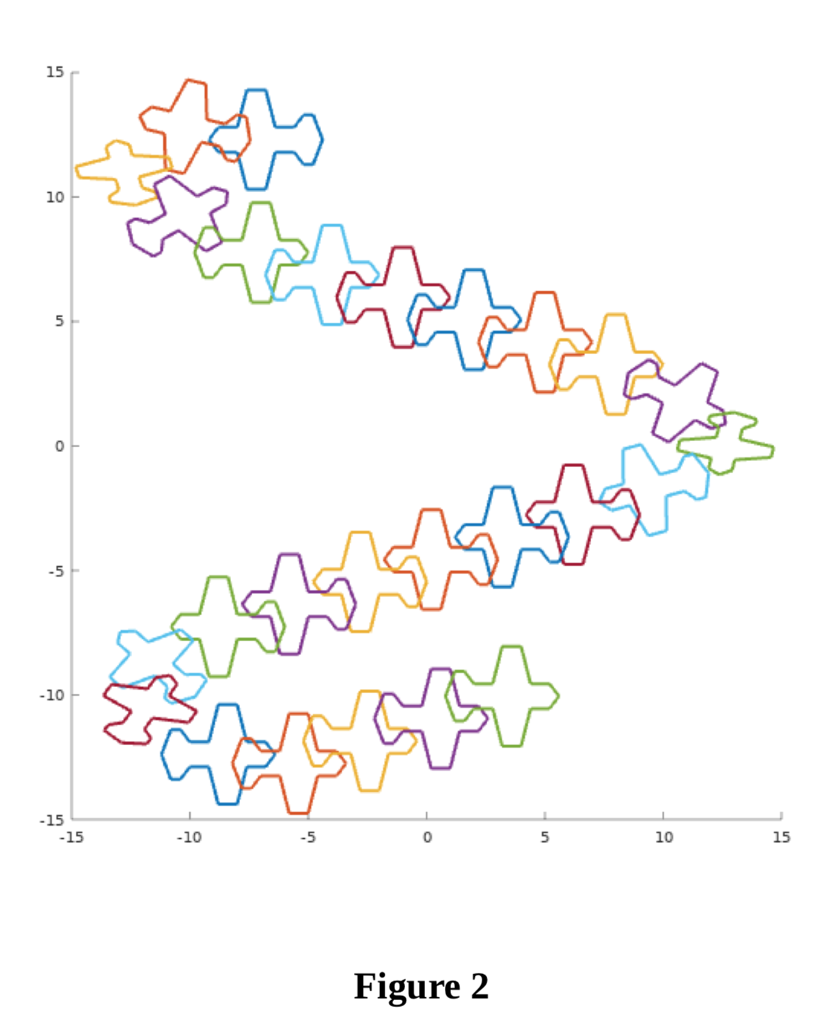
2) The plane should continuously move within a square area which is limited between -15 to 15 horizontally and -15 to 15 vertically. The airplane should never exit this 30 30 square area. In other words, when the shape reaches those limits, it should bounce back so that it stays within the 30 30 box. The shape should be moving faster horizontally than vertically, with the nose and tail being, respectively, to the left and to the right (or to the right and to the left depending on which direction it moves).
3) At the same time, as the airplane approaches the vertical boundaries, it should slowly rotate about its center so that its nose is always in the front as it moves.
4) Also, as the airplane approaches the vertical boundaries, in addition to bouncing back within the 30 30 box, the shape should appear to be narrower (to give the impression of a 3D motion). This can be seen in Figure 2.
5) You may choose the speed with which the airplane moves, and the speed with which it rotates around its center yourselves. However, the airplane should not be moving just horizontally or just vertically. Also, it should not be moving with the same speed horizontally and vertically (e.g., if the airplane is drawn as in Figure 1, it should move faster horizontally than vertically).
A snapshot of how the airplane should look like within the 30 30 box is shown next, in Figure 1:
The following plot in Figure 2 shows how the airplane is moving, rotating, and bouncing at the box walls. Each color corresponds to a different snapshot as the airplane moves.
15 10 5 CH 0 -5 -10 .15 -15 -10 0 10 15 Figure 1 15 10 5 CH 0 -5 -10 .15 -15 -10 0 10 15 Figure 1
Step by Step Solution
There are 3 Steps involved in it

Get step-by-step solutions from verified subject matter experts
 Study Help