







Question: these are one question together and the question is complete just asking to change the black dog to brown using a bash(terminal) QUESTION 4 Type
these are one question together
and the question is complete just asking to change the black dog to brown using a bash(terminal)
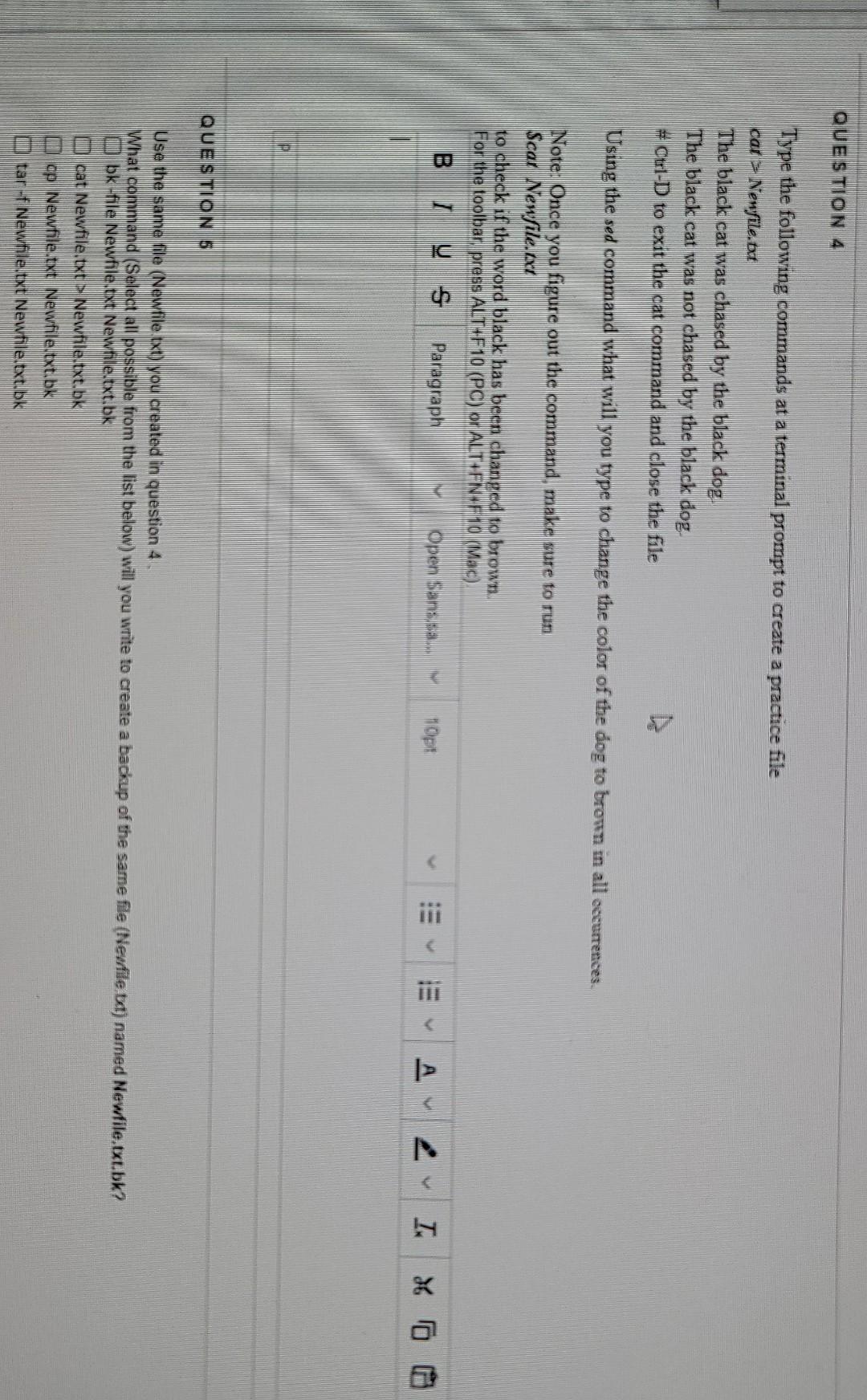
QUESTION 4 Type the following commands at a terminal prompt to create a practice file car > Newfile.at The black cat was chased by the black dog. The black cat was not chased by the black dog # Ctrl-D to exit the cat command and close the file Using the sed command what will you type to change the color of the dog to bronen in all occurrences. Note: Once you figure out the command, make sure to run Scar Newfile.at to check if the word black has been changed to brown. For the toolbar press ALT+F10 (PC) or ALT-FN:F 10 (Mac) B y s Paragraph Open Sans sa... 10pt iii > 4 I X60 QUESTION 5 Use the same file (Newfile txt) you created in question 4. What command (Select all possible from the list below) will you write to create a backup of the same file (Newfile bat) named Newfile.txt.bk? o bk-file Newhile txt Newfile.txt.bk cat Newfile.txt Newfile.txt.bk u op Newfile txt Newfile.txt.bk anttar -f Newfile txt Newfile.txt, bk QUESTION 4 Type the following commands at a terminal prompt to create a practice file car > Newfile.at The black cat was chased by the black dog. The black cat was not chased by the black dog # Ctrl-D to exit the cat command and close the file Using the sed command what will you type to change the color of the dog to bronen in all occurrences. Note: Once you figure out the command, make sure to run Scar Newfile.at to check if the word black has been changed to brown. For the toolbar press ALT+F10 (PC) or ALT-FN:F 10 (Mac) B y s Paragraph Open Sans sa... 10pt iii > 4 I X60 QUESTION 5 Use the same file (Newfile txt) you created in question 4. What command (Select all possible from the list below) will you write to create a backup of the same file (Newfile bat) named Newfile.txt.bk? o bk-file Newhile txt Newfile.txt.bk cat Newfile.txt Newfile.txt.bk u op Newfile txt Newfile.txt.bk anttar -f Newfile txt Newfile.txt, bk
Step by Step Solution
There are 3 Steps involved in it

Get step-by-step solutions from verified subject matter experts
 Study Help