







Question: This assignment I must make a game that impacts the society positively, my professor gave an example which could be a a game to teach
This assignment I must make a game that impacts the society positively, my professor gave an example which could be a a game to teach people to do exercise or something related to that nothing too hard. This is a simple game not a fancy one.
Here is the whole worksheet 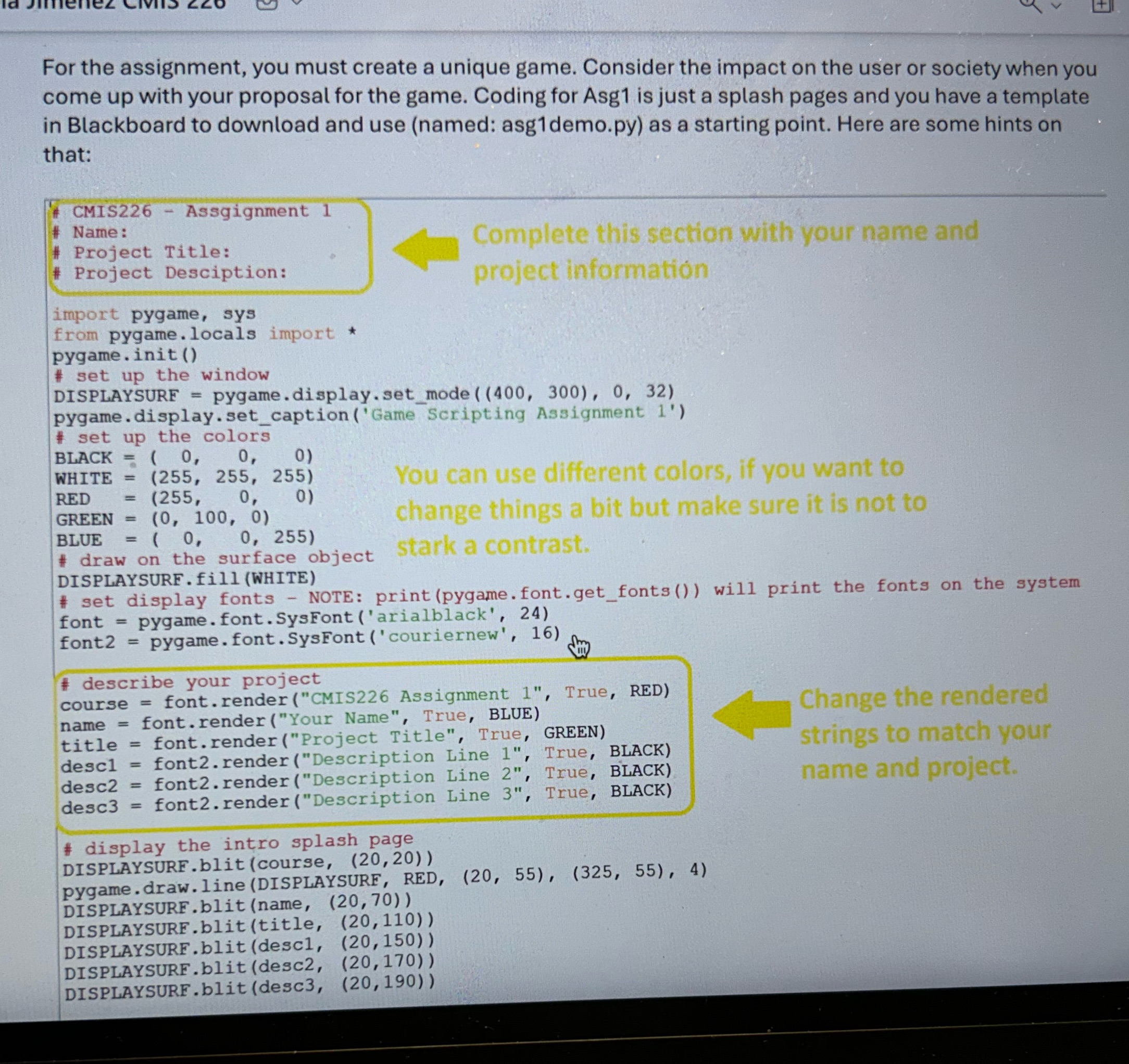
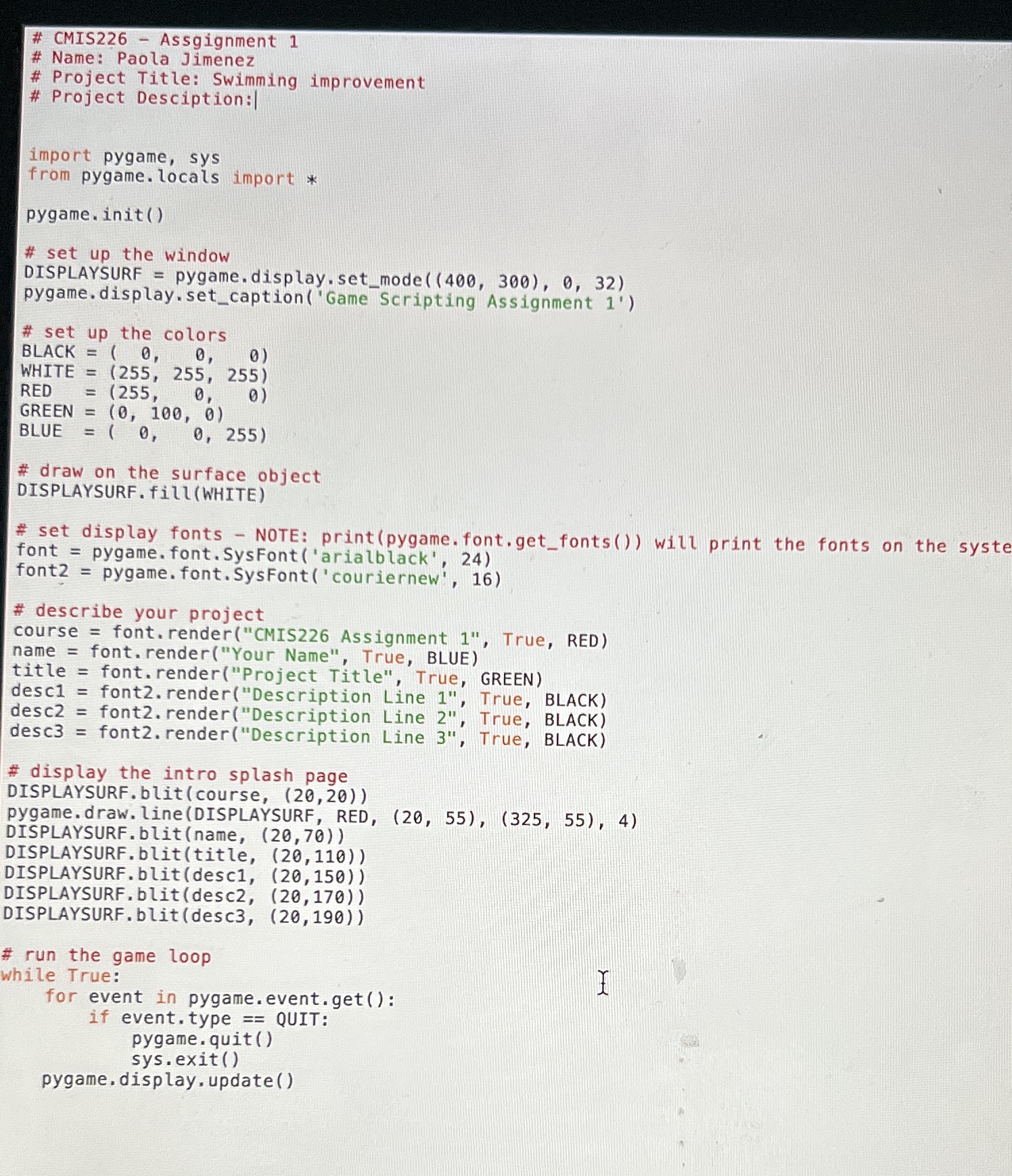
For the assignment, you must create a unique game. Consider the impact on the user or society when you come up with your proposal for the game. Coding for Asg1 is just a splash pages and you have a template in Blackboard to download and use (named: asg1demo.py) as a starting point. Here are some hints on that: CMIS226 # Name: # Project Title: # Project Desciption: import pygame, sys from pygame.locals import * - pygame.init() # set up the window DISPLAYSURF = Assgignment 1 = pygame.display.set_mode ((400, 300), 0, 32) pygame.display.set_caption ('Game Scripting Assignment 1') # set up the colors BLACK= (0, 0, 0) WHITE = (255, 255, 255) RED (255, 0, 0) GREEN (0, 100, 0) BLUE = ( 0, 0, 255) #draw on the surface object stark a contrast. DISPLAYSURF.fill (WHITE) = = = # set display fonts NOTE: print (pygame.font.get_fonts()) will print the fonts on the system font = pygame.font.Sys Font ('arialblack', 24) font2 = pygame.font.SysFont ('couriernew', 16) Complete this section with your name and project information - You can use different colors, if you want to change things a bit but make sure it is not to #describe your project course font.render ("CMIS226 Assignment 1", True, RED) font.render ("Your Name", True, BLUE) font.render ("Project Title", True, GREEN) name title = descl = font2.render ("Description Line 1", True, BLACK) desc2 font2.render ("Description Line 2", True, BLACK) desc3 font2.render ("Description Line 3", True, BLACK) # display the intro splash page DISPLAYSURF.blit (course, (20,20)) pygame.draw.line (DISPLAYSURF, RED, (20, 55), (325, 55), 4) DISPLAYSURF.blit (name, (20,70)) DISPLAYSURF.blit (title, (20, 110)) DISPLAYSURF.blit (desc1, (20,150)) DISPLAYSURF.blit (desc2, (20,170)) DISPLAYSURF.blit (desc3, (20,190)) Change the rendered strings to match your name and project.
Step by Step Solution
There are 3 Steps involved in it
import random exercises Jumping Jacks Squats Pushups ... View full answer

Get step-by-step solutions from verified subject matter experts
 Study Help