







Question: This code must be written in MATLAB. Part A and part B must be written as functions in a .m file separate from the main.m
This code must be written in MATLAB. Part A and part B must be written as functions in a .m file separate from the main.m file. Then the main file must call these functions to use them.
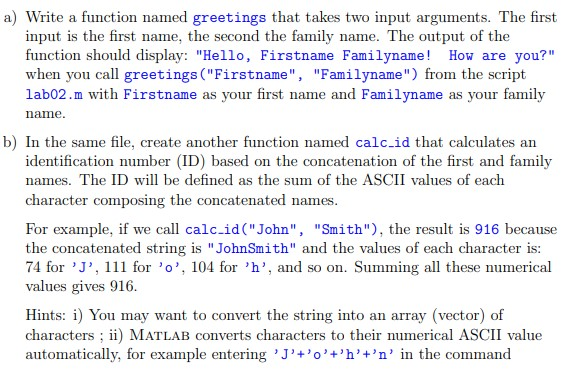

a) Write a function named greetings that takes two input arguments. The first input is the first name, the second the family name. The output of the function should display: "Hello, Firstname Familyname! How are you?" when you call greetings ("Firstname", "Familyname") from the script lab02.m with Firstname as your first name and Familyname as your family name. b) In the same file, create another function named calc_id that calculates an identification number (ID) based on the concatenation of the first and family names. The ID will be defined as the sum of the ASCII values of each character composing the concatenated names. For example, if we call calc.id("John", "Smith"), the result is 916 because the concatenated string is "John Smith" and the values of each character is: 74 for 'l', 111 for 'o', 104 for 'h', and so on. Summing all these numerical values gives 916. Hints: i) You may want to convert the string into an array (vector) of characters ; ii) MATLAB converts characters to their numerical ASCII value automatically, for example entering 'J'+'0'+'h'+'n' in the command window returns 399
Step by Step Solution
There are 3 Steps involved in it

Get step-by-step solutions from verified subject matter experts
 Study Help