







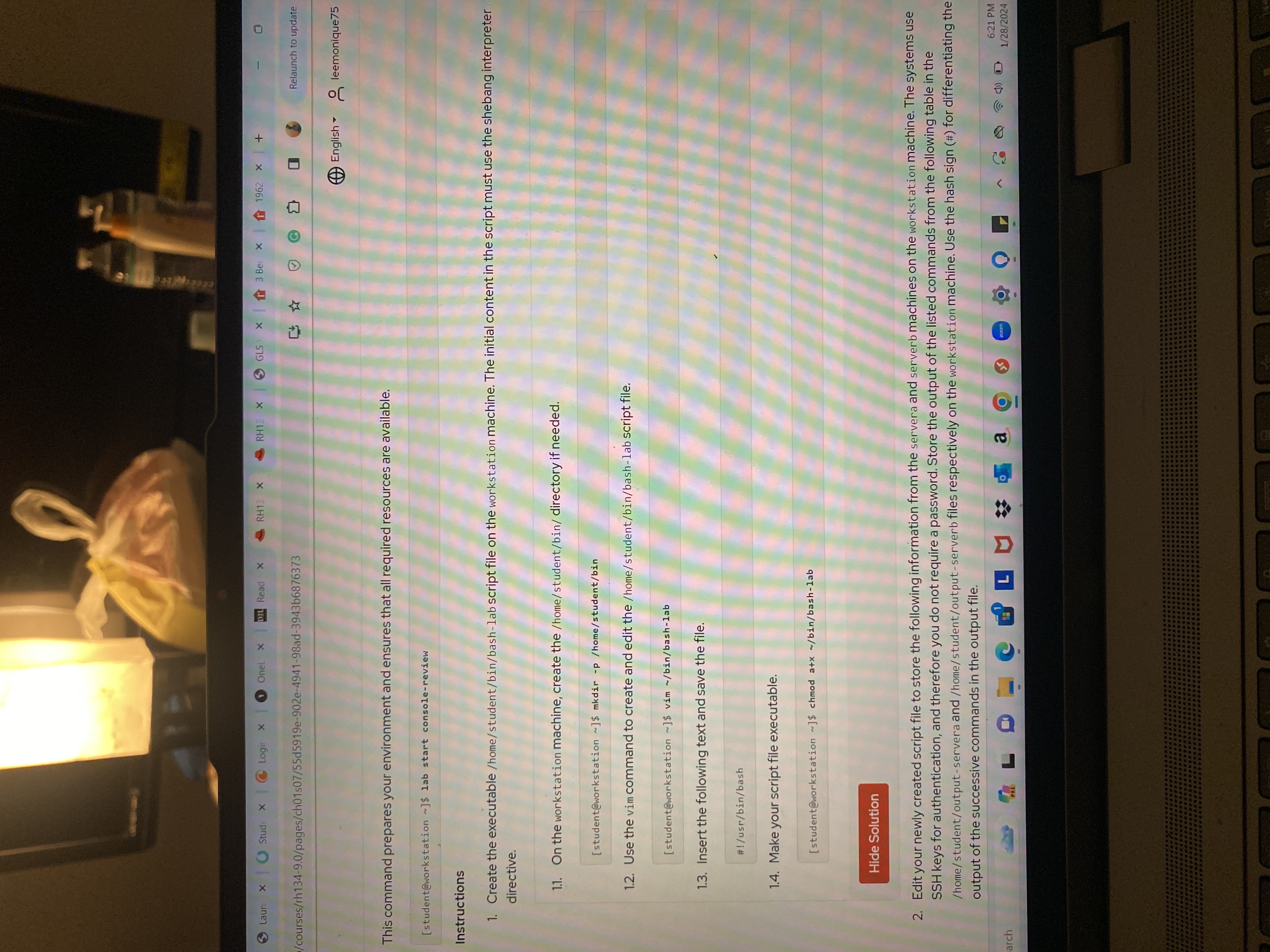
Question: This command prepares your environment and ensures that all required resources are available. [ student@workstation ] $ lab start console - review Instructions Create the
This command prepares your environment and ensures that all required resources are available.
student@workstation $ lab start consolereview
Instructions
Create the executable homestudentbinbashlab script file on the workstation machine. The initial content in the script must use the shebang interpreter
directive.
On the workstation machine, create the homestudentbin directory if needed.
student@workstation $ mkdir p homestudentbin
Use the vim command to create and edit the homestudentbinbashlab script file.
student@workstation $ vim binbashlab
Insert the following text and save the file.
#usrbinbash
Make your script file executable.
student@workstation $ chmod ax binbashlab
Edit your newly created script file to store the following information from the servera and serverb machines on the workstation machine. The systems use
SSH keys for authentication, and therefore you do not require a password. Store the output of the listed commands from the following table in the
homestudentoutputservera and homestudentoutputserverb files respectively on the workstation machine. Use the hash sign # for differentiating the
output of the successive commands in the output file.
how do i execute this in my terminal
Step by Step Solution
There are 3 Steps involved in it
1 Expert Approved Answer
Step: 1 Unlock

Question Has Been Solved by an Expert!
Get step-by-step solutions from verified subject matter experts
Step: 2 Unlock
Step: 3 Unlock
 Study Help