







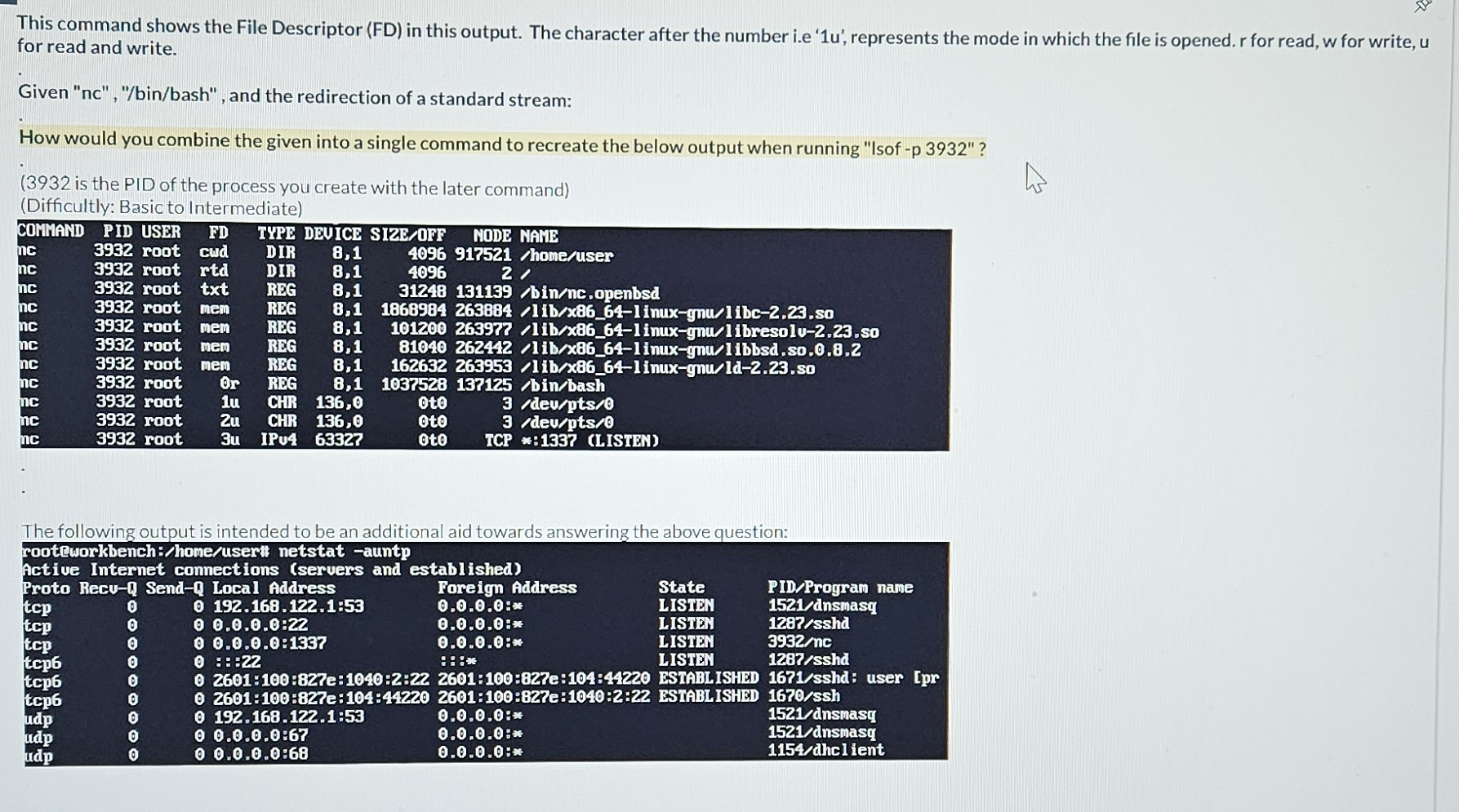
Question: This command shows the File Descriptor ( FD ) in this output. The character after the number i . e ' 1 u ' ,
This command shows the File Descriptor FD in this output. The character after the number ie represents the mode in which the file is opened. for read, for write, for read and write.
Given ncbinbash and the redirection of a standard stream:
How would you combine the given into a single command to recreate the below output when running "Isof p
is the PID of the process you create with the later commandDifficultly: Basic to Intermediate
tabletablePIDtableUSERrootrootrootrootrootrootrootrootrootrootroottableFDcudrtdtxtmemmemmemmem
Step by Step Solution
There are 3 Steps involved in it
1 Expert Approved Answer
Step: 1 Unlock

Question Has Been Solved by an Expert!
Get step-by-step solutions from verified subject matter experts
Step: 2 Unlock
Step: 3 Unlock
 Study Help