







Question: This exercises requires you to create a password validation script that uses exception handling and a regular expression to ensure that the password entered by
This exercises requires you to create a password validation script that uses exception handling and a regular expression to ensure that the password entered by the user is between 6 and 15 characters long and contains at least one uppercase letter, one lowercase letter, and one numeric digit.
Create a new document in your text editor.
Type the declaration, element, document head, and element. Use Validate Password as the content of the element.
Create a script section in the document head that includes a validatePassword() function. The try block should us an if statement with a regular expression to evaluate the password, which must be between 6 and 16 characters long and contain at least one uppercase letter, one lowercase letter, and one numeric digit. If the password does not match the regular expression, an exception is thrown. The try block also uses another if statement that determines whether the values in a password field and a password confirmation field match. If not, an exception is also thrown. The finally block removes the values that the user entered into the password and password confirmation fields. If the catch block does not return a value of false, meaning that no exception was thrown, the final statements in the function print the text You entered a valid password.
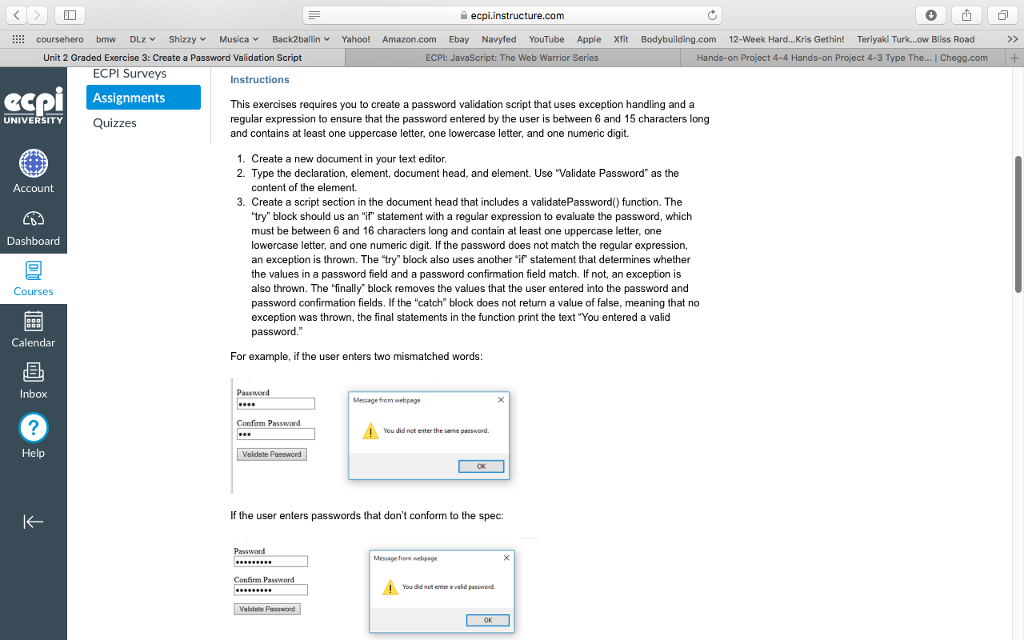
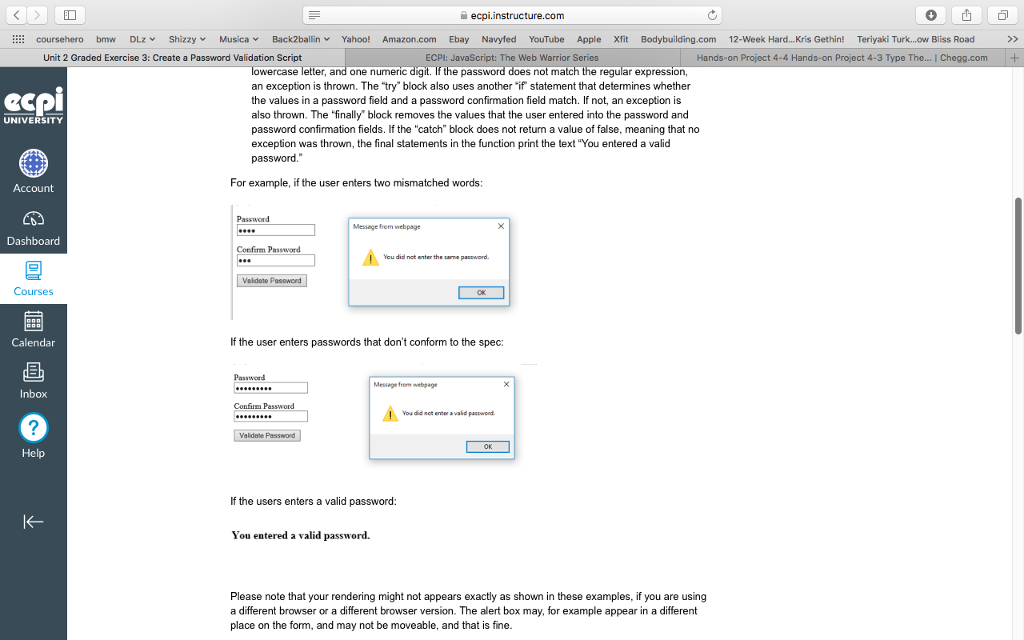
coursehero bmw DLZv Shizzy? Musica'. Back2ballinv Yahoo! Amazon.com Ebay Navyfed YouTube Apple Xfit Bodybuilding.com 12-week Hard Kris Gethin! Teriyaki Turk ow Bliss Road Unit 2 Graded Exercise 3: Create a Password Validation Script ECPI: JavaScript: The Web Warrior Series Hands-on Project 4-4 Hands-on Project 4-3 Type T | Chegg.com ECPI Surveys Instructions ACAssignments This exercises requires you to create a password validation script that uses exception handling and a regular expression to ensure that the password entered by the user is between 6 and 15 characters long and contains at least one uppercase letter, one lowercase letter, and one numeric digit. UNIVERSITY Quizzes 1. Create a new document in your text editor 2. Type the declaration, element, document head, and element. Use "Validate Password" as the Account content of the element. 3. Create a script section in the document head that includes a validatePassword() function. The try" block should us an "if" statement with a regular expression to evaluate the password, which must be between 6 and 16 characters long and contain at least one uppercase letter, one lowercase letter, and one numeric digit. If the password does not match the regular expression, an exception is thrown. The "try" block also uses another "if statement that determines whether the values in a password field and a password confirmation field match. If not, an exception is also thrown. The finally' block removes the values that the user entered into the password and password confirmation fields. If the "catch" block does not return a value of false, meaning that no exception was thrown, the final statements in the function print the text "You entered a valid password Dashboard Courses Calendar For example, if the user enters two mismatched words Inbox Message trom webpage Confirm Password Yeu did not enter the sane password. Help Veldate Password If the user enters passwords that don't conform to the spec: Messege from webpage Confim Password You did not enter avalid passwond Validote Passwond
Step by Step Solution
There are 3 Steps involved in it

Get step-by-step solutions from verified subject matter experts
 Study Help