







Question: This is a 5 step question, please don't copy other answers found here on chegg. Exercise 16-1 Throw and catch In this exercise, you'll experiment
This is a 5 step question, please don't copy other answers found here on chegg.
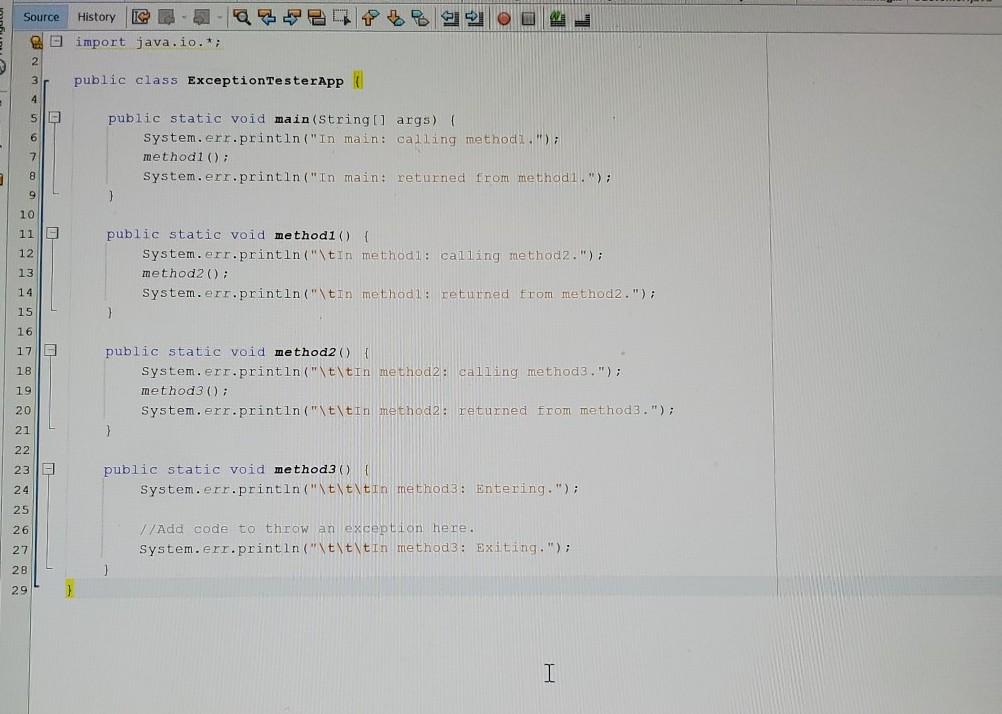
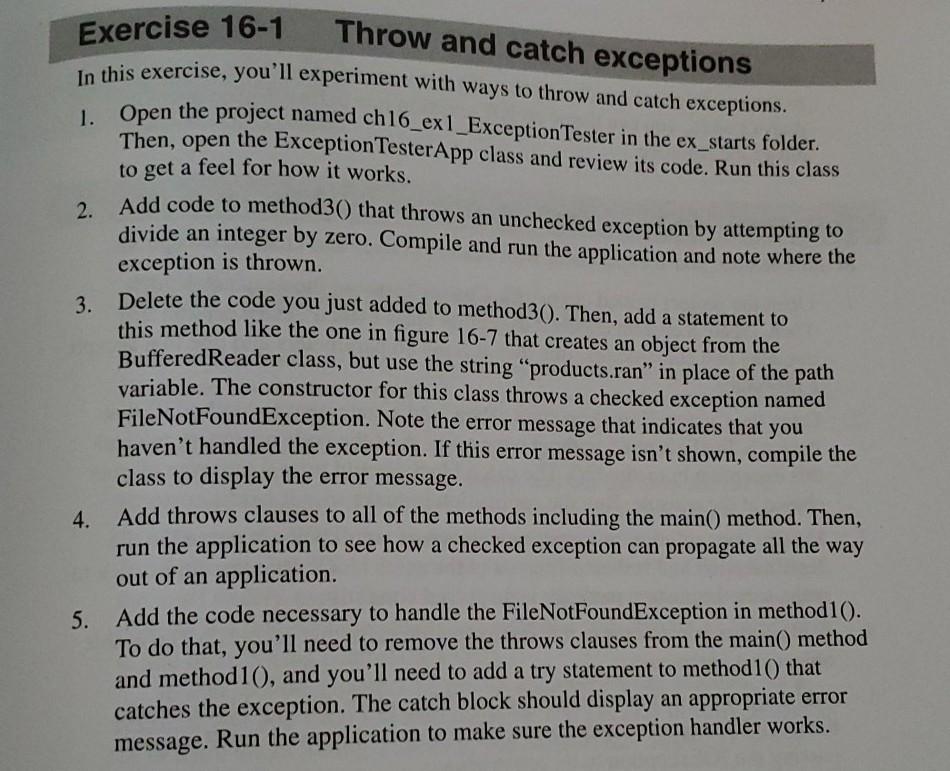
Exercise 16-1 Throw and catch In this exercise, you'll experiment with ways to throw and catch exceptions. exceptions 1. Open the project named ch16_exi_Exception Tester in the ex_starts folder. Then, open the Exception TesterApp class and review its code. Run this class to get a feel for how it works. Add code to method30) that throws an unchecked exception by attempting to 2. divide an integer by zero. Compile and run the application and note where the exception is thrown. 3. Delete the code you just added to method30). Then, add a statement to this method like the one in figure 16-7 that creates an object from the BufferedReader class, but use the string "products.ran" in place of the path variable. The constructor for this class throws a checked exception named FileNotFoundException. Note the error message that indicates that you haven't handled the exception. If this error message isn't shown, compile the class to display the error message. 4. Add throws clauses to all of the methods including the main() method. Then, run the application to see how a checked exception can propagate all the way out of an application. 5. Add the code necessary to handle the FileNotFoundException in method10). To do that, you'll need to remove the throws clauses from the main() method and method10), and you'll need to add a try statement to method10) that catches the exception. The catch block should display an appropriate error message. Run the application to make sure the exception handler works. Source History C import java.io.*; E 2 3 public class ExceptionTesterApp 4 4 5 6 public static void main(String[] args) { System.err.println("in main: calling methods.), methodl() System.err.println("In main: returned from methodl."); 1 3 7 8 9 10 110 12 13 public static void methodi() { System.err.println("\tin methodl: calling method2.); method2(); System.err.println("\tin methodi: returned from method2."); } 14 15 16 1710 18 19 public static void method2() { System.err.println("\t\tin method2: calling methods."); method (); System.err.println("\t\tin method2: returned from method3."); } 20 21 22 23 public static void method3() System.err.println("\t\t\tin method 3: Entering."); 24 25 26 //Add code to throw an exception here. System.err.println("\t\t\tin method3: Exiting."); 27 28 29 1
Step by Step Solution
There are 3 Steps involved in it

Get step-by-step solutions from verified subject matter experts
 Study Help