







Question: This is a code in MATLAB The plot() function will return a handle to the object that is plotted. rite a program that plots the
This is a code in MATLAB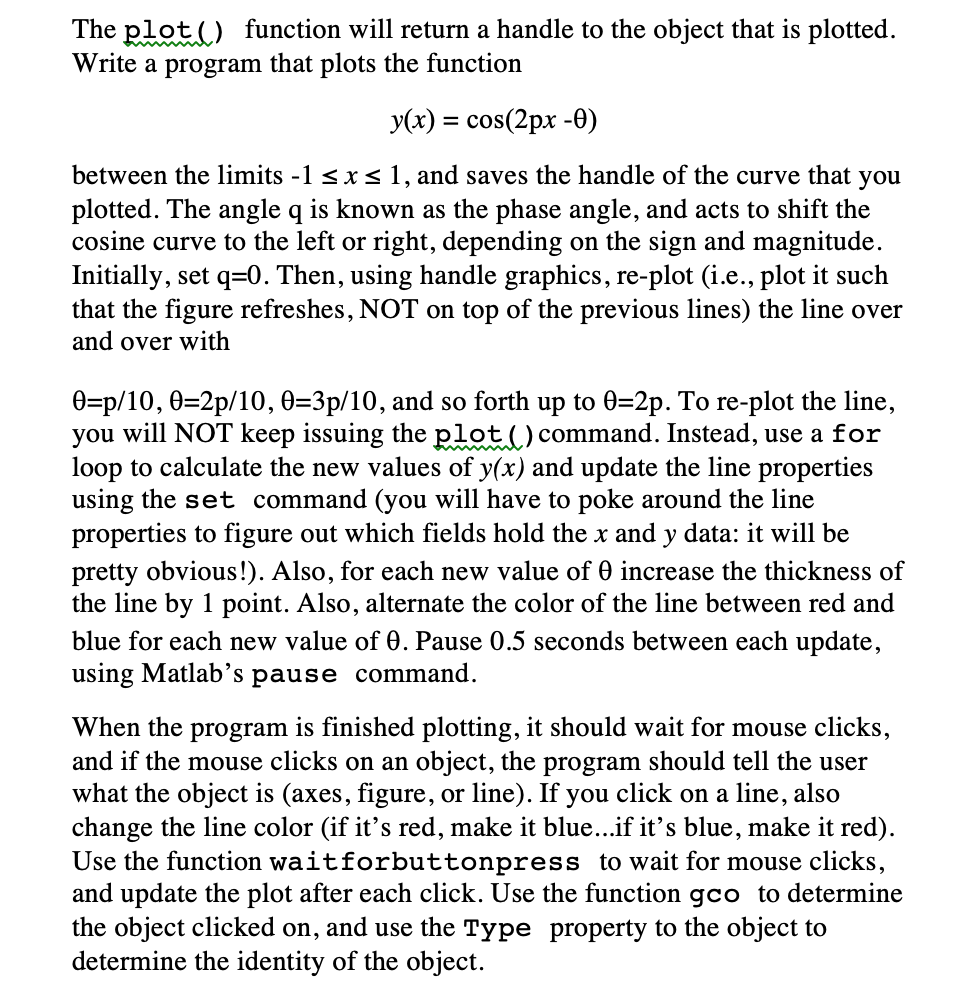
The plot() function will return a handle to the object that is plotted. rite a program that plots the function y(x)-cos(2px -0) between the limits -1 sxs 1, and saves the handle of the curve that you plotted. The angle q is known as the phase angle, and acts to shift the cosine curve to the left or right, depending on the sign and magnitude. Initially, set q-0. Then, using handle graphics, re-plot(i.., plot it such that the figure refreshes, NOT on top of the previous lines) the line over and over with 9-p/10, -2p/10, :3p/ 10, and so forth up to 2p. To re-plot the line. you will NOT keep issuing the plot (_) command. Instead, use a for loop to calculate the new values of y(x) and update the line properties using the set command (you will have to poke around the line properties to figure out which fields hold the x and y data: it will be pretty obvious!). Also, for each new value of increase the thickness of the line by 1 point. Also, alternate the color of the line between red and blue for each new value of . Pause 0.5 seconds between each update, using Matlab's pause command. When the program is finished plotting, it should wait for mouse clicks, and if the mouse clicks on an object, the program should tell the user what the object is (axes, figure, or line). If you click on a line, also change the line color (if it's red, make it blue...if it's blue, make it red) Use the function waitforbuttonpress to wait for mouse clicks, and update the plot after each click. Use the function gco to determine the object clicked on, and use the Type property to the object to determine the identity of the object. The plot() function will return a handle to the object that is plotted. rite a program that plots the function y(x)-cos(2px -0) between the limits -1 sxs 1, and saves the handle of the curve that you plotted. The angle q is known as the phase angle, and acts to shift the cosine curve to the left or right, depending on the sign and magnitude. Initially, set q-0. Then, using handle graphics, re-plot(i.., plot it such that the figure refreshes, NOT on top of the previous lines) the line over and over with 9-p/10, -2p/10, :3p/ 10, and so forth up to 2p. To re-plot the line. you will NOT keep issuing the plot (_) command. Instead, use a for loop to calculate the new values of y(x) and update the line properties using the set command (you will have to poke around the line properties to figure out which fields hold the x and y data: it will be pretty obvious!). Also, for each new value of increase the thickness of the line by 1 point. Also, alternate the color of the line between red and blue for each new value of . Pause 0.5 seconds between each update, using Matlab's pause command. When the program is finished plotting, it should wait for mouse clicks, and if the mouse clicks on an object, the program should tell the user what the object is (axes, figure, or line). If you click on a line, also change the line color (if it's red, make it blue...if it's blue, make it red) Use the function waitforbuttonpress to wait for mouse clicks, and update the plot after each click. Use the function gco to determine the object clicked on, and use the Type property to the object to determine the identity of the object
Step by Step Solution
There are 3 Steps involved in it

Get step-by-step solutions from verified subject matter experts
 Study Help