







Question: This is a computer Science Question. The first script you need to write is login.sh, a simple script that you might run when you first
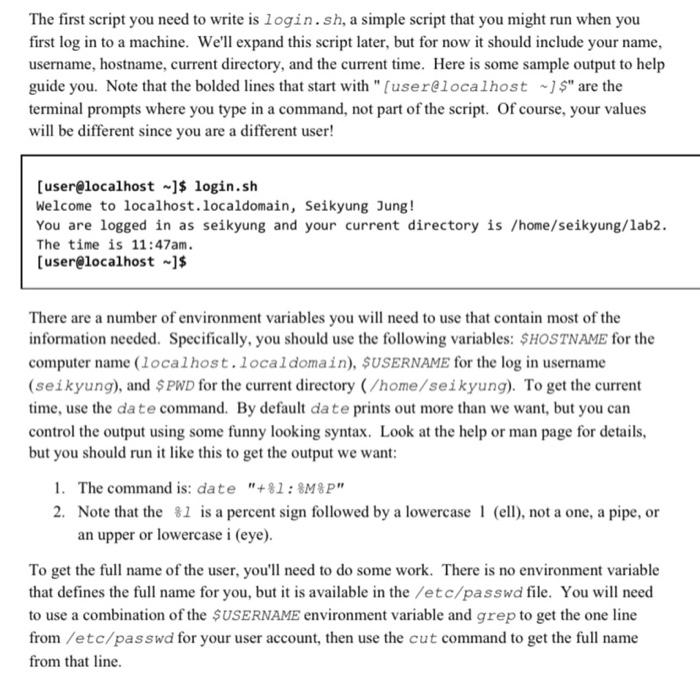
The first script you need to write is login.sh, a simple script that you might run when you first log in to a machine. We'll expand this script later, but for now it should include your name, username, hostname, current directory, and the current time. Here is some sample output to help guide you. Note that the bolded lines that start with "[user@localhost ~]$" are the terminal prompts where you type in a command, not part of the script. Of course, your values will be different since you are a different user! [user@localhost ~]$ login.sh Welcome to localhost.localdomain, Seikyung Jung! You are logged in as seikyung and your current directory is /home/seikyung/lab2. The time is 11:47am. [user@localhost -]$ There are a number of environment variables you will need to use that contain most of the information needed. Specifically, you should use the following variables: SHOSTNAME for the computer name (localhost.localdomain), SUSERNAME for the log in username (seikyung), and $ PWD for the current directory (/home/seikyung). To get the current time, use the date command. By default date prints out more than we want, but you can control the output using some funny looking syntax. Look at the help or man page for details, but you should run it like this to get the output we want: 1. The command is: date "+81: 8M8P" 2. Note that the $1 is a percent sign followed by a lowercase 1 (ell), not a one, a pipe, or an upper or lowercase i (eye). To get the full name of the user, you'll need to do some work. There is no environment variable that defines the full name for you, but it is available in the /etc/passwd file. You will need to use a combination of the $USERNAME environment variable and grep to get the one line from /etc/passwd for your user account, then use the cut command to get the full name from that line
Step by Step Solution
There are 3 Steps involved in it

Get step-by-step solutions from verified subject matter experts
 Study Help