







Question: This is a Course Hero tutor question request, see images. Introduction: In this quiz problem, you will build a simple calculator GUI application. The main
This is a Course Hero tutor question request, see images.

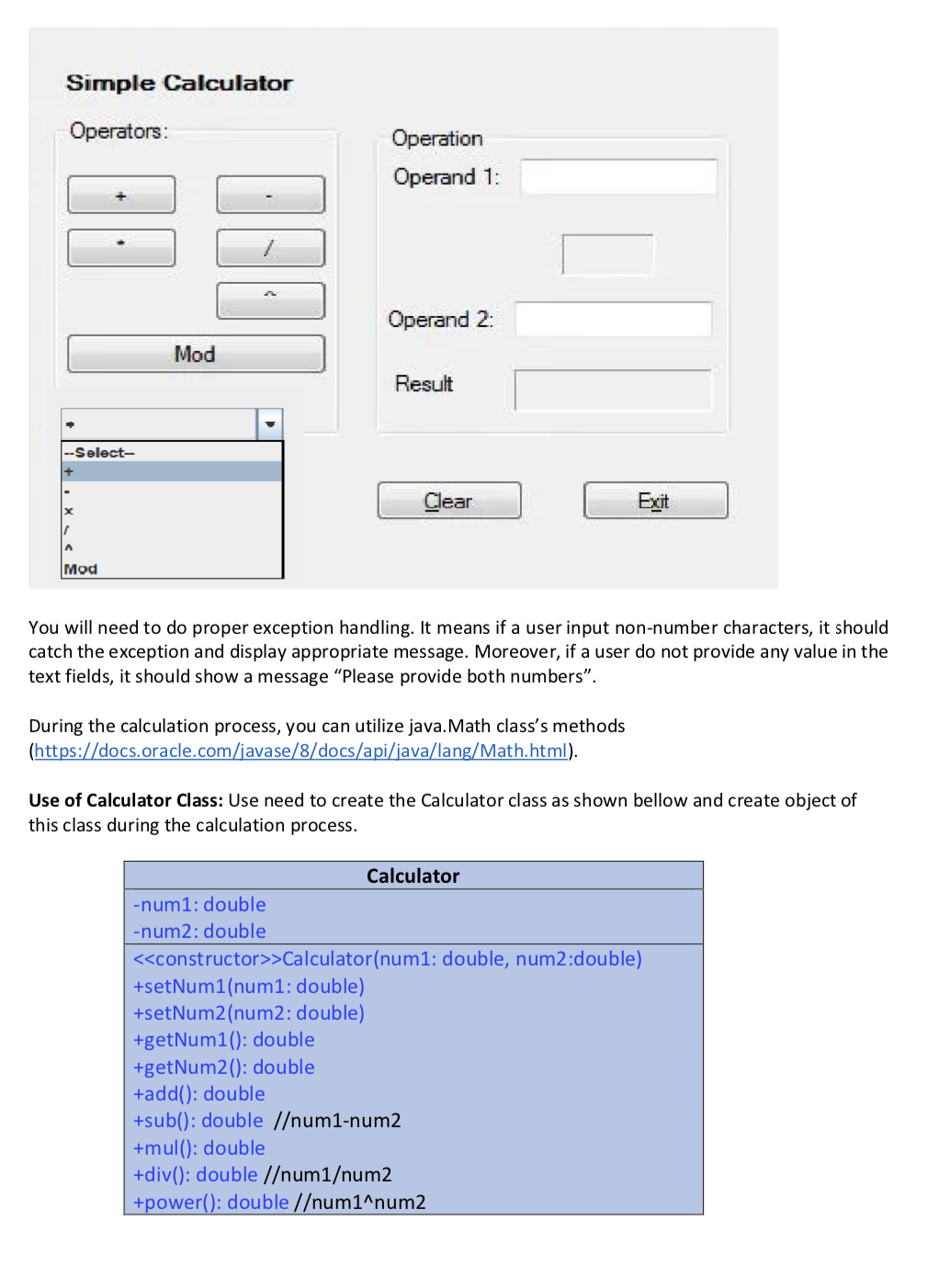
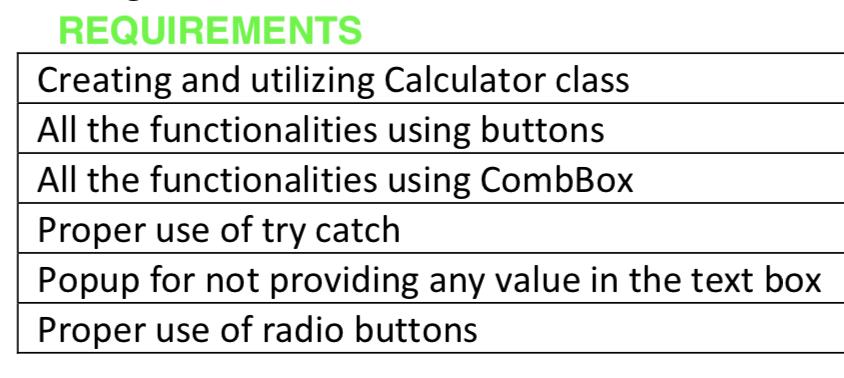
Introduction: In this quiz problem, you will build a simple calculator GUI application. The main purpose is to make yourself ready for yourfinal project where you will need to use GUI builder a lot. You will also utilize some components of swing in this quiz. The Problem: Your simple calculator will have a number of buttons, labels and text fields. The same functionality of the button should also be achieved by choosing the option from Combobox. The window will more or less look like this. You do not need to have exact same design. But it should have the functionalities: You will need to do proper exception handling. It means if a user input non-number characters, it should catch the exception and display appropriate message. Moreover, if a user do not provide any value in the text fields, it should show a message \"Please provide both numbers\". During the calculation process, you can utilize javaMath class' 5 methods (https:[(docs.oracle.com[iavase{8tdocsfapifiavailangf Math.html}. Use of Calculator Class: Use need to create the Calculator class as shown bellow and create object of this class during the calculation process. Creating and utilizing Calculator class All the functionalities using buttons All the functionalities using CombBox Proper use of try catch Popup for not providing any value in the text box Proper use of radio buttons
Step by Step Solution
There are 3 Steps involved in it

Get step-by-step solutions from verified subject matter experts
 Study Help