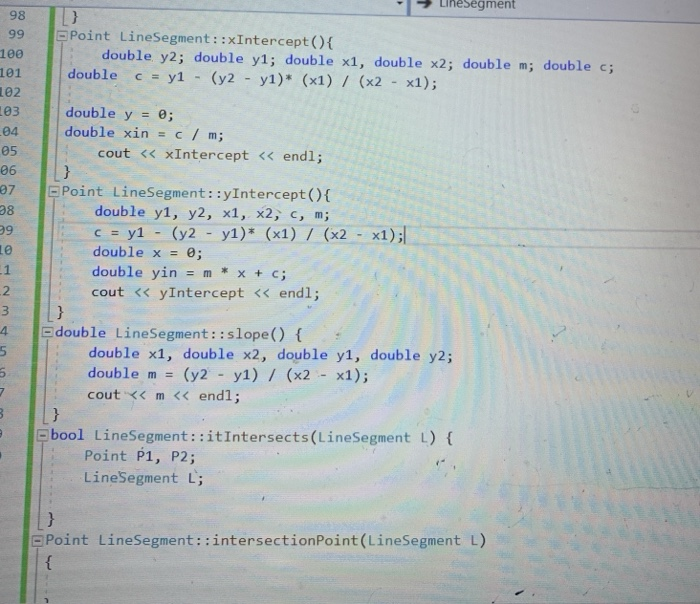
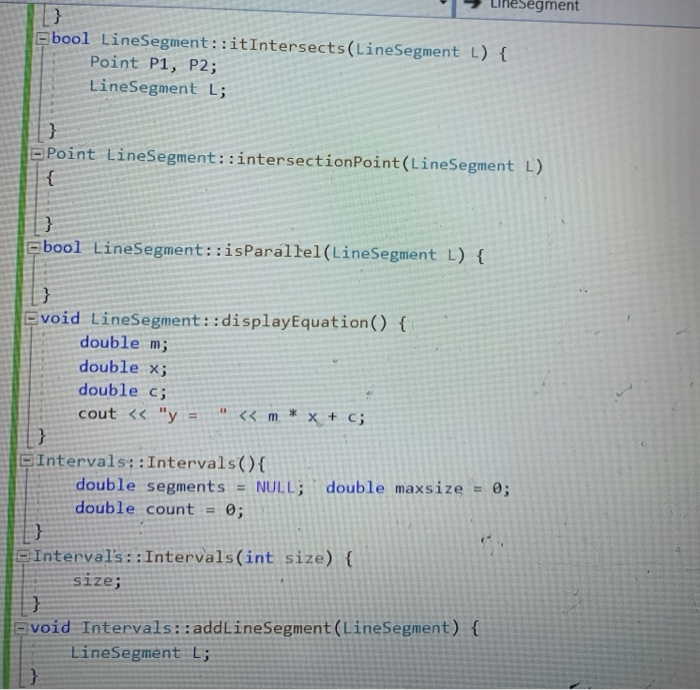
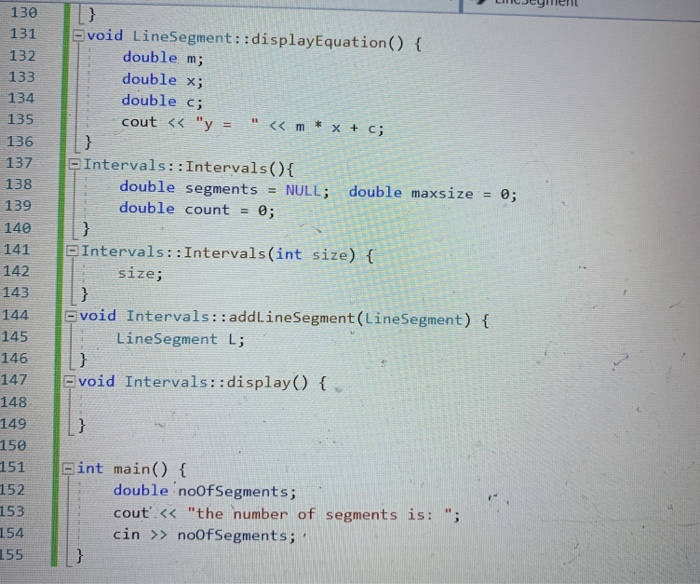
Question: this is a data structur assignment. please solve this assignment following the coment line. please attached to this assinment below is my own answer which
 this is a data structur assignment. please solve this assignment following
the coment line. please attached to this assinment below is my own
answer which is not right. read and correct my code to run
right. use c++ language. thanks this is my own answer please correct
it to work right using c++ if L intersect or not keep
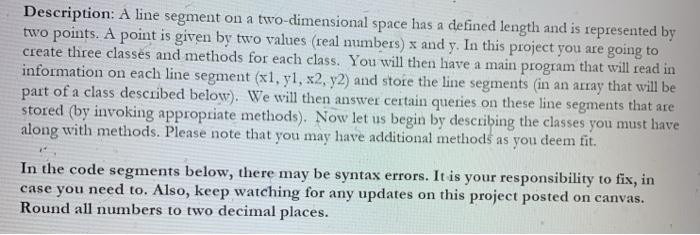
solving . just do your best Description: A line segment on a
two-dimensional space has a defined length and is represented by two points.
A point is given by two values (real numbers) x and y.this is a data structur assignment.
please solve this assignment following the coment line. please attached to this assinment below is my own answer which is not right. read and correct my code to run right. use c++ language. thanks
In this project you are going to create three classes and methods
for each class. You will then have a main program that will
read in information on each line segment (x1, y1, x2, y2) and
store the line segments (in an array that will be part of
a class described below). We will then answer certain queries on these
line segments that are stored (by invoking appropriate methods). Now let us
begin by describing the classes you must have along with methods. Pleasethis is my own answer please correct it to work right using c++
if L intersect or not keep solving . just do your best

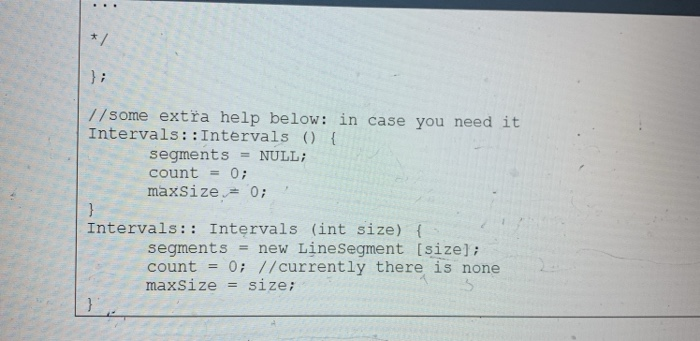
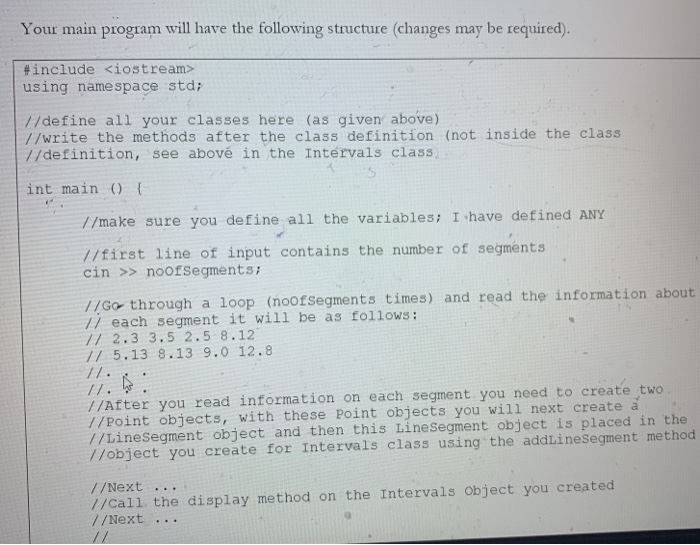
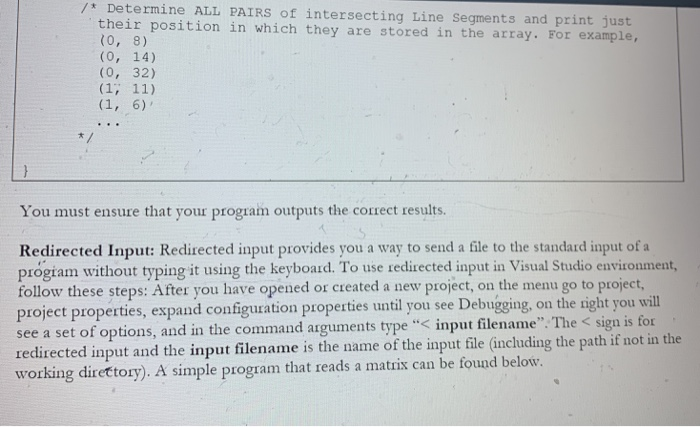
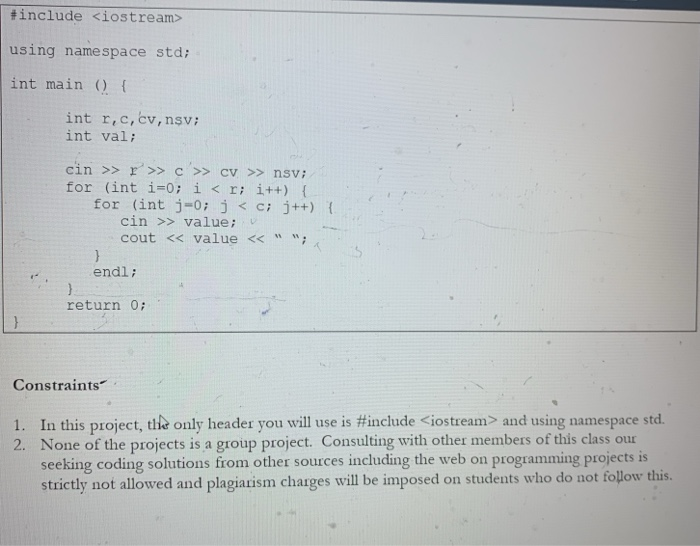
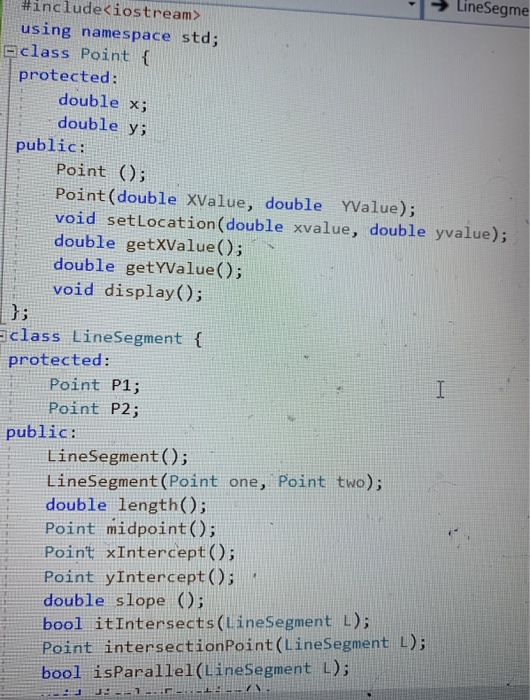
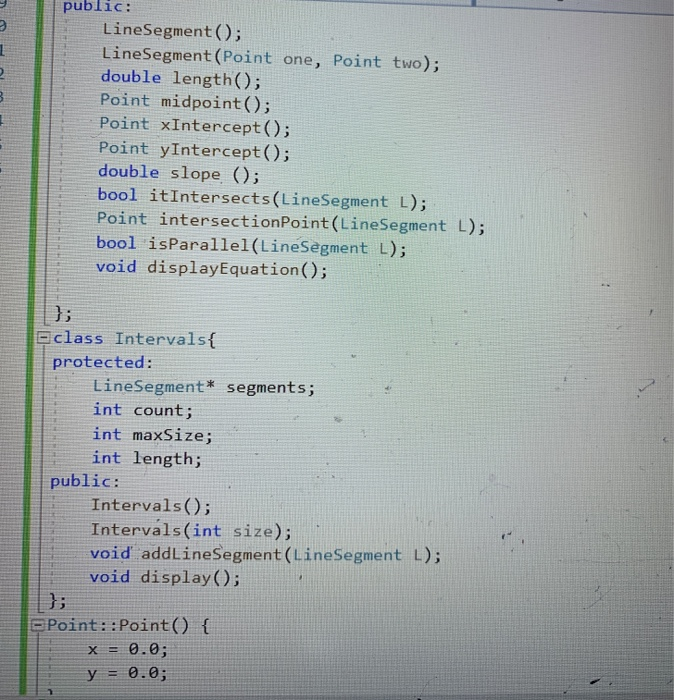
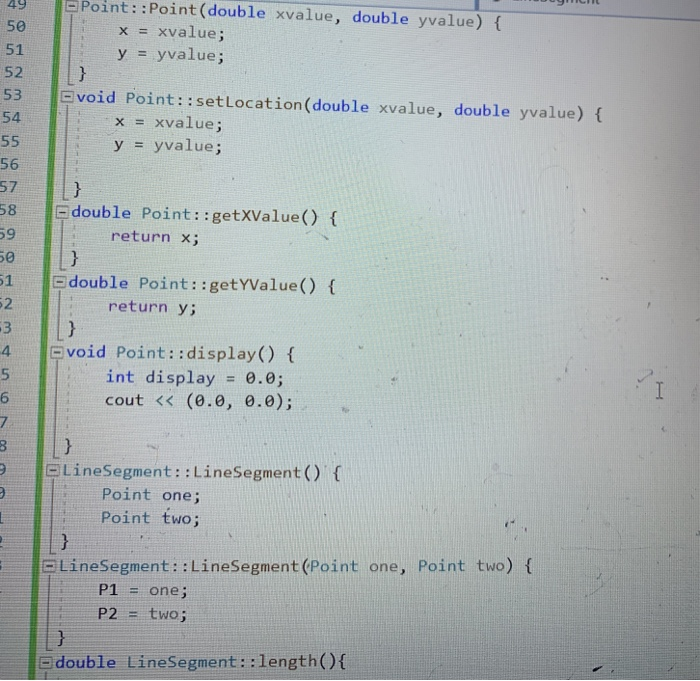
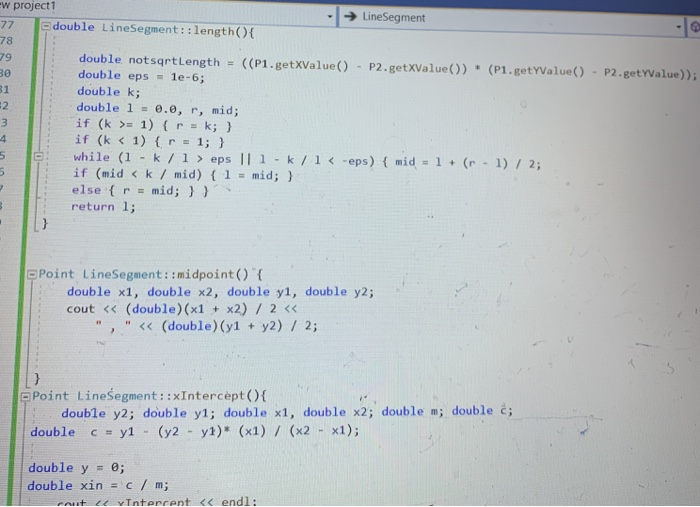
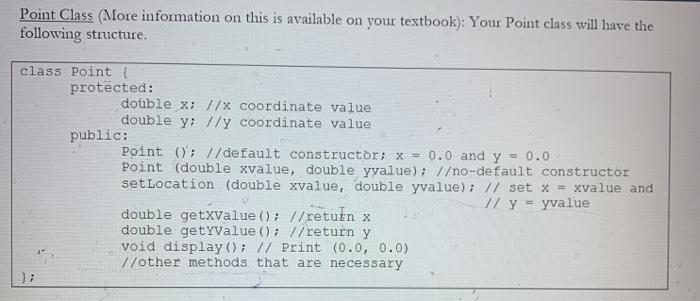
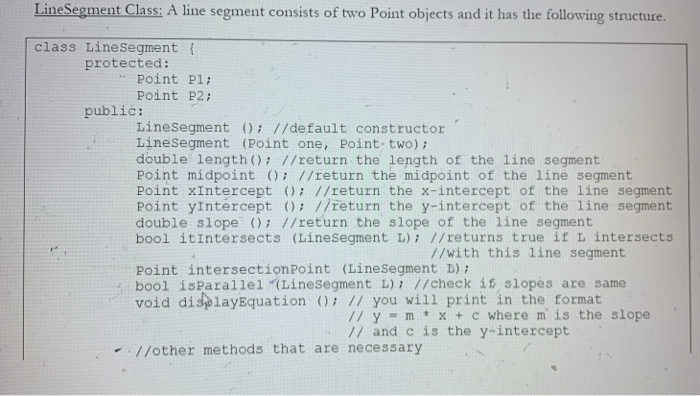
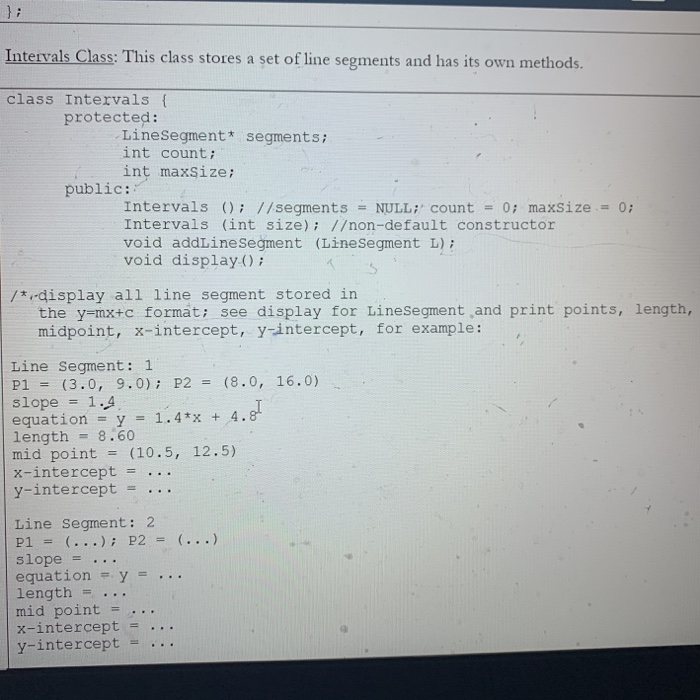
Description: A line segment on a two-dimensional space has a defined length and is represented by two points. A point is given by two values (real numbers) x and y. In this project you are going to create three classes and methods for each class. You will then have a main program that will read in information on each line segment (x1, y1, x2, y2) and store the line segments (in an array that will be part of a class described below). We will then answer certain queries on these line segments that are stored (by invoking appropriate methods). Now let us begin by describing the classes you must have along with methods. Please note that you may have additional methods as you deem fit. In the code segments below, there may be syntax errors. It is your responsibility to fix, in case you need to. Also, keep watching for any updates on this project posted on canvas. Round all numbers to two decimal places. Point Class (More information on this is available on your textbook): Your Point class will have the following structure. class Point { protcted: double x; //x coordinate value double y; //y coordinate value public: Point (); //default constructr; x = 0.0 and y Point (double xvalue, double yvalue); /o-defalt constructor setLocation (double xvalue, double yvalue); // set x = xvalue and = 0.0 // y yvalue double getXvalue (); //return x double getYvalue (); //return y void display (); // Print (0.0, 0.0) //other methods that are necessary LineSegment Class: A line segment consists of two Point objects and it has the following structure. class LineSegment ( protected: Point Pl; Point P2; public: LineSegment (); //default constructor LineSegment (Point one, Point- two); double length (); //return the length of the line segment Point midpoint (); //return the midpoint of the line segment Point xIntercept (); //return the x-intercept of the line segment Point yIntercept (); //return the y-intercept of the line segment double slope (); //return the slope of the line segment bool itIntersects (LineSegment L); //returns true if L intersects //with this line segment Point intersectionPoint (LineSegment D): bool isParallel "(Linesegment L); //check if slopes are same void displayEquation (): // you will print in the format // y - m * x +c where m is the slope // and c is the y-intercept - //other methods that are necessary Intervals Class: This class stores a set of line segments and has its own methods. class Intervals { protected: LineSegment* segments; int count; int maxsize; public: Intervals (); //segments NULL; count = 0; maxSize = 0; Intervals (int size); /on-default constructor void addLineSegment (LineSegment L); void display (); /* ,-display all line segment stored in the y=mx+c format; see display for LineSegment and print points, length, midpoint, x-intercept, y-intercept, for example: Line Segment: 1 P1 = (3.0, 9.0); P2 slope = 1.4 equation = y = 1.4*x + length = 8.60 mid point x-intercept y-intercept (8.0, 16.0) %3D 4. %3D (10.5, 12.5) %3D ... %3D Line Segment: 2 P1 = (...); P2 = slope equation = y = length mid point x-intercept y-intercept (...) %3! ... ... //some extra help below: in case you need it Intervals: :Intervals () { = NULL; segments count = 0; maxSize = 0; Intervals: : Intervals (int size) { = new LinesSegment [size]; 0; //currently there is none segments count = maxSize = size; Your main program will have the following structure (changes may be required). #include using namespace std; //define all your classes here (as given above) //write the methods after the class definition (not inside the class //definition, see abov in the Intervals class) int main () { //make sure you define all the variables; I have defined ANY //first line of input contains the number of segments cin >> noofSegments: //Go through a loop (noofSegments times) and read the information about // each segment it will be as follows: // 2.3 3.5 2.5 8.12 // 5.13 8.13 9.0 12.8 //. //. //After you read information on each segment you need to create two //Point objects, with these Point objects you will next create a //LineSegment object and then this LineSegment object is placed in the //object you create for Intervals class using the addLineSegment method //Next //Call the display method on the Intervals Object you created //Next ... // /* Determine ALL PAIRS of intersecting Line Segments and print just their position in which they are stored in the array. For example, (0, 8) (0, 14) (0, 32) (1, 11) (1, 6)' ... You must ensure that your program outputs the correct results. Redirected Input: Redirected input provides you a way to send a file to the standard input of a progiam without typing it using the keyboard. To use redirected input in Visual Studio environment, follow these steps: After you have opened or created a new project, on the menu go to project, project properties, expand configuration properties until you see Debugging, on the right you will see a set of options, and in the command arguments type " using namespace std; int main () { int r,c,cv, nsv; int val; cin >> r'>>c >> cv > nsv; for (int i=0; i > value; cout and using namespace std. 2. None of the projects is a group project. Consulting with other members of this class our seeking coding solutions from other sources including the web on programming projects is strictly not allowed and plagiarism charges will be imposed on students who do not follow this. LineSegme #include using namespace std; aclass Point { protected: double x; double y; public: Point (); Point(double XValue, double YValue); void setLocation(double xvalue, double yvalue); double getXValue(); double getYValue(); void display(); }; Sclass LineSegment { protected: Point P1; Point P2; public: LineSegment (); LineSegment(Point one, Point two); double length(); Point midpoint(); Point xIntercept(); Point yIntercept(); double slope (); bool itIntersects(LineSegment L); Point intersectionPoint(LineSegment L); bool isParallel(LineSegment L); public: LineSegment (); LineSegment (Point one, Point two); double length(); Point midpoint(); Point xIntercept(); Point yIntercept(); double slope (); bool itIntersects(LineSegment L); Point intersectionPoint(LineSegment L); bool isParallel(LineSegment L); void displayEquation(); }; Oclass Intervals{ protected: LineSegment* segments; int count; int maxSize; int length; public: Intervals(); Intervals (int size); void addLineSegment (LineSegment L); void display(); }; OPoint::Point() x = 0.0; { y = 0.0; Point::Point(double xvalue, double yvalue) { 49 50 x = xvalue; y = yvalue; 51 52 Evoid Point::setLocation(double xvalue, double yvalue) { 53 54 x = xvalue; 55 yvalue; 56 57 58 59 double Point::getXValue() { return x; double Point::getYValue() { 52 51 return y; -3 void Point::display() { int display = 0.0; cout = 1) {r = k; } if (k eps || 1 -k /1 > no0fSegments; 152 153 154 155

Step by Step Solution

There are 3 Steps involved in it

1 Expert Approved Answer
Step: 1 Unlock blur-text-image
Question Has Been Solved by an Expert!

Get step-by-step solutions from verified subject matter experts

Step: 2 Unlock
Step: 3 Unlock

Students Have Also Explored These Related Databases Questions!