



Question: This is a lab using Wireshark just follow the procedure and answer the questions, thank you! Note: Since the lab machines do not have wireless
This is a lab using Wireshark just follow the procedure and answer the questions, thank you!
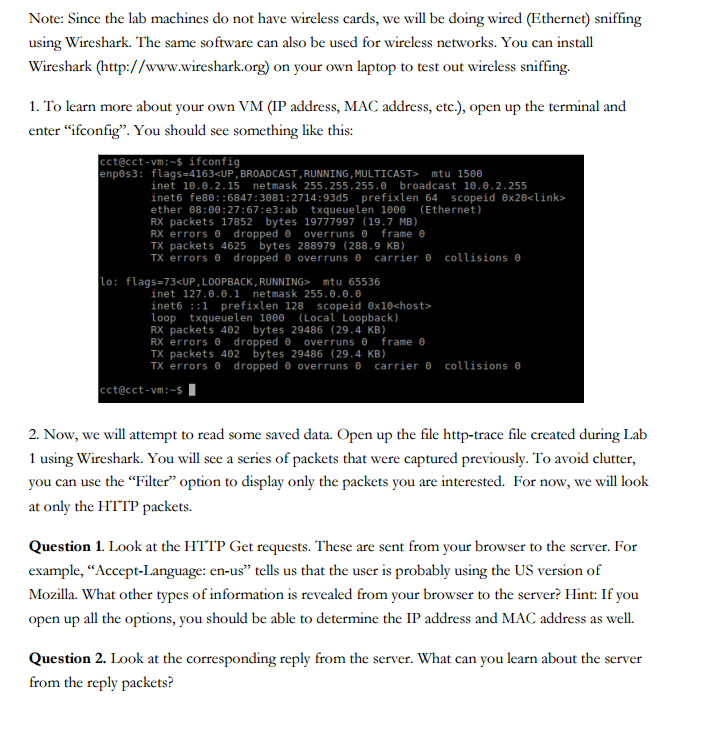
Note: Since the lab machines do not have wireless cards, we will be doing wired (Ethernet) sniffing using Wireshark. The same software can also be used for wireless networks. You can install Wireshark (http://www.wireshark.org) on your own laptop to test out wireless sniffing 1. To learn more about your own VM (IP address, MAC address, etc.), open up the terminal and enter "ifconfig". You should see something like this: cct@cct-vm:-s ifconfig enp8s3: flags-4163cUP , BROADCAST , RUNNING , MULTICAST> 5 mtu 1500 inet 18.8.2.15 netmask 255 . 255.255 . broadcast 10.8.2.255 inet6 fe80::6847:3081:2714:93d5 prefixlen 64 scopeid 8x20clink> ether 8: 0: 27: 67 : e3: ab txqueuelen 1000 ( Ethernet ) RX packets 17852 bytes 19777997 (19.7 MB) errors dropped overruns frame TX packets 4625 bytes 288979 (288.9 KB) TX errors dropped overruns carrier collisions lo: flags=73UP, LOOPBACK, RUNNING> mtu 65536 inet 127.0.8.1 netmask 255.0.0.0 inet6::1 prefixlen 128 scopeid 0x10chost> loop txqueuelen 188 (Local Loopback) RX packets 402 bytes 29486 (29.4 KB) RX errors dropped overruns frame TX packets 42 bytes 29486 (29.4 KB) TX errors dropped overruns carrier collisions cct@cct-vm- 2. Now, we will attempt to read some saved data. Open up the file http-trace file created during Lab 1 using Wireshark. You will see a series of packets that were captured previously. To avoid clutter, you can use the Filter" option to display only the packets you are interested. For now, we will look at only the HTTP packets. Question 1. Look at the HTTP Get requests. These are sent from your browser to the server. For example, "Accept-Language: en-us" tells us that the user is probably using the US version of Mozilla. What other types of information is revealed from your browser to the server? Hint: If you open up all the options, you should be able to determine the IP address and MAC address as well. Question 2. Look at the corresponding reply from the server. What can you learn about the server from the reply packets
Step by Step Solution
There are 3 Steps involved in it

Get step-by-step solutions from verified subject matter experts