







Question: This is a Matlab question First, build a Matlab programme to implement the SVD data compression algorithm. Second, Select an image by yourself. Implement the
This is a Matlab question
First, build a Matlab programme to implement the SVD data compression algorithm.
Second, Select an image by yourself. Implement the SVD data compression algorithm on it. Choose a suitable value of k and discuss on how did you obtain this k. Visualize the reconstructed image X` and the original image X.
Third, Visualize the results of X output by your SVD algorithm with the compression rate of 10%, 20%, 40%, and 80%. Then, List the corresponding ks and comment on which compression rate do you recommend to be used for your image.
compression rate = storage(X`)/storage(X)
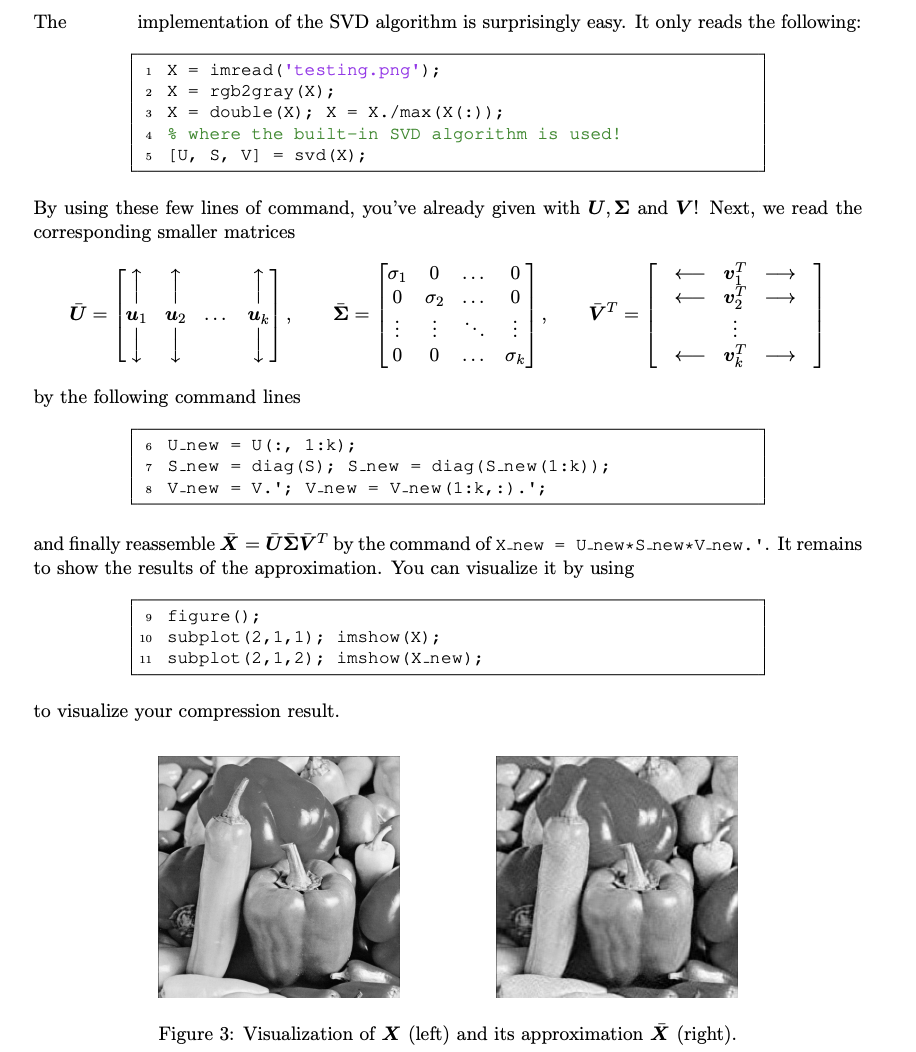
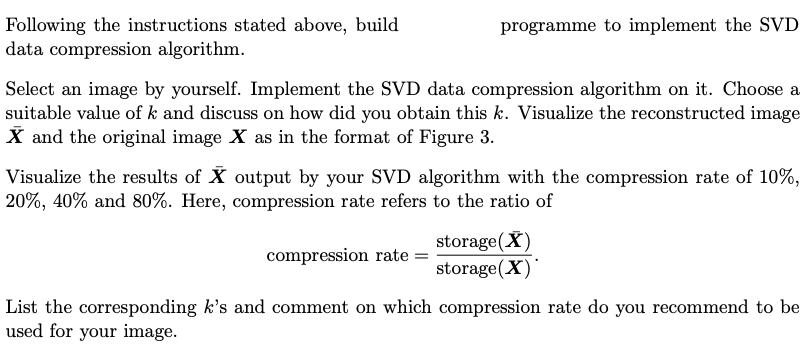
The implementation of the SVD algorithm is surprisingly easy. It only reads the following: 1 X = imread('testing.png'); 2 X = rgb2gray (X); 3 X = double (X); X = X./max (X(:)); % where the built-in SVD algorithm is used! 5 [U, S, V] = svd (X); 4 By using these few lines of command, you've already given with U, and V! Next, we read the corresponding smaller matrices 0 01 0 02 0 = uk = vT : 0 0 k by the following command lines 6 U-new = U(:, 1:k); S-new = diag(S); S new = diag (S-new(1:k)); V-new = V.'; V-new = V-new (1:,:).'; 7 8 and finally reassemble X = SVT by the command of x-new = U.new*S-new*V-new.'. It remains to show the results of the approximation. You can visualize it by using 9 figure(); 10 subplot (2,1,1); imshow (X); 11 subplot (2,1,2); imshow (X.new); to visualize your compression result. Figure 3: Visualization of X (left) and its approximation X (right). Following the instructions stated above, build programme to implement the SVD data compression algorithm. Select an image by yourself. Implement the SVD data compression algorithm on it. Choose a suitable value of k and discuss on how did you obtain this k. Visualize the reconstructed image X and the original image X as in the format of Figure 3. Visualize the results of X output by your SVD algorithm with the compression rate of 10%, 20%, 40% and 80%. Here, compression rate refers to the ratio of storage(X) compression rate storage(X) List the corresponding k's and comment on which compression rate do you recommend to be used for your image. The implementation of the SVD algorithm is surprisingly easy. It only reads the following: 1 X = imread('testing.png'); 2 X = rgb2gray (X); 3 X = double (X); X = X./max (X(:)); % where the built-in SVD algorithm is used! 5 [U, S, V] = svd (X); 4 By using these few lines of command, you've already given with U, and V! Next, we read the corresponding smaller matrices 0 01 0 02 0 = uk = vT : 0 0 k by the following command lines 6 U-new = U(:, 1:k); S-new = diag(S); S new = diag (S-new(1:k)); V-new = V.'; V-new = V-new (1:,:).'; 7 8 and finally reassemble X = SVT by the command of x-new = U.new*S-new*V-new.'. It remains to show the results of the approximation. You can visualize it by using 9 figure(); 10 subplot (2,1,1); imshow (X); 11 subplot (2,1,2); imshow (X.new); to visualize your compression result. Figure 3: Visualization of X (left) and its approximation X (right). Following the instructions stated above, build programme to implement the SVD data compression algorithm. Select an image by yourself. Implement the SVD data compression algorithm on it. Choose a suitable value of k and discuss on how did you obtain this k. Visualize the reconstructed image X and the original image X as in the format of Figure 3. Visualize the results of X output by your SVD algorithm with the compression rate of 10%, 20%, 40% and 80%. Here, compression rate refers to the ratio of storage(X) compression rate storage(X) List the corresponding k's and comment on which compression rate do you recommend to be used for your image
Step by Step Solution
There are 3 Steps involved in it

Get step-by-step solutions from verified subject matter experts
 Study Help