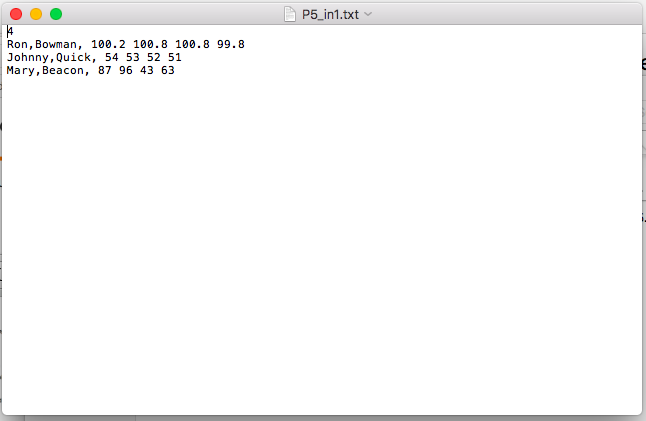
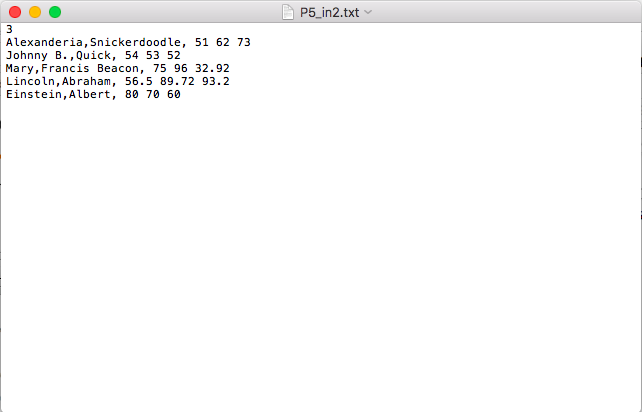
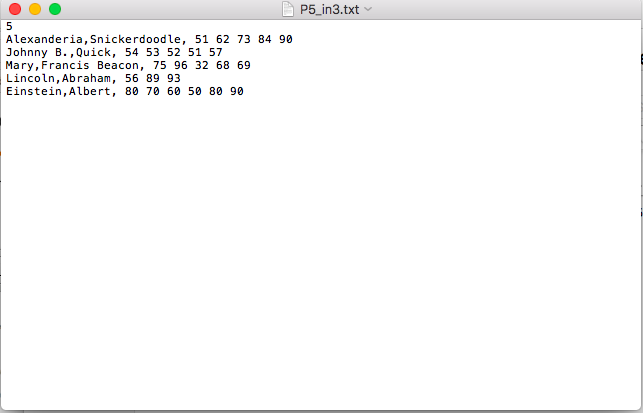
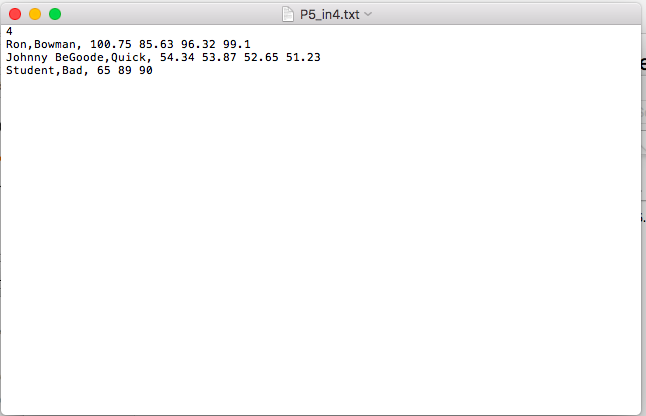
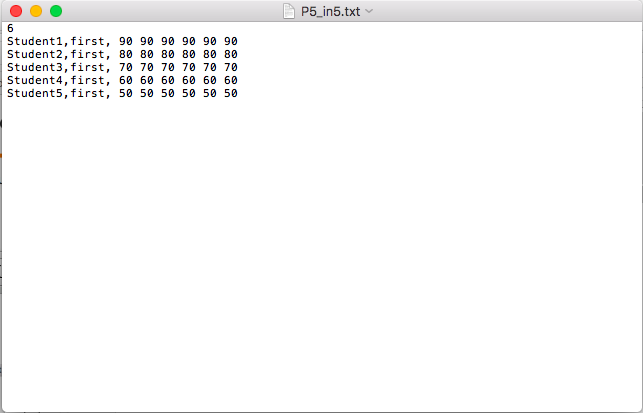
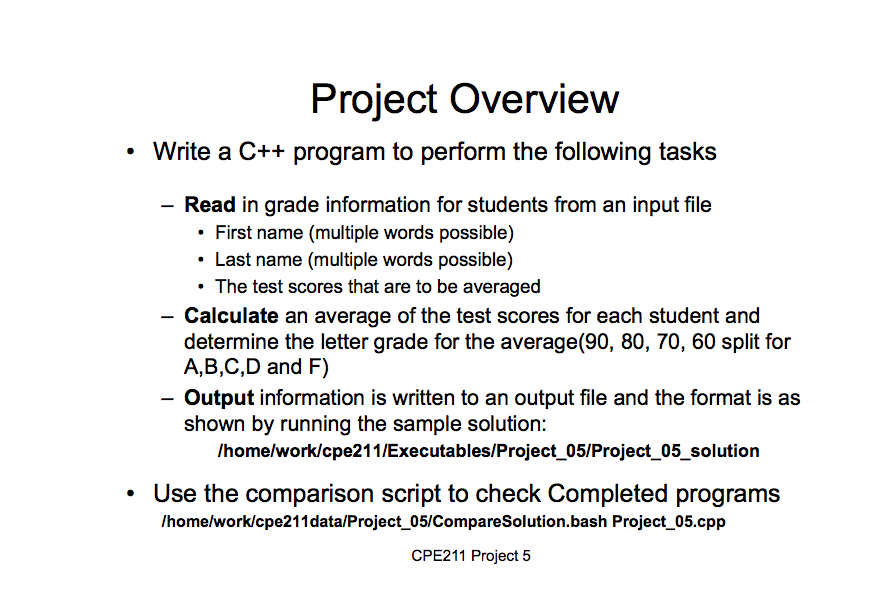
Question: This is all my teacher gave me. The C++ program is suppose to read a file from the 6 screenshoted files. this is all the
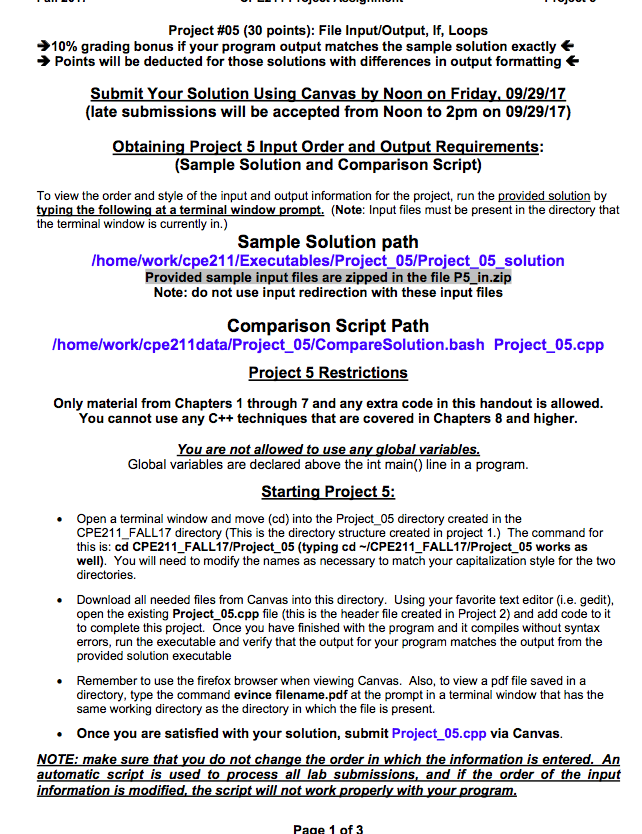
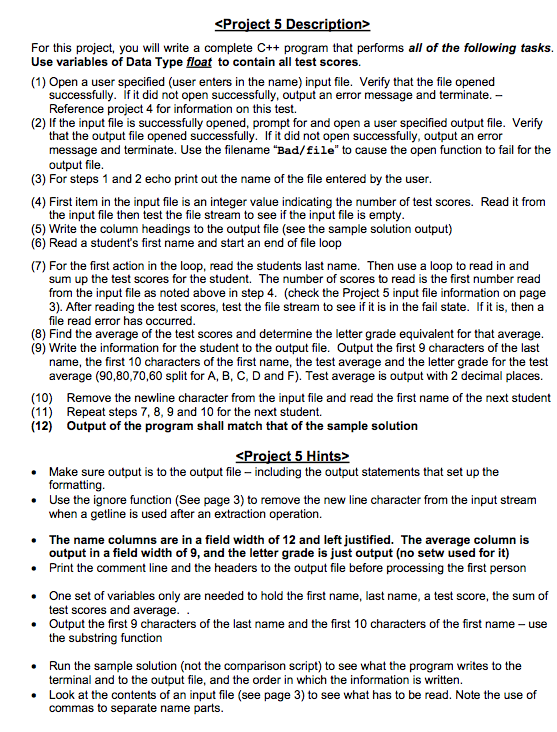
 This is all my teacher gave me. The C++ program issuppose to read a file from the 6 screenshoted files. this isall the information i have on the assinment. Please write the assinmentas you think it should be wrote. For this project, you willwrite a complete C++ program that performs all of the following tasksUse variables of Data Type float to contain all test scores (1)Open a user specified (user enters in the name) input file. Verifythat the file opened successfully. If it did not open successfully, outputan error message and terminate Reference project 4 for information on thistest. (2) If the input file is successfully opened, prompt for and

This is all my teacher gave me. The C++ program is suppose to read a file from the 6 screenshoted files. this is all the information i have on the assinment. Please write the assinment as you think it should be wrote.
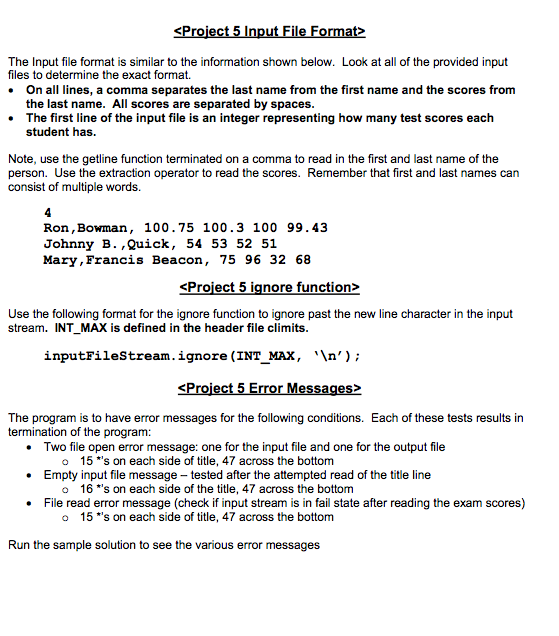
For this project, you will write a complete C++ program that performs all of the following tasks Use variables of Data Type float to contain all test scores (1) Open a user specified (user enters in the name) input file. Verify that the file opened successfully. If it did not open successfully, output an error message and terminate Reference project 4 for information on this test. (2) If the input file is successfully opened, prompt for and open a user specified output file. Verify that the output file opened successfully. If it did not open successfully, output an error message and terminate. Use the filename "Bad/file" to cause the open function to fail for the output file (3) For steps 1 and 2 echo print out the name of the file entered by the user (4) First item in the input file is an integer value indicating the number of test scores. Read it from (5) Write the column headings to the output file (see the sample solution output) the input file then test the file stream to see if the input file is empty (6) Read a student's first name and start an end of file loop (7) For the first action in the loop, read the students last name. Then use a loop to read in and sum up the test scores for the student. The number of scores to read is the first number read from the input file as noted above in step 4. (check the Project 5 input file information on page 3). After reading the test scores, test the file stream to see if it is in the fail state. If it is, then a file read error has occurred (8) Find the average of the test scores and determine the letter grade equivalent for that average (9) Write the information for the student to the output file. Output the first 9 characters of the last name, the first 10 characters of the first name, the test average and the letter grade for the test average (90,80,70,60 split for A, B, C, D and F). Test average is output with 2 decimal places Remove the newline character from the input file and read the first name of the next student Repeat steps 7, 8, 9 and 10 for the next student. Output of the program shall match that of the sample solution (10) (11) (12)

Step by Step Solution

There are 3 Steps involved in it

1 Expert Approved Answer
Step: 1 Unlock blur-text-image

Question Has Been Solved by an Expert!

Get step-by-step solutions from verified subject matter experts

Step: 2 Unlock
Step: 3 Unlock

Students Have Also Explored These Related Databases Questions!