







Question: this is all the info please use formulas as well! A B F G H L M 1 click on the Loans PMT tab and
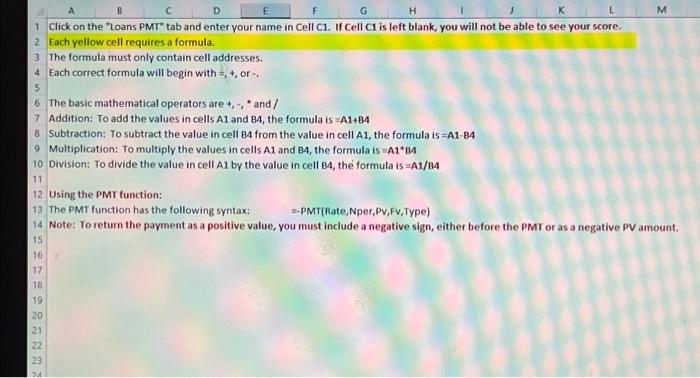
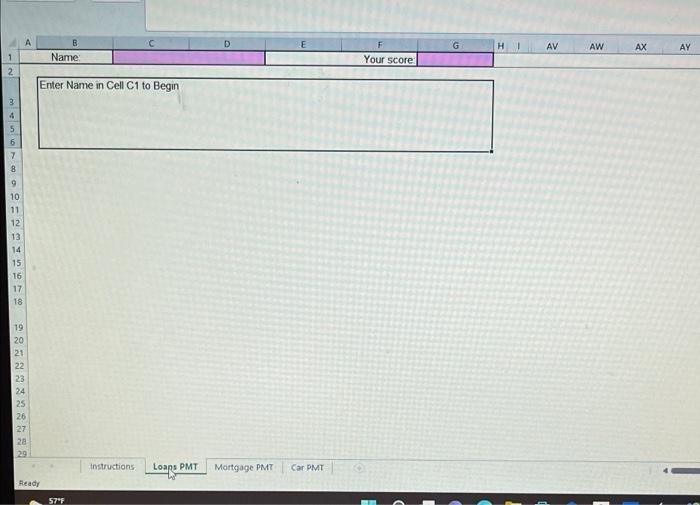
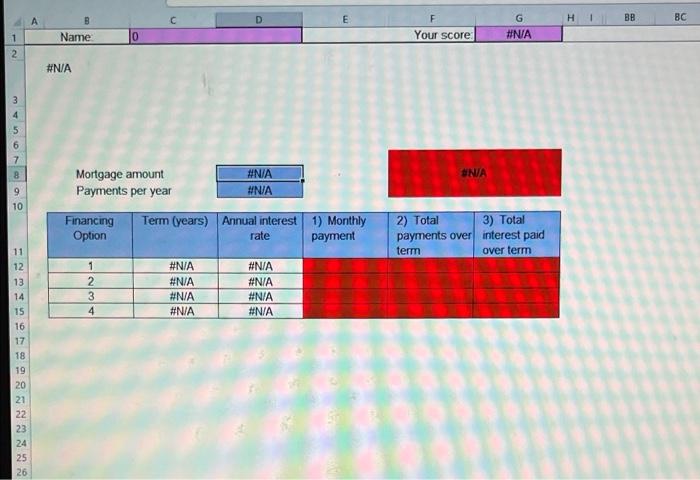
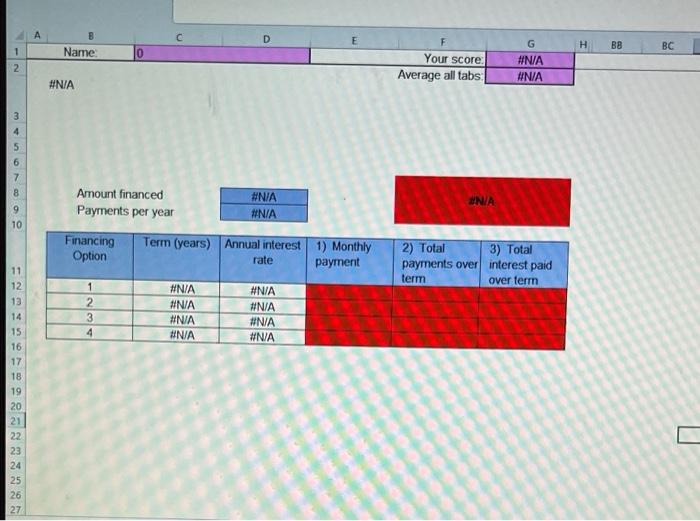
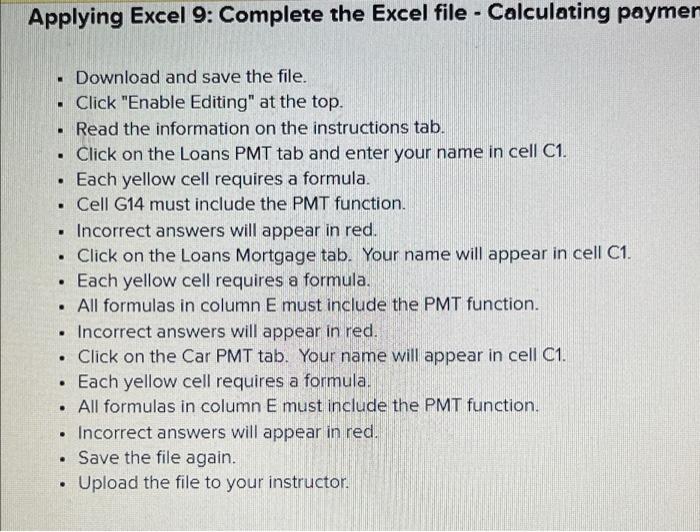
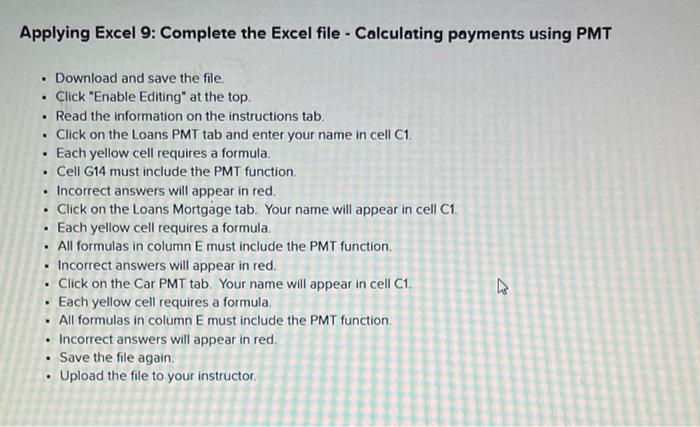
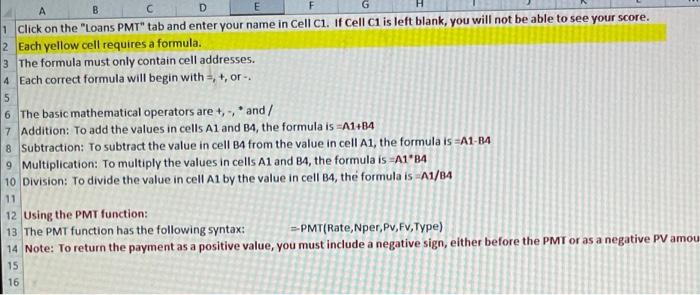
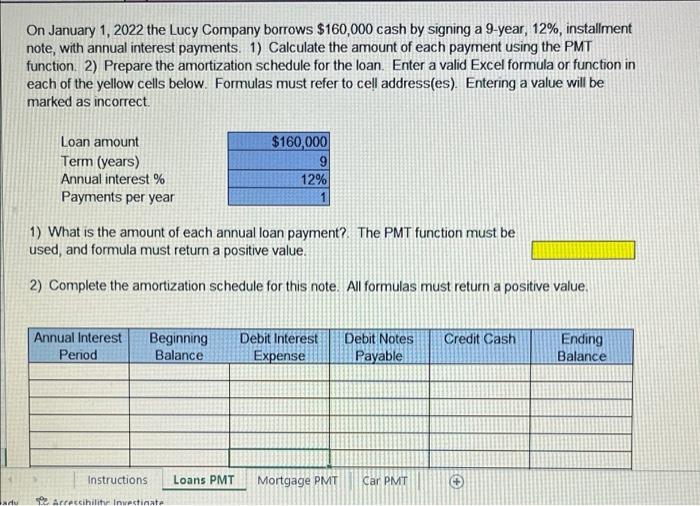
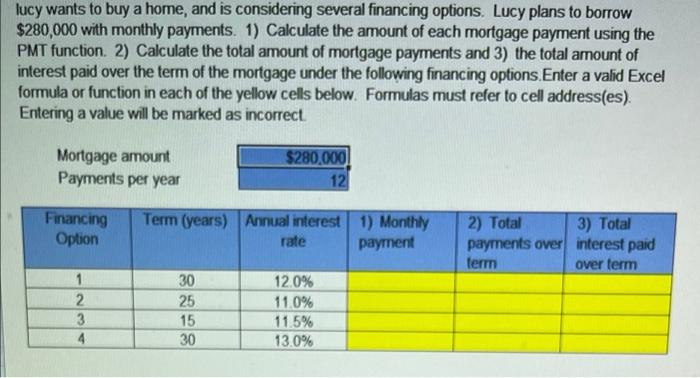
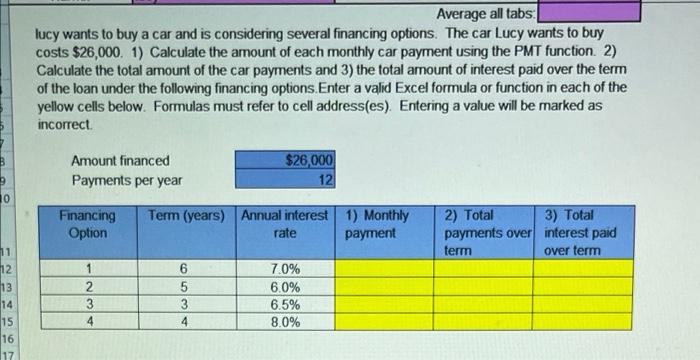
A B F G H L M 1 click on the "Loans PMT" tab and enter your name in Cell C1. If Cell C1 is left blank, you will not be able to see your score. 2 Each yellow cell requires a formula. 3 The formula must only contain cell addresses. 4 Each correct formula will begin with =, +, or 5 6 The basic mathematical operators are +, -, and/ 7 Addition: To add the values in cells A1 and 84, the formula is A1484 8 Subtraction: To subtract the value in cell BA from the value in cell A1, the formula is =A1-B4 9 Multiplication: To multiply the values in cells A1 and B4, the formula is A1984 10 Division: To divide the value in cell Al by the value in cell B4, the formula is =A1/14 11 12 Using the PMT function: 13 The PMT function has the following syntax: --PMT(Rate, per,P,F,Type) 14 Note: To return the payment as a positive value, you must include a negative sign, either before the PMT or as a negative PV amount. 15 16 17 18 19 20 21 22 23 D G HI AV B Name AW AX AY 1 Your score 2 Enter Name in Cell C1 to Begin 5 6 7 8 9 10 11 12 13 14 15 16 17 18 19 20 21 22 23 24 25 26 27 28 29 Instructions Mortgage PMT Car PMT Loape PMT Ready 57F E H BB BC F Your score G #NA Name 1 2 #N/A Uw 8 UNA 9 10 Mortgage amount #N/A Payments per year #N/A Financing Term (years) Annual interest 1) Monthly Option rate payment 2) Total 3) Total payments over interest paid term over term 1 2 3 4 #N/A #N/A #N/A #N/A #N/A #N/A #N/A #N/A 11 12 13 14 15 16 17 18 19 20 21 22 23 24 25 26 A C D E H BB BC Name 1 2 F Your score Average all tabs G #NA #N/A #N/A 3 4 5 6 Amount financed Payments per year #N/A #N/A 9 10 Financing Option Term (years) Annual interest 1) Monthly rate payment 2) Total 3) Total payments over interest paid term over term 1 2 3 4 #NIA #N/A #N/A #NA #NIA #N/A #N/A #N/A 11 12 13 14 15 16 17 18 19 20 21 22 23 24 25 26 27 Applying Excel 9: Complete the Excel file - Calculating paymer . Download and save the file. . Click "Enable Editing" at the top. . Read the information on the instructions tab. . Click on the Loans PMT tab and enter your name in cell C1. Each yellow cell requires a formula. Cell G14 must include the PMT function. Incorrect answers will appear in red. Click on the Loans Mortgage tab. Your name will appear in cell C1. Each yellow cell requires a formula. All formulas in column E must include the PMT function. Incorrect answers will appear in red. . Click on the Car PMT tab. Your name will appear in cell C1. Each yellow cell requires a formula. All formulas in column E must include the PMT function. Incorrect answers will appear in red. Save the file again. Upload the file to your instructor. . . . . . Applying Excel 9: Complete the Excel file - Calculating payments using PMT . . Download and save the file. . Click "Enable Editing" at the top. Read the information on the instructions tab. . Click on the Loans PMT tab and enter your name in cell C1. Each yellow cell requires a formula Cell G14 must include the PMT function. Incorrect answers will appear in red. Click on the Loans Mortgage tab. Your name will appear in cell C1. Each yellow cell requires a formula. All formulas in column E must include the PMT function Incorrect answers will appear in red. . Click on the Car PMT tab. Your name will appear in cell C1 Each yellow cell requires a formula. All formulas in column E must include the PMT function Incorrect answers will appear in red. Save the file again Upload the file to your instructor . . . H B E G 1 click on the "Loans PMT" tab and enter your name in Cell C1. If Cell Ci is left blank, you will not be able to see your score. 2 Each yellow cell requires a formula. 3 The formula must only contain cell addresses. 4 Each correct formula will begin with = 1, or 5 6 The basic mathematical operators are +, -, and/ 7 Addition: To add the values in cells A1 and B4, the formula is -A1-84 8 Subtraction: To subtract the value in cell B4 from the value in cell A1, the formula is -A1-B4 9 Multiplication: To multiply the values in cells A1 and B4, the formula is =A184 10 Division: To divide the value in cell A1 by the value in cell B4, the formula is A1/B4 11 12 Using the PMT function: 13 The T function has the following syntax: --PMT(Rate,Nper, PV,FV,Type) 14 Note: To return the payment as a positive value, you must include a negative sign, either before the PMT or as a negative PV amou 15 16 On January 1, 2022 the Lucy Company borrows $160,000 cash by signing a 9-year, 12%, installment note, with annual interest payments. 1) Calculate the amount of each payment using the PMT function. 2) Prepare the amortization schedule for the loan. Enter a valid Excel formula or function in each of the yellow cells below. Formulas must refer to cell address(es). Entering a value will be marked as incorrect. Loan amount Term (years) Annual interest % Payments per year $160,000 9 12% 1) What is the amount of each annual loan payment? The PMT function must be used, and formula must return a positive value. 2) Complete the amortization schedule for this note. All formulas must return a positive value. Annual Interest Period Beginning Balance Credit Cash Debit Interest Expense Debit Notes Payable Ending Balance Instructions Loans PMT Mortgage PMT Car PMT du Arreccibility Investinata lucy wants to buy a home, and is considering several financing options. Lucy plans to borrow $280,000 with monthly payments. 1) Calculate the amount of each mortgage payment using the PMT function. 2) Calculate the total amount of mortgage payments and 3) the total amount of interest paid over the term of the mortgage under the following financing options. Enter a valid Excel formula or function in each of the yellow cells below. Formulas must refer to cell address(es). Entering a value will be marked as incorrect. Mortgage amount Payments per year $280,000 12 Financing Option Term (years) Annual interest 1) Monthly rate payment 2) Total 3) Total payments over interest paid term over term 1 2 3 4 30 25 15 30 12.0% 11.0% 11.5% 13.0% Average all tabs: lucy wants to buy a car and is considering several financing options. The car Lucy wants to buy costs $26,000. 1) Calculate the amount of each monthly car payment using the PMT function. 2) Calculate the total amount of the car payments and 3) the total amount of interest paid over the term of the loan under the following financing options. Enter a valid Excel formula or function in each of the yellow cells below. Formulas must refer to cell address(es). Entering a value will be marked as incorrect Amount financed Payments per year $26,000 12 10 Financing Option Term (years) Annual interest 1) Monthly rate payment 2) Total 3) Total payments over interest paid term over term 11 12 13 14 15 16 1 2 3 4 | 6 5 3 4 7.0% 6.0% 6.5% 8.0% 17
Step by Step Solution
There are 3 Steps involved in it

Get step-by-step solutions from verified subject matter experts
 Study Help