







Question: This is all the information that was given to do the question please help!! I really need to give this in soon!!! Cutoff 1 April
This is all the information that was given to do the question please help!! I really need to give this in soon!!!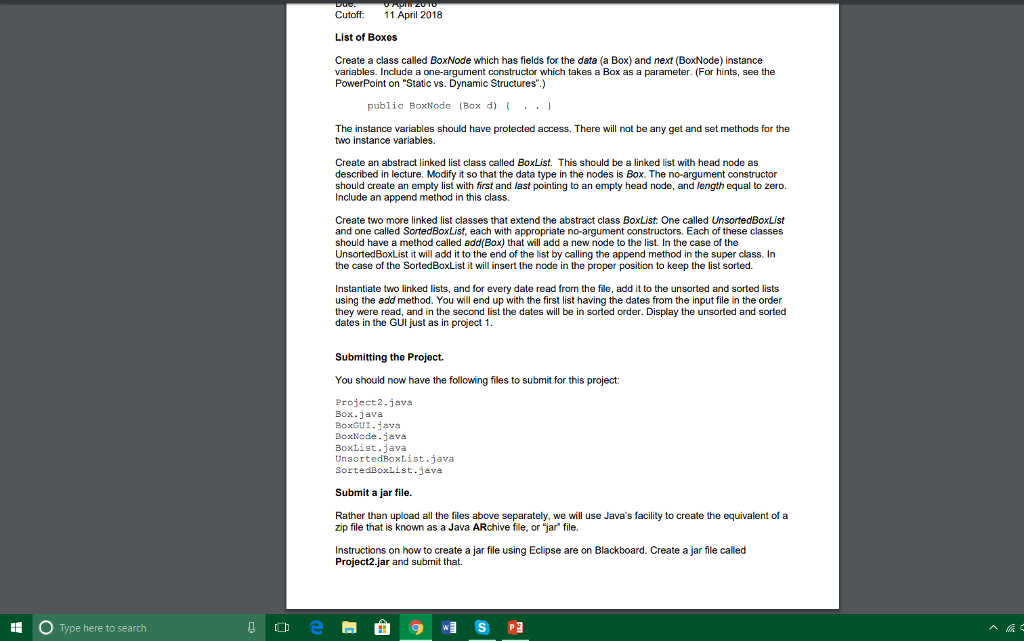
Cutoff 1 April 2018 List of Boxes Create a class called BoxNode which has fields for the data (a Box) and next (BoxNode) instance variables. Include a one-argument constructor which takes a Box as a parameter. (For hints, see the PowerPoint on "Static vs. Dynamic Structures".) public BoxNode (Box d) .. The instance variables should have protected access. There will not be any get and set methods for the two instance variables. Create an abstract linked list class called BoxList. This should be a linked list with head node as described in lecture. Modify it so that the data type in the nodes is Box. The no-argument constructor should create an empty list with first and last pointing to an empty head node, and length equal to zero. Include an append method in this class. Create two more linked list classes that extend the abstract class BoxList. One called UnsortedBoxList and one called SovtedBoxList, each with appropriate no-argument constructors, Each of these classes should have a method called add(Box) that will add a new node to the list. In the case of the UnsortedBoxList it will add it to the end of the list by calling the append method in the super class. In the case of the SortedBoxList it will insert the node in the proper position to keep the list sorted. Instantiate two linked lists, and for every date read from the file, add it to the unsorted and sorted lists using the add method. You will end up with the first list having the dates from the input file in the order they were read, and in the second list the dates will be in sorted order. Display the unsorted and sorted dates in the GUI just as in project 1 Submitting the Project. You should now have the following files to submit for this project Project2.java Box.java BoxGUI-java BoxNode java BoxList.java UnsortedBoxList.java SortedBoxList.java Submit a jar file. Rather than upload all the files above separately, we will use Java's facility to create the equivalent of a zip file that is known as a Java ARchive file, or "jar file. Instructions on how to create a jar file using Eclipse are on Blackboard. Create a jar file called Project2.jar and subrnit that. t O Type here to seardh
Step by Step Solution
There are 3 Steps involved in it

Get step-by-step solutions from verified subject matter experts
 Study Help