







Question: This is assigned on a disabled DHCP virtual network tails for the cloning-source 1. The name of this cloning-source VM will be called: pangaea. 2.
This is assigned on a disabled DHCP virtual network
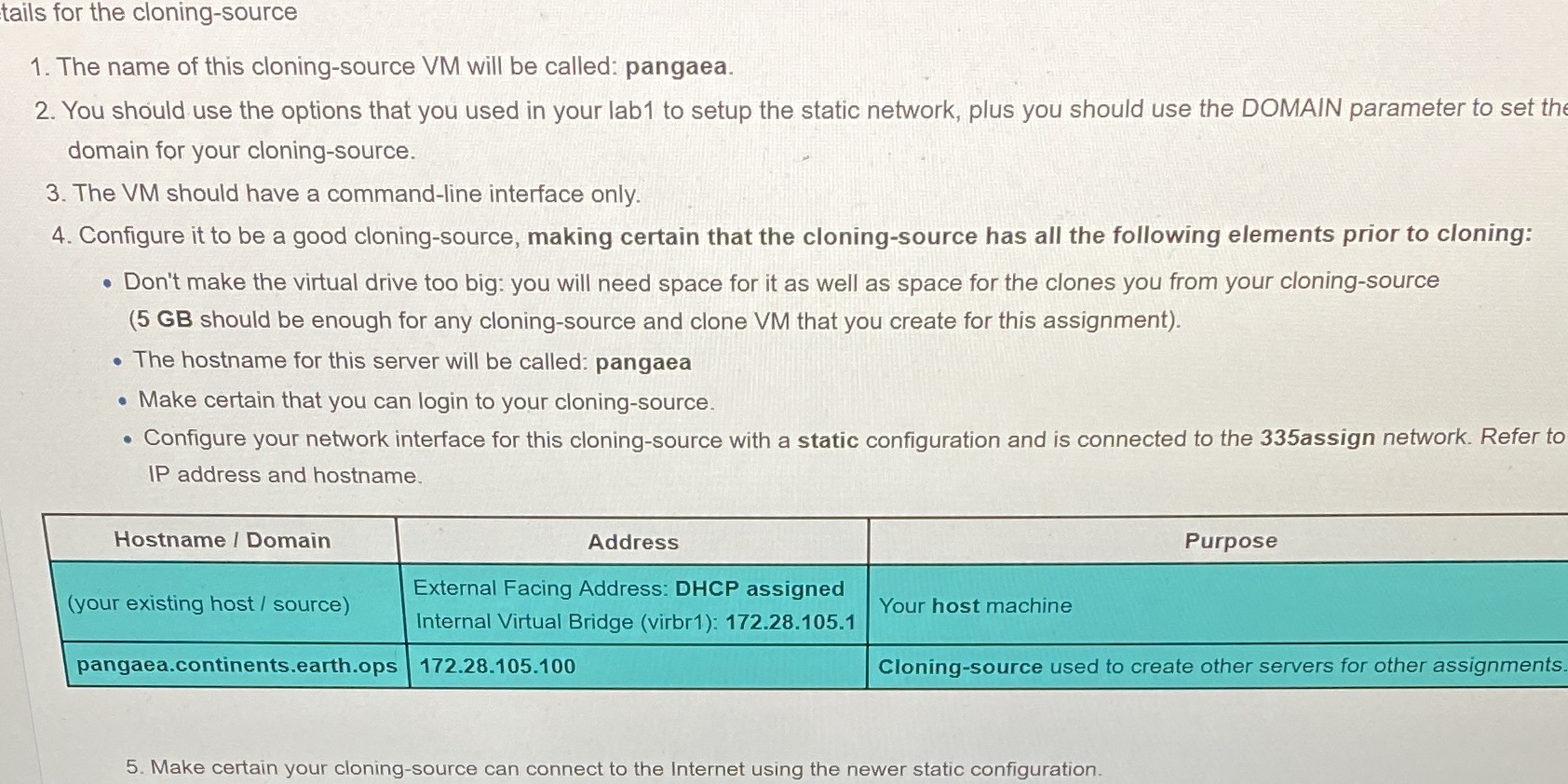
tails for the cloning-source 1. The name of this cloning-source VM will be called: pangaea. 2. You should use the options that you used in your lab1 to setup the static network, plus you should use the DOMAIN parameter to set the domain for your cloning-source. 3. The VM should have a command-line interface only. 4. Configure it to be a good cloning-source, making certain that the cloning-source has all the following elements prior to cloning: . Don't make the virtual drive too big: you will need space for it as well as space for the clones you from your cloning-source (5 GB should be enough for any cloning-source and clone VM that you create for this assignment). . The hostname for this server will be called: pangaea . Make certain that you can login to your cloning-source. . Configure your network interface for this cloning-source with a static configuration and is connected to the 335assign network. Refer to IP address and hostname. Hostname / Domain Address Purpose External Facing Address: DHCP assigned (your existing host / source) Your host machine Internal Virtual Bridge (virbr1): 172.28.105.1 pangaea.continents.earth.ops 172.28.105.100 Cloning-source used to create other servers for other assignments 5. Make certain your cloning-source can connect to the Internet using the newer static configuration
Step by Step Solution
There are 3 Steps involved in it

Get step-by-step solutions from verified subject matter experts
 Study Help