







Question: This is based off of using Code Composer Studio with board TM4C123GXL Tiva C Launchpad. Will give an upvote! Procedure 1. From Resource Explorer search
This is based off of using Code Composer Studio with board TM4C123GXL Tiva C Launchpad.
Will give an upvote!
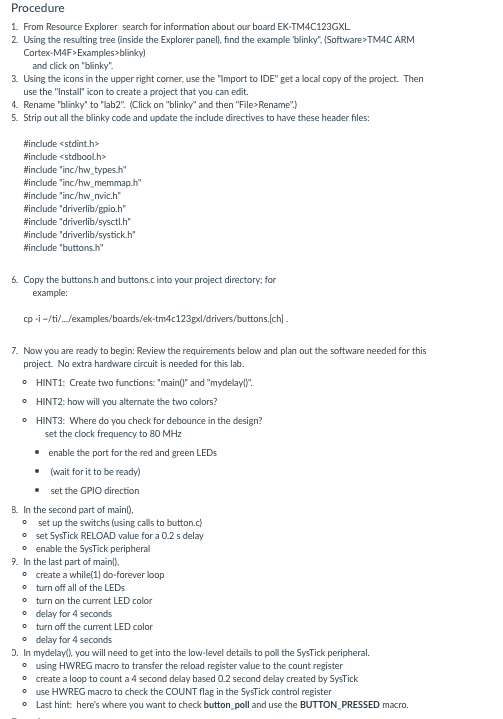
Procedure 1. From Resource Explorer search for information about our board EK-TM4C123GXL 2. Using the resulting tree (inside the Explorer panel), find the example blinky". (Software>TM4C ARM Cortex-M4F>Examples>blinky) and click on "blinky". 3. Using the icons in the upper right corner, use the "Import to IDE" get a local copy of the project. Then use the "Install" icon to create a project that you can edit. 4. Rename "blinky" to "lab2". (Click on "blinky" and then "File> Rename".) 5. Strip out all the blinky code and update the include directives to have these header files: #include
Step by Step Solution
There are 3 Steps involved in it

Get step-by-step solutions from verified subject matter experts
 Study Help