







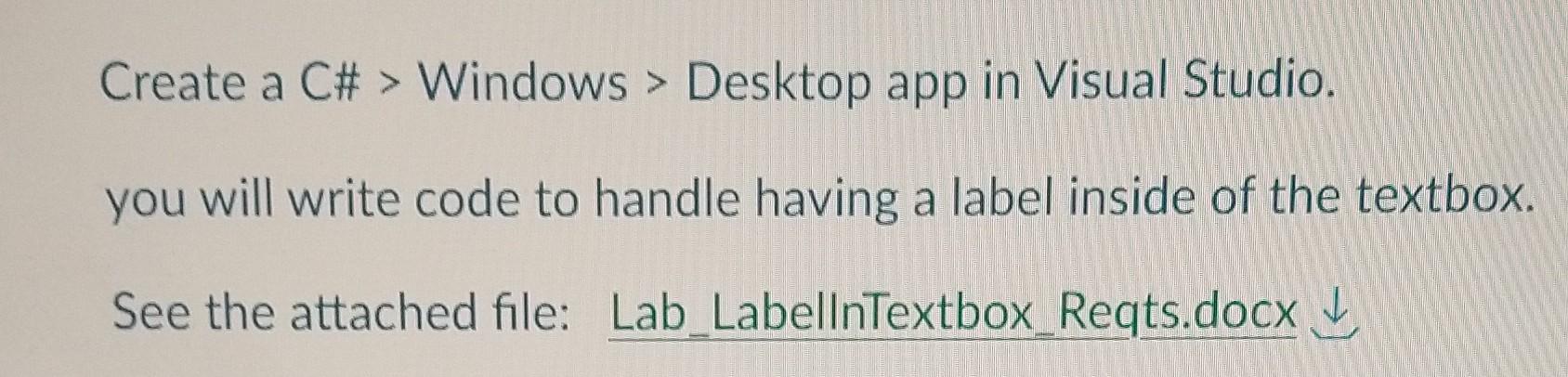
Question: this is done using visual studio. c# windows xaml desktop app. please follow the instructions Create a C# > Windows > Desktop app in Visual
this is done using visual studio. c# windows xaml desktop app. please follow the instructions
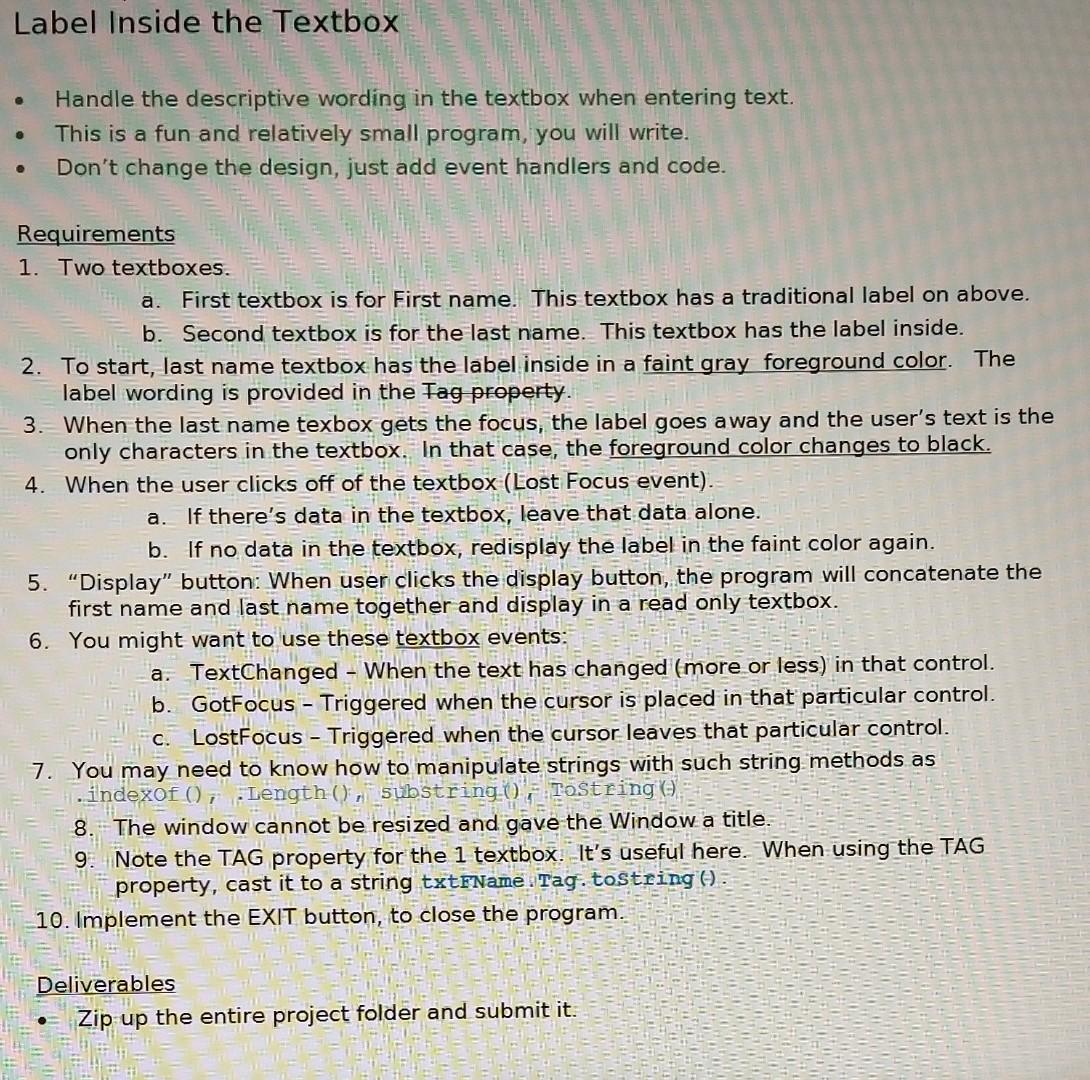
Create a C\# > Windows > Desktop app in Visual Studio. you will write code to handle having a label inside of the textbox. See the attached file: Lab_LabellnTextbox_Reqts.docx Label Inside the lextbox - Handle the descriptive wording in the textbox when entering text. - This is a fun and relatively small program, you will write. - Don't change the design, just add event handlers and code. Requirements 1. Two textboxes. a. First textbox is for First name. This textbox has a traditional label on above. b. Second textbox is for the last name. This textbox has the label inside. 2. To start, last name textbox has the label inside in a faint gray foreground color. The label wording is provided in the fag property. 3. When the last name texbox gets the focus, the label goes away and the user's text is the only characters in the textbox. In that case, the foreground color changes to black. 4. When the user clicks off of the textbox (Lost Focus event). a. If there's data in the textbox, leave that data alone. b. If no data in the textbox, redisplay the label in the faint color again. 5. "Display" button: When user clicks the display button, the program will concatenate the first name and last name together and display in a read only textbox. 6. You might want to use these textbox events: a. TextChanged - When the text has changed (more or less) in that control. b. GotFocus - Triggered when the cursor is placed in that particular control. c. LostFocus - Triggered when the cursor leaves that particular control. 7. You may need to know how to manipulate strings with such string methods as . Indexof (), .Length ()1, substring (), , Tostring () 8. The window cannot be resized and gave the Window a title. 9. Note the TAG property for the 1 textbox. It's useful here. When using the TAG property, cast it to a string txtFName. Tag. tostring () 10. Implement the EXIT button, to close the program. Deliverables - Zip up the entire project folder and submit it
Step by Step Solution
There are 3 Steps involved in it

Get step-by-step solutions from verified subject matter experts
 Study Help