







Question: This is for coding in R. You will lose 50% of the points if you use a different file name or put your code in
This is for coding in R. You will lose 50% of the points if you use a different file name or put your code in multiple files. You will lose 10% of the points if your code can not be run as a whole script . You risk losing 10% points if your code has no proper indentation or has more than 80 characters in a line.
This is the code I currently have but it will not run as a script after clicking source in the right side in RStudio it only runs separately. Please fix and run the code using the source function in RStudio and show pictures of the code after running correctly since I am running into errors.
1. list_data
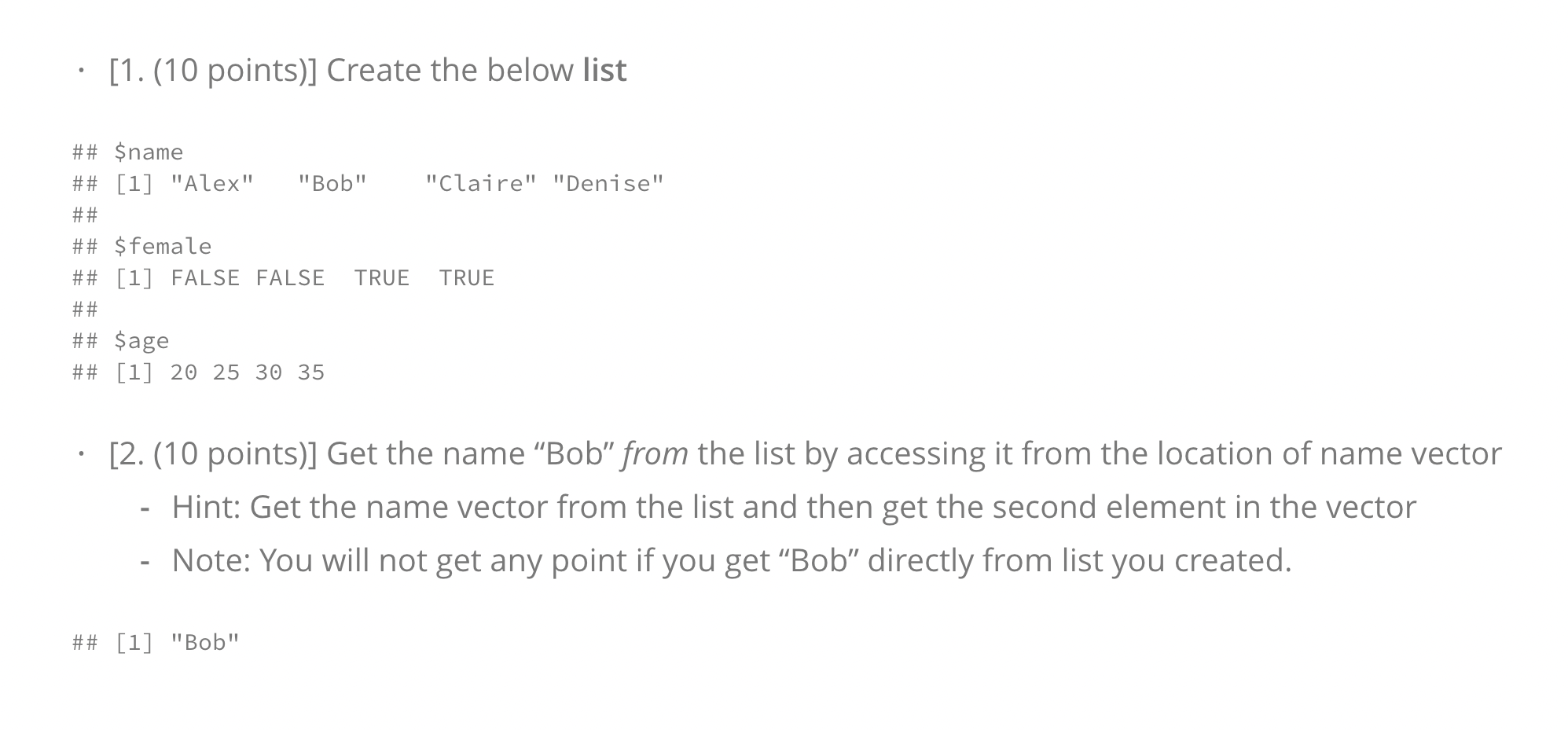
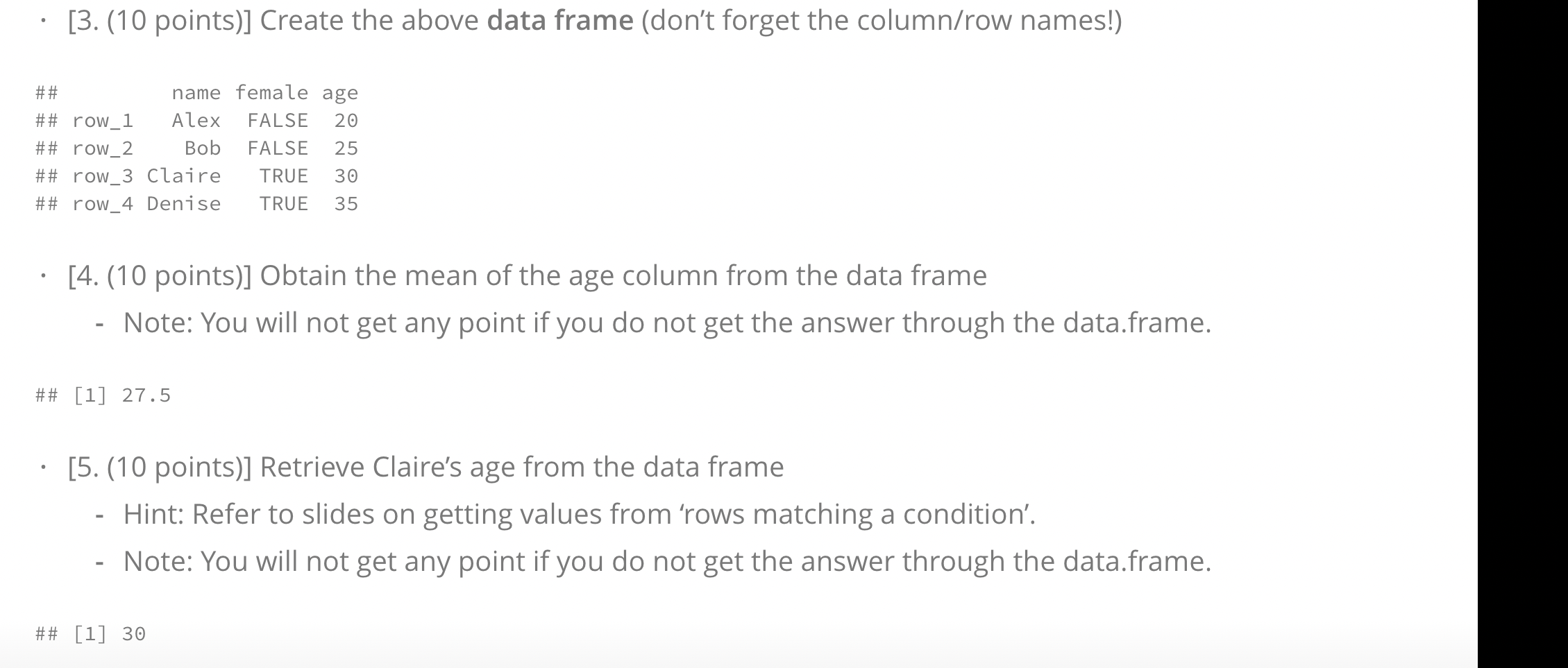
names(list_data) [1.(10 points)] Create the below list "Claire" "Denise" ## $name ## [1] "Alex" "Bob" ## ## $ female ## [1] FALSE FALSE TRUE ## ## $age ## [1] 20 25 30 35 TRUE . [2. (10 points)] Get the name Bob" from the list by accessing it from the location of name vector Hint: Get the name vector from the list and then get the second element in the vector Note: You will not get any point if you get Bob" directly from list you created. ## [1] "Bob" . [3. (10 points)] Create the above data frame (don't forget the column/row names!) ## name female age ## row_1 Alex FALSE 20 ## row_2 Bob FALSE 25 ## row_3 Claire TRUE 30 ## row_4 Denise TRUE 35 . [4. (10 points)] Obtain the mean of the age column from the data frame Note: You will not get any point if you do not get the answer through the data.frame. ## [1] 27.5 . [5. (10 points)] Retrieve Claire's age from the data frame Hint: Refer to slides on getting values from 'rows matching a condition'. Note: You will not get any point if you do not get the answer through the data.frame. ## [1] 30
Step by Step Solution
There are 3 Steps involved in it

Get step-by-step solutions from verified subject matter experts
 Study Help