







Question: This is for Excel so having a step by step on how to complete this including showing what the final overall worksheet it would look
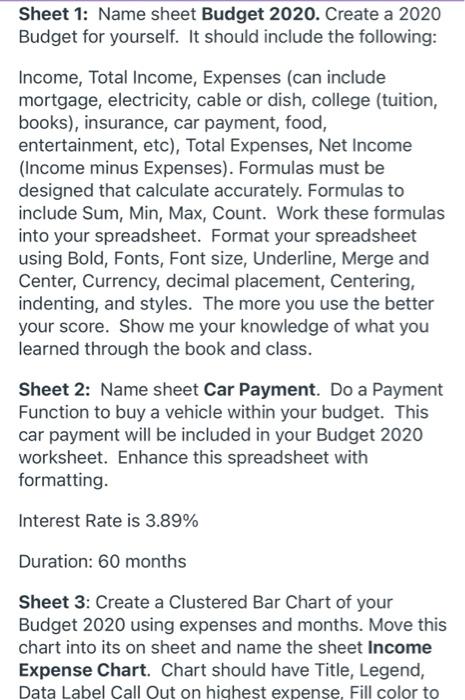
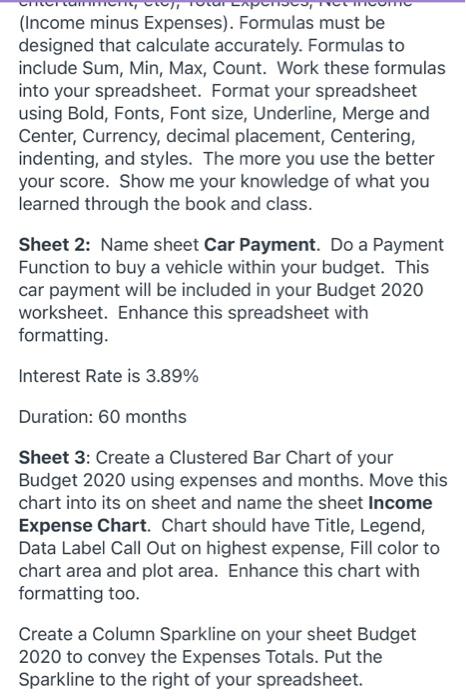
Sheet 1: Name sheet Budget 2020. Create a 2020 Budget for yourself. It should include the following: Income, Total Income, Expenses (can include mortgage, electricity, cable or dish, college (tuition, books), insurance, car payment, food, entertainment, etc), Total Expenses, Net Income (Income minus Expenses). Formulas must be designed that calculate accurately. Formulas to include Sum, Min, Max, Count. Work these formulas into your spreadsheet. Format your spreadsheet using Bold, Fonts, Font size, Underline, Merge and Center, Currency, decimal placement, Centering, indenting, and styles. The more you use the better your score. Show me your knowledge of what you learned through the book and class. Sheet 2: Name sheet Car Payment. Do a Payment Function to buy a vehicle within your budget. This car payment will be included in your Budget 2020 worksheet. Enhance this spreadsheet with formatting. Interest Rate is 3.89% Duration: 60 months Sheet 3: Create a Clustered Bar Chart of your Budget 2020 using expenses and months. Move this chart into its on sheet and name the sheet Income Expense Chart. Chart should have Title, Legend, Data Label Call Out on highest expense, Fill color to AP (Income minus Expenses). Formulas must be designed that calculate accurately. Formulas to include Sum, Min, Max, Count. Work these formulas into your spreadsheet. Format your spreadsheet using Bold, Fonts, Font size, Underline, Merge and Center, Currency, decimal placement, Centering, indenting, and styles. The more you use the better your score. Show me your knowledge of what you learned through the book and class. Sheet 2: Name sheet Car Payment. Do a Payment Function to buy a vehicle within your budget. This car payment will be included in your Budget 2020 worksheet. Enhance this spreadsheet with formatting. Interest Rate is 3.89% Duration: 60 months Sheet 3: Create a Clustered Bar Chart of your Budget 2020 using expenses and months. Move this chart into its on sheet and name the sheet Income Expense Chart Chart should have Title, Legend, Data Label Call Out on highest expense, Fill color to chart area and plot area. Enhance this chart with formatting too. Create a Column Sparkline on your sheet Budget 2020 to convey the Expenses Totals. Put the Sparkline to the right of your spreadsheet
Step by Step Solution
There are 3 Steps involved in it

Get step-by-step solutions from verified subject matter experts
 Study Help