







Question: This is for Java Advanced What are the obligations on a class that implements an interface? That class must provide an implementation (which can be
This is for Java Advanced
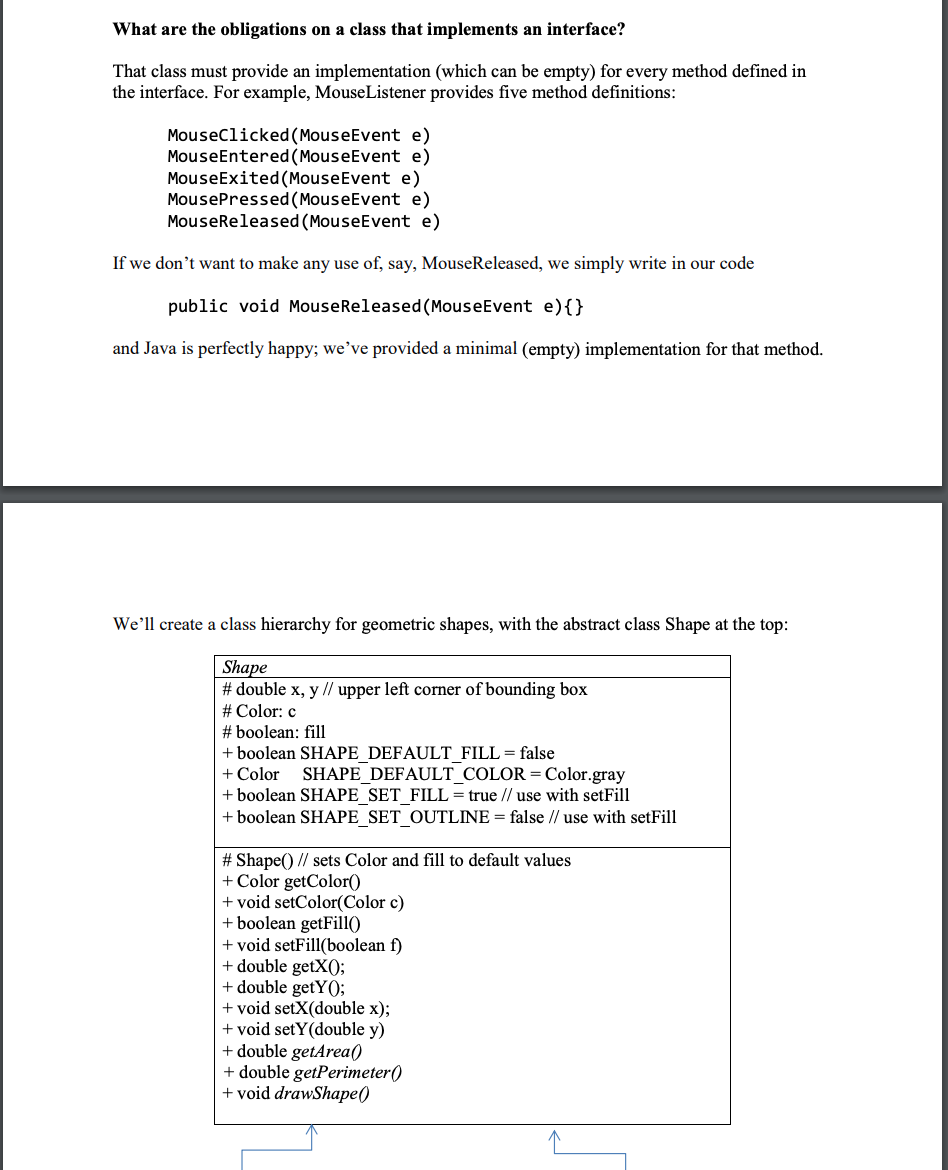
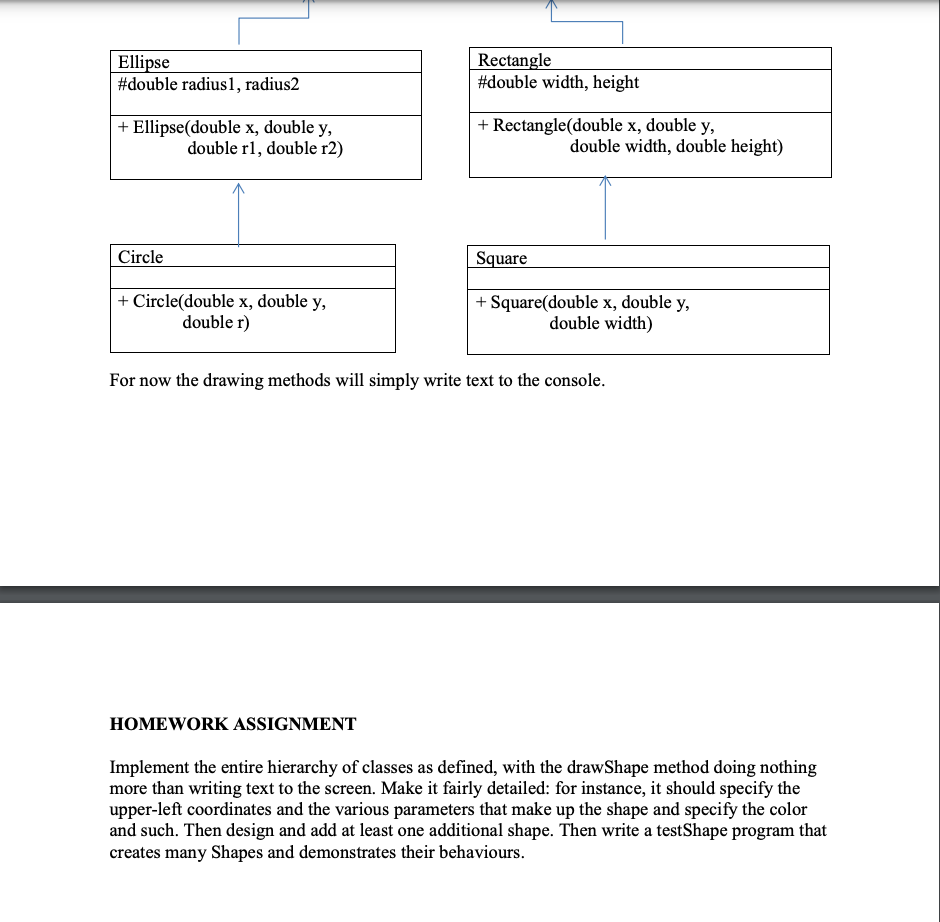
What are the obligations on a class that implements an interface? That class must provide an implementation (which can be empty) for every method defined in the interface. For example, MouseListener provides five method definitions: MouseClicked(MouseEvent e) MouseEntered(MouseEvent e) MouseExited(MouseEvent e) MousePressed(MouseEvent e) MouseReleased(MouseEvent e) If we don't want to make any use of, say, MouseReleased, we simply write in our code public void Mouse Released(MouseEvent e){} and Java is perfectly happy; we've provided a minimal (empty) implementation for that method. We'll create a class hierarchy for geometric shapes, with the abstract class Shape at the top: Shape #double x, y // upper left corner of bounding box # Color: c # boolean: fill + boolean SHAPE DEFAULT FILL = false + Color SHAPE_DEFAULT_COLOR = Color.gray + boolean SHAPE_SET_FILL = true // use with setFill + boolean SHAPE_SET_OUTLINE = false // use with setFill #Shape() // sets Color and fill to default values + Color getColor + void setColor(Color c) + boolean getFill() + void setFill(boolean f) + double getX(); + double getYO; + void setX(double x); + void setY(double y) + double getArea() + double getPerimeter() +void drawShape() Ellipse #double radius1, radius2 Rectangle #double width, height + Ellipse(double x, double y, double rl, double r2) + Rectangle(double x, double y, double width, double height) Circle Square + Circle(double x, double y, double r) + Square(double x, double y, double width) For now the drawing methods will simply write text to the console. HOMEWORK ASSIGNMENT Implement the entire hierarchy of classes as defined, with the drawShape method doing nothing more than writing text to the screen. Make it fairly detailed: for instance, it should specify the upper-left coordinates and the various parameters that make up the shape and specify the color and such. Then design and add at least one additional shape. Then write a testShape program that creates many Shapes and demonstrates their behaviours
Step by Step Solution
There are 3 Steps involved in it

Get step-by-step solutions from verified subject matter experts
 Study Help