







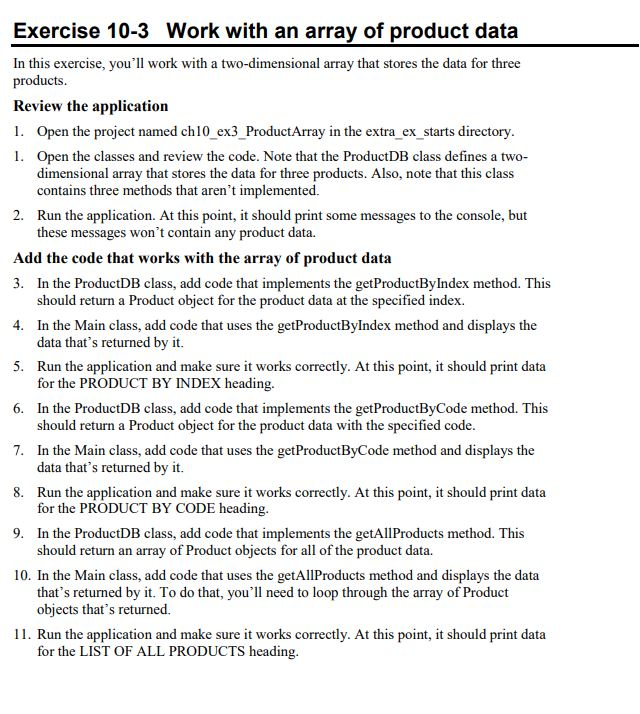
Question: This is for java. Here is the code: Thank you Exercise 10-3 Work with an array of product data In this exercise, you'll work with
This is for java.
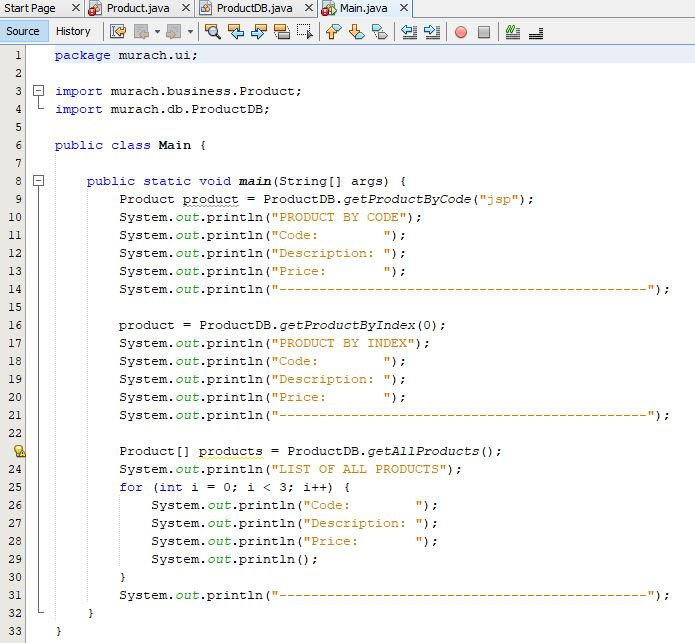
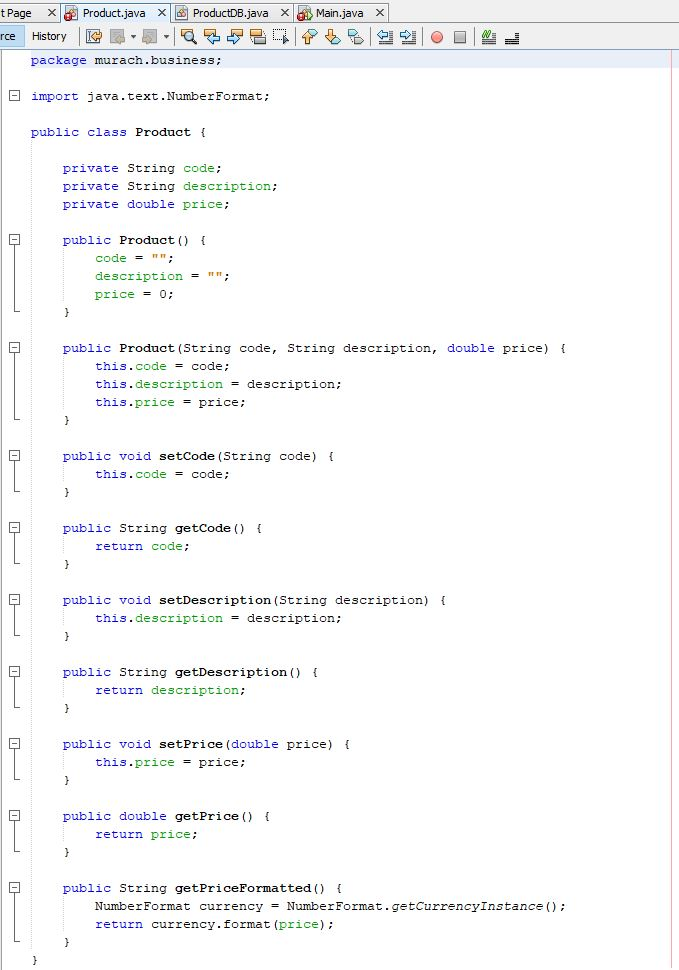
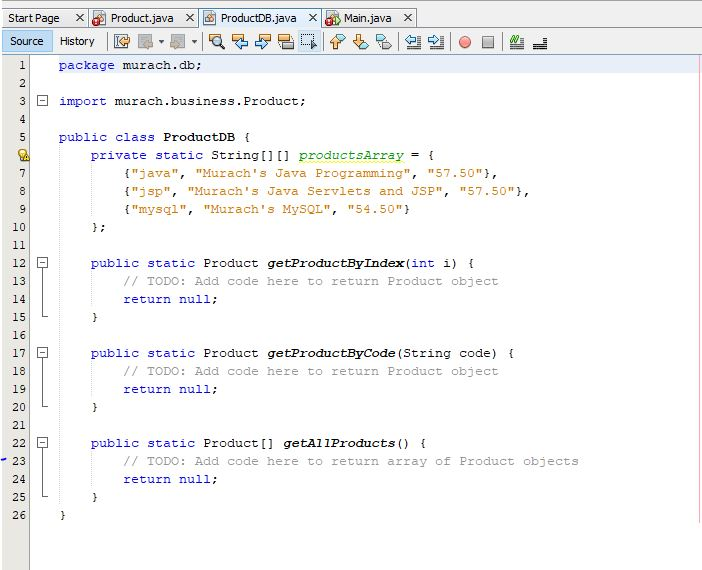
Here is the code:
Thank you
Exercise 10-3 Work with an array of product data In this exercise, you'll work with a two-dimensional array that stores the data for three products Review the application 1. Open the project named chl0 ex3 ProductArray in the extra ex starts directory . Open the classes and review the code. Note that the ProductDB class defines a two- dimensional array that stores the data for three products. Also, note that this class contains three methods that aren't implemented. Run the application. At this point, it should print some messages to the console, but these messages won't contain any product data. 2. Add the code that works with the array of product data 3. In the ProductDB class, add code that implements the getProductByIndex method. This 4. In the Main class, add code that uses the getProductByIndex method and displays the 5. Run the application and make sure it works correctly. At this point, it should print data 6. In the ProductDB class, add code that implements the getProductByCode method. This 7. In the Main class, add code that uses the getProductByCode method and displays the 8. Run the application and make sure it works correctly. At this point, it should print data 9. In the ProductDB class, add code that implements the getAllProducts method. This 10. In the Main class, add code that uses the getAllProducts method and displays the data should return a Product object for the product data at the specified index. data that's returned by it. for the PRODUCT BY INDEX heading. should return a Product object for the product data with the specified code data that's returned by it. for the PRODUCT BY CODE heading should return an array of Product objects for all of the product data. that's returned by it. To do that, you'll need to loop through the array of Product objects that's returned. 11. Run the application and make sure it works correctly. At this point, it should print data for the LIST OF ALL PRODUCTS heading
Step by Step Solution
There are 3 Steps involved in it

Get step-by-step solutions from verified subject matter experts
 Study Help