







Question: This is for the Linux operating system. 7. How would change to your home directory using one command, no matter what directory you are currently
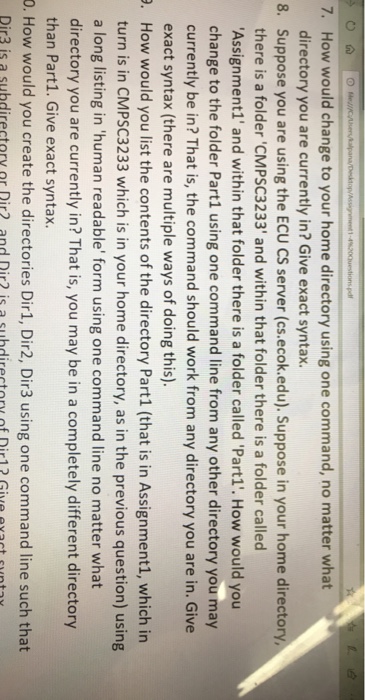
7. How would change to your home directory using one command, no matter what directory you are currently in? Give exact syntax Suppose you are using the ECU CS server (cs.ecok.edu). Suppose in your home directory there is a folder 'CMPSC3233' and within that folder there is a folder called Assignment1' and within that folder there is a folder called 'Part1. How would you change to the folder Part1 using one command line from any other directory you may currently be in? That is, the command should work from any directory you are in. Give exact syntax (there are multiple ways of doing this). How would you list the contents of the directory Part1 (that is in Assignment1, which in turn is in CMPSC3233 which is in your home directory, as in the previous question) using a long listing in 'human readable' form using one command line no matter what directory you are currently in? That is, you may be in a completely different directory than Part1. Give exact syntax. 8. . O. How would you create the directories Dir1, Dir2, Dir3 using one command line such that Dir3 is a subdirectory or Dir? and Dir2 is a subdirectory of Dir12 Give evacst suntay
Step by Step Solution
There are 3 Steps involved in it

Get step-by-step solutions from verified subject matter experts
 Study Help