







Question: This is in MATLAB Language Program a function called MorseEncoder that accepts an input string containing only spaces and letters - possibly a mixture of
This is in MATLAB Language
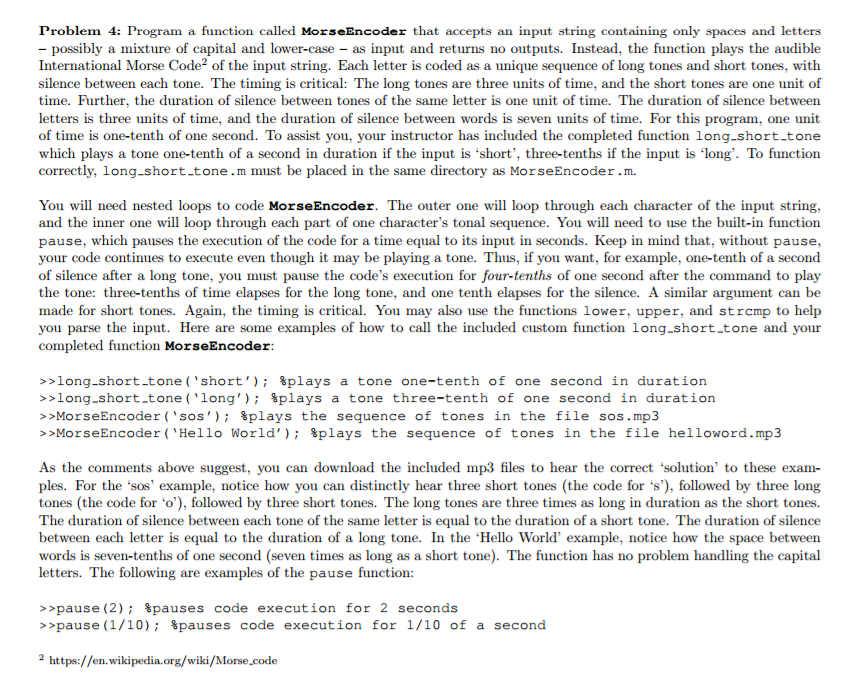
Program a function called MorseEncoder that accepts an input string containing only spaces and letters - possibly a mixture of capital and lower-case - as input and returns no outputs. Instead, the function plays the audible International Morse Code^2 of the input string. Each letter is coded as a unique sequence of long tones and short tones, with silence between each tone. The timing is critical: The long tones are three units of time, and the short tones are one unit of time. Further, the duration of silence between tones of the same letter is one unit of time. The duration of silence between letters is three units of time, and the duration of silence between words is seven units of time. For this program, one unit of time is one-tenth of one second. To assist you, your instructor has included the completed function long_short_tone which plays a tone one-tenth of a second in duration if the input is 'short', three-tenths if the input is 'long'. To function correctly, long_short_tone .m must be placed in the same directory as MorseEncoder .m. You will need nested loops to code MorseEncoder. The outer one will loop through each character of the input string, and the inner one will loop through each part of one character's tonal sequence. You will need to use the built-in function pause, which pauses the execution of the code for a time equal to its input in seconds. Keep in mind that, without pause, your code continues to execute even though it may be playing a tone. Thus, if you want, for example, one-tenth of a second of silence after a long tone, you must pause the code's execution for four-tenths of one second after the command to play the tone: three-tenths of time elapses for the long tone, and one tenth elapses for the silence. A similar argument can be made for short tones. Again, the timing is critical. You may also use the functions lower, upper, and strcmp to help you parse the input. Here are some examples of how to call the included custom function long.short.tone and your completed function MorseEncoder: >>long_short_tone ('short'); %plays a tone one-tenth of one second in duration >>long_short_tone('long'); %plays a tone three-tenth of one second in duration >> MorseEncoder('sos'); %plays the sequence of tones in the file sos.mp3 >> MorseEncoder('Hello World'); %plays the sequence of tones in the file helloword.mp3 As the comments above suggest, you can download the included mp3 files to hear the correct 'solution' to these examples. For the 'sos' example, notice how you can distinctly hear three short tones (the code for's'), followed by three long tones (the code for 'o'), followed by three short tones. The long tones are three times as long in duration as the short tones. The duration of silence between each tone of the same letter is equal to the duration of a short tone. The duration of silence between each letter is equal to the duration of a long tone. In the 'Hello World' example, notice how the space between words is seven-tenths of one second (seven times as long as a short tone). The function has no problem handling the capital letters. The following are examples of the pause function: >> pause(2); %pauses code execution for 2 seconds >> pause(1/10); %pauses code execution for 1/10 of a second 2 https://en.wikipedia.org/wild/Morse_code
Step by Step Solution
There are 3 Steps involved in it

Get step-by-step solutions from verified subject matter experts
 Study Help