







Question: This is java problem I am not sure what to do please guide me this is the code: import java.util.Random; import java.util.ArrayList; import java.util.Collections; public
This is java problem I am not sure what to do please guide me
this is the code:
import java.util.Random;
import java.util.ArrayList;
import java.util.Collections;
public class Sorting {
public static void main(String[] args) {
int listSize = 30;
int magnitude = 500;
Random rand = new Random(12345);
ArrayList
// Fill the list with random numbers
for (int i=0; i
numbers.add(rand.nextInt() % magnitude);
// Sort and print list
Collections.sort(numbers);
for (Integer num : numbers)
System.out.print(num + " ");
System.out.println();
// Uncomment to test out the backwards ordering class
// Collections.sort(numbers, new BackwardOrdering());
// for (Integer num : numbers)
// System.out.print(num + " ");
// System.out.println();
// Uncomment to test out the alernate ordering class
// Collections.sort(numbers, new AlternateOrdering());
// for (Integer num : numbers)
// System.out.print(num + " ");
}
}
this is the instuction
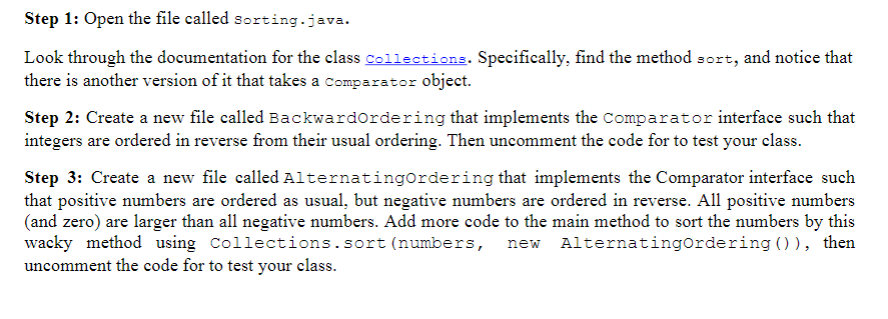
Step 1: Open the file called sorting.java Look through the documentation for the class Gaiiectiona. Specifically, find the method sort, and notice that there is another version of it that takes a comparator object. Step 2: Create a new file called Backwardordering that implements the Comparator interface such that integers are ordered in reverse from their usual ordering. Thern the code for to test your class. Step 3: Create a new file called Alternatingordering that implements the Comparator interface such that positive numbers are ordered as usual, but negative numbers are ordered in reverse. All positive numbers (and zero) are larger than all negative numbers. Add more code to the main method to sort the numbers by this wacky method using Collections.sort (numbers, new Alternatingordering)), then uncomment the code for to test your class
Step by Step Solution
There are 3 Steps involved in it

Get step-by-step solutions from verified subject matter experts
 Study Help