







Question: THIS IS JAVA PROGRAM. DOn't COPY THE PROGRAM OUTSIDE TO HERE. I WILL KNOW. CHECK IF THE OUPUT IS AS SAME SA THE SAMPLE Assignment
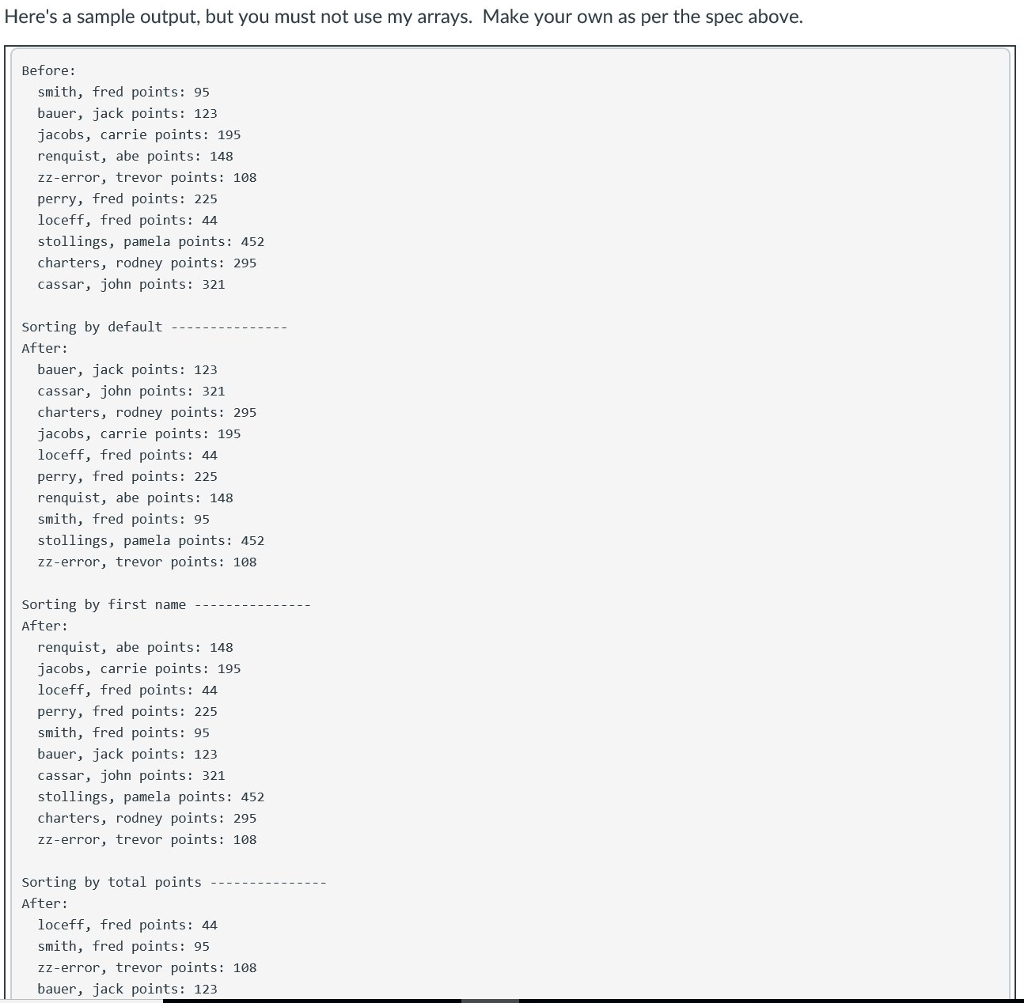
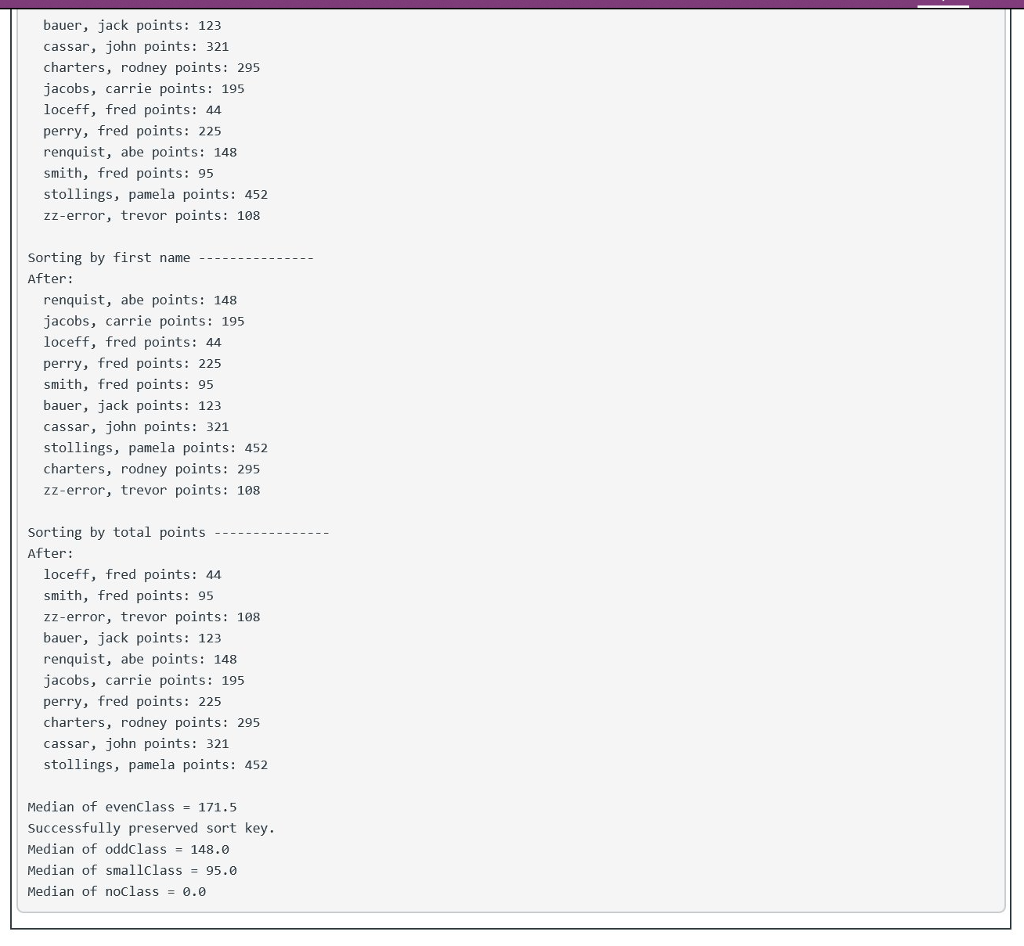 THIS IS JAVA PROGRAM. DOn't COPY THE PROGRAM OUTSIDE TO HERE. I WILL KNOW. CHECK IF THE OUPUT IS AS SAME SA THE SAMPLE
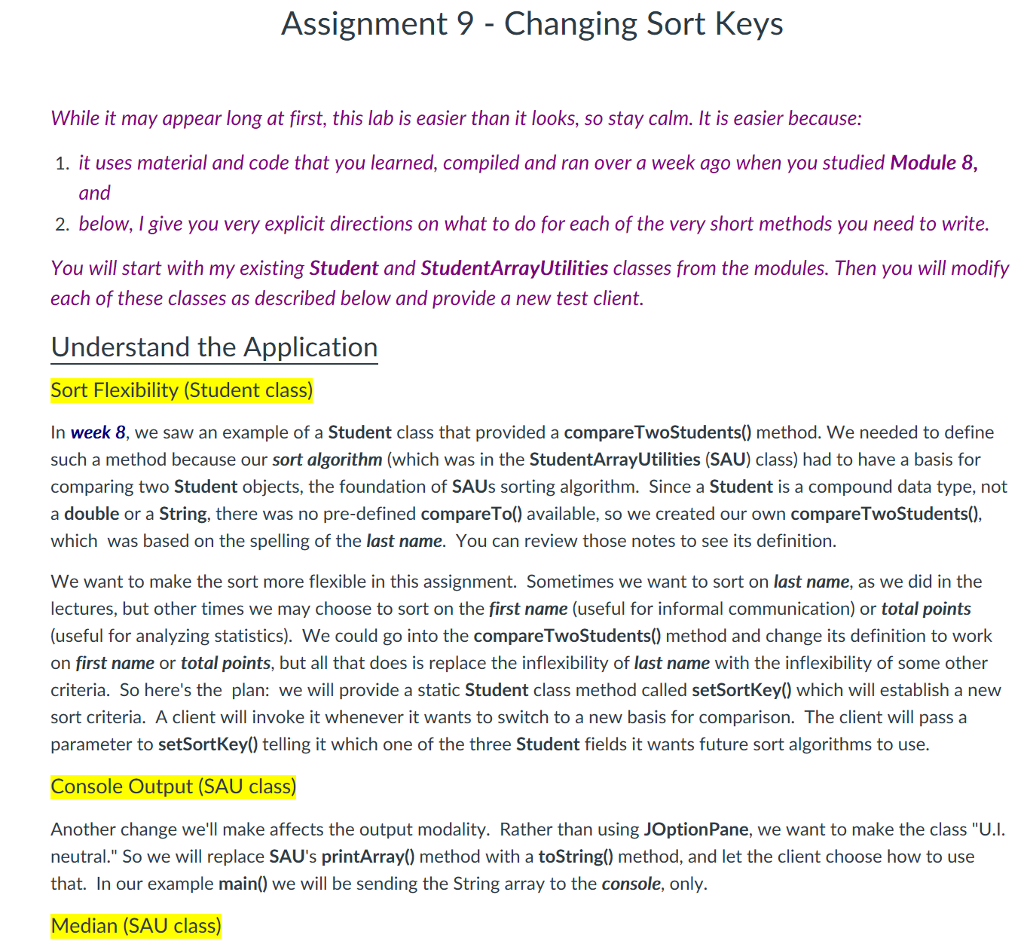
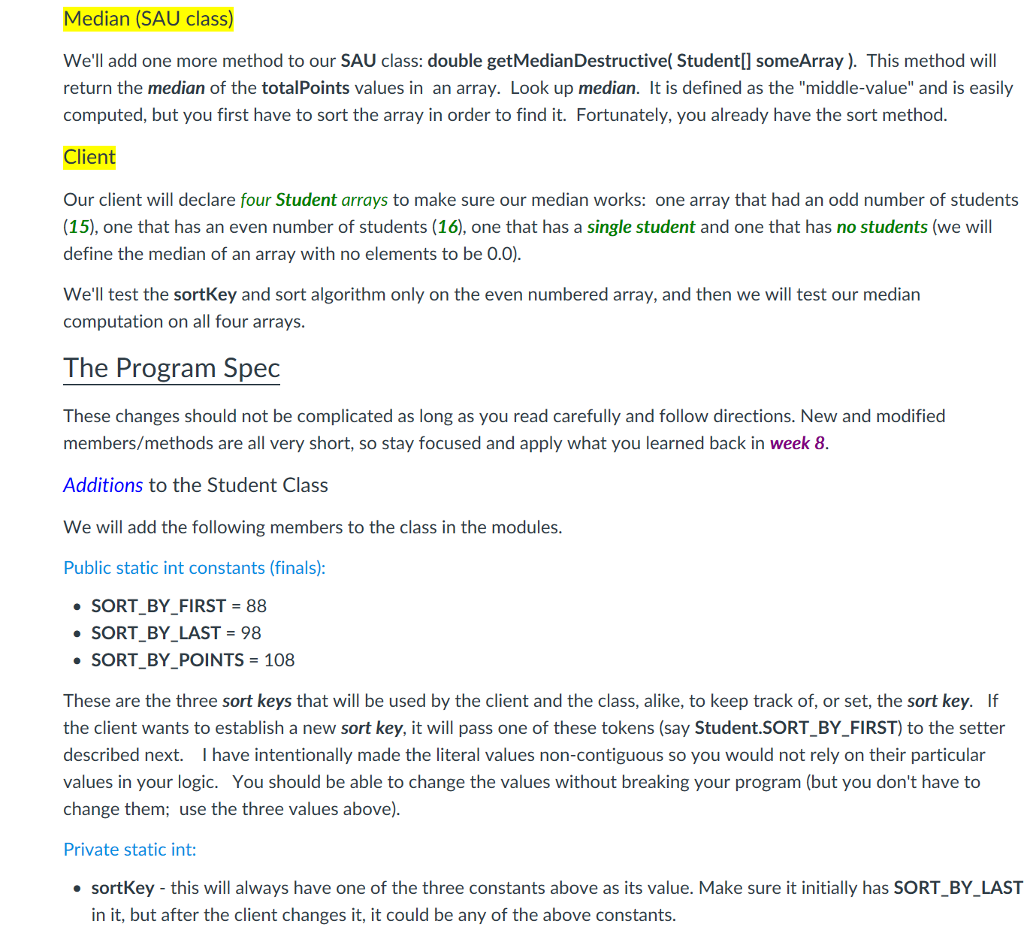
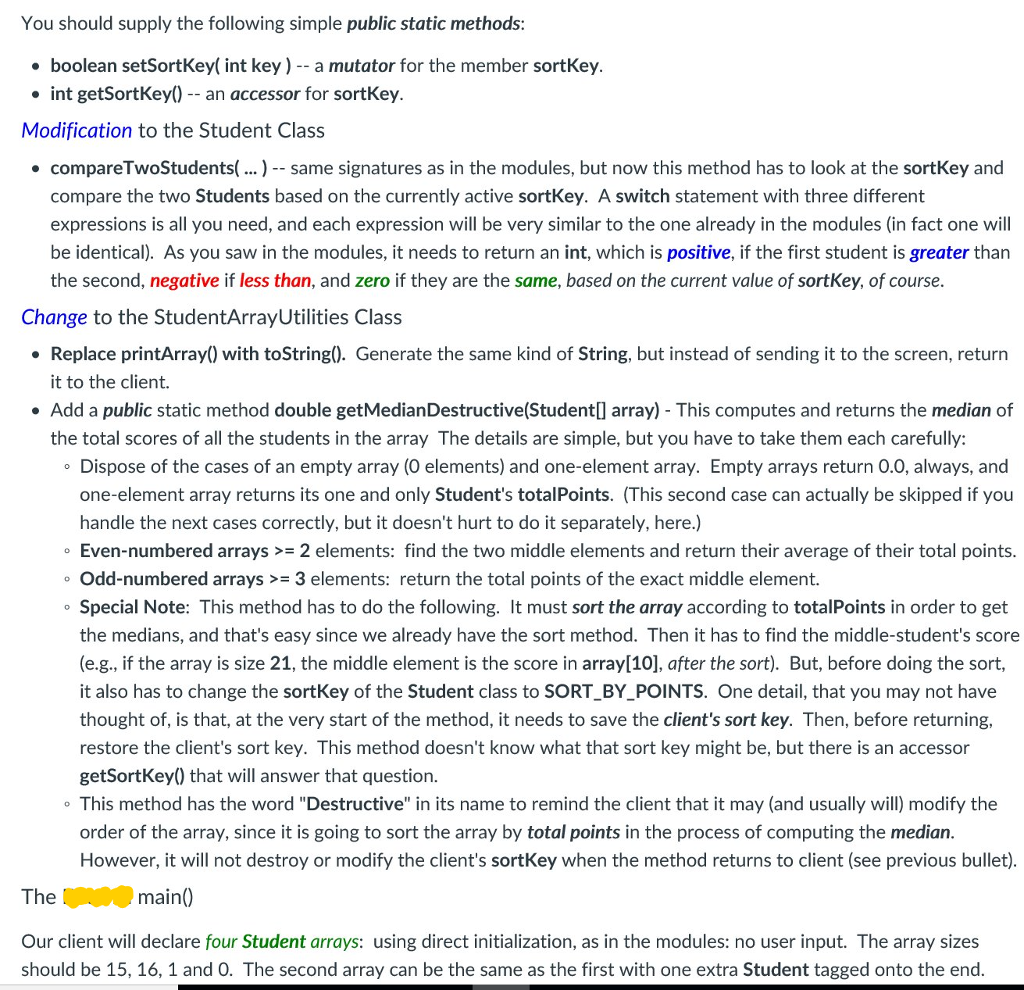
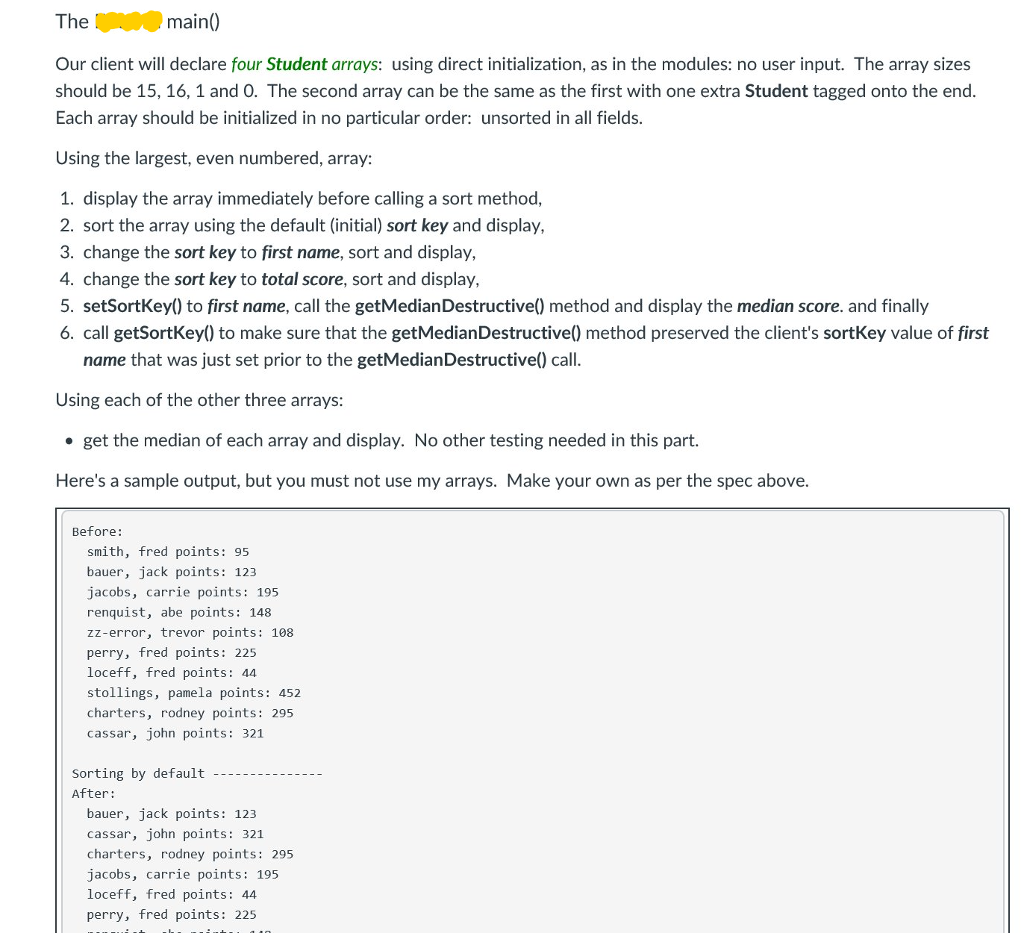
Assignment 9 - Changing Sort Keys While it may appear long at first, this lab is easier than it looks, so stay calm. It is easier because: 1. it uses material and code that you learned, compiled and ran over a week ago when you studied Module 8, and 2. below, I give you very explicit directions on what to do for each of the very short methods you need to write. You will start with my existing Student and StudentArrayUtilities classes from the modules. Then you will modify each of these classes as described below and provide a new test client. Understand the Application Sort Flexibility (Student class) In week 8, we saw an example of a Student class that provided a compareTwoStudents() method. We needed to define such a method because our sort algorithm (which was in the StudentArrayUtilities (SAU) class) had to have a basis for comparing two Student objects, the foundation of SAUs sorting algorithm. Since a Student is a compound data type, not a double or a String, there was no pre-defined compareTo() available, so we created our own compareTwoStudents(), which was based on the spelling of the last name. You can review those notes to see its definition. We want to make the sort more flexible in this assignment. Sometimes we want to sort on last name, as we did in the lectures, but other times we may choose to sort on the first name (useful for informal communication) or total points (useful for analyzing statistics). We could go into the compare TwoStudents() method and change its definition to work on first name or total points, but all that does is replace the inflexibility of last name with the inflexibility of some other criteria. So here's the plan: we will provide a static Student class method called setSortKey() which will establish a new sort criteria. A client will invoke it whenever it wants to switch to a new basis for comparison. The client will pass a parameter to setSortKey(0) telling it which one of the three Student fields it wants future sort algorithms to use. Console Output (SAU class) Another change we'll make affects the output modality. Rather than using JOptionPane, we want to make the class "U.I. neutral." So we will replace SAU's printArray() method with a toString() method, and let the client choose how to use that. In our example main() we will be sending the String array to the console, only. Median (SAU class)
Step by Step Solution
There are 3 Steps involved in it

Get step-by-step solutions from verified subject matter experts
 Study Help