







Question: This is Linux Please explain step by step Thank you Exercise #1 1. Return to your home directory 2. Create a new directory and name
This is Linux Please explain step by step Thank you
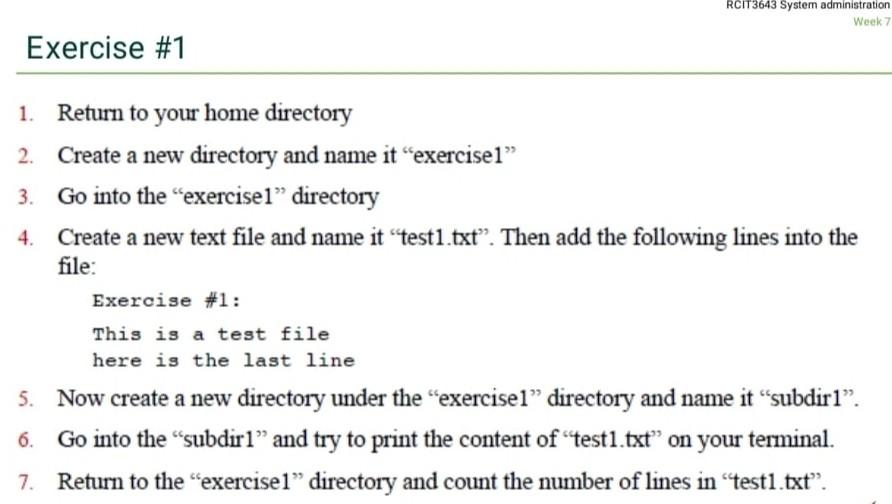
Exercise \#1 1. Return to your home directory 2. Create a new directory and name it "exercise1" 3. Go into the "exercise1" directory 4. Create a new text file and name it "test1.txt". Then add the following lines into the file: Exercise \#1: This is a test file here is the last line 5. Now create a new directory under the "exercisel" directory and name it "subdir1". 6. Go into the "subdir1" and try to print the content of "test1.txt" on your terminal. 7. Return to the "exercise1" directory and count the number of lines in "test1.txt
Step by Step Solution
There are 3 Steps involved in it
1 Expert Approved Answer
Step: 1 Unlock

Question Has Been Solved by an Expert!
Get step-by-step solutions from verified subject matter experts
Step: 2 Unlock
Step: 3 Unlock
 Study Help