







Question: This is Matlab. Need answer with clear explanations please. I will rate and comment for sure, if it is correct A greyscale digital image can
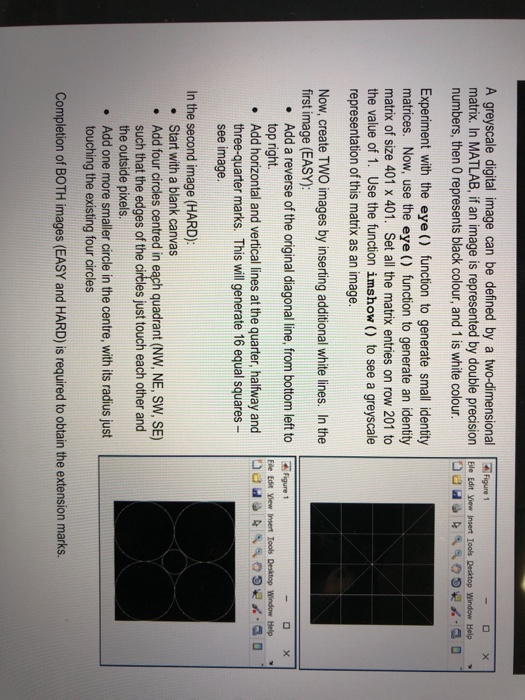
A greyscale digital image can be defined by a two-dimensionaliur matrix. In MATLAB, if an image is represented by double precision Ele Edt ew Insert loods Desitop Window Help numbers, then 0 represents black colour, and 1 is white colour Experiment with the eye () function to generate small identity matrices. Now, use the eye () function to generate an identity matrix of size 401 x 401. Set all the matrix entries on row 201 to the value of 1. Use the function imshow () to see a greyscale representation of this matrix as an image. Now, create TWO images by inserting additional white lines. In the first image (EASY): . Add a reverse of the original diagonal line, from bottom left to Figure top right. Add horizontal and vertical lines at the quarter, halfway and three-quarter marks. This will generate 16 equal squares see image. Eile Edit Yew Insert loob Desktop Window Help . a 0 In the second image (HARD) Start with a blank canvas Add four circles centred in each quadrant (NW, NE, SW, SE) such that the edges of the circles just touch each other and the outside pixels. Add one more smaller circle in the centre, with its radius just touching the existing four circles . . . Completion of BOTH images (EASY and HARD) is required to obtain the extension marks
Step by Step Solution
There are 3 Steps involved in it

Get step-by-step solutions from verified subject matter experts
 Study Help