







Question: This is my code from my python file called Data_BitMap.py Question 1. Make a program that compresses a given directory into a ZIP file and
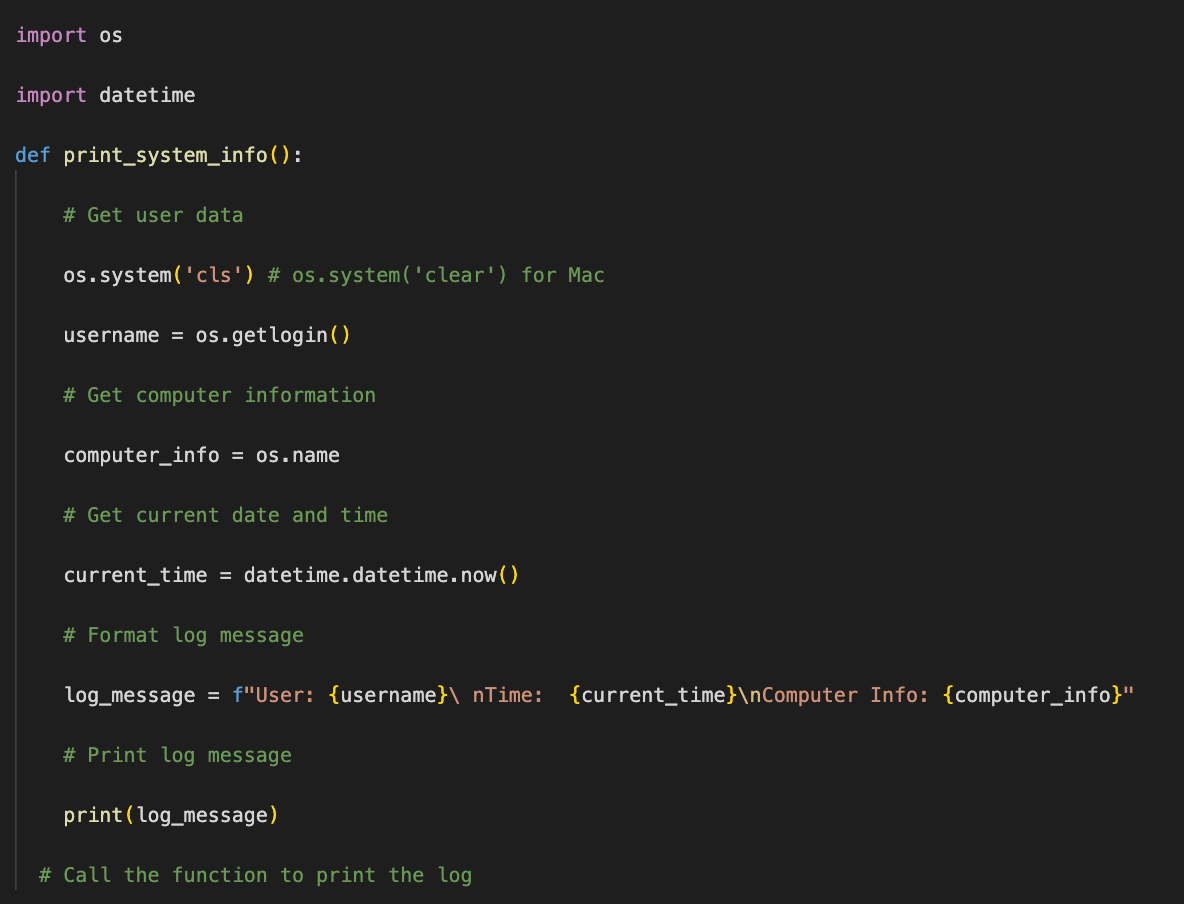
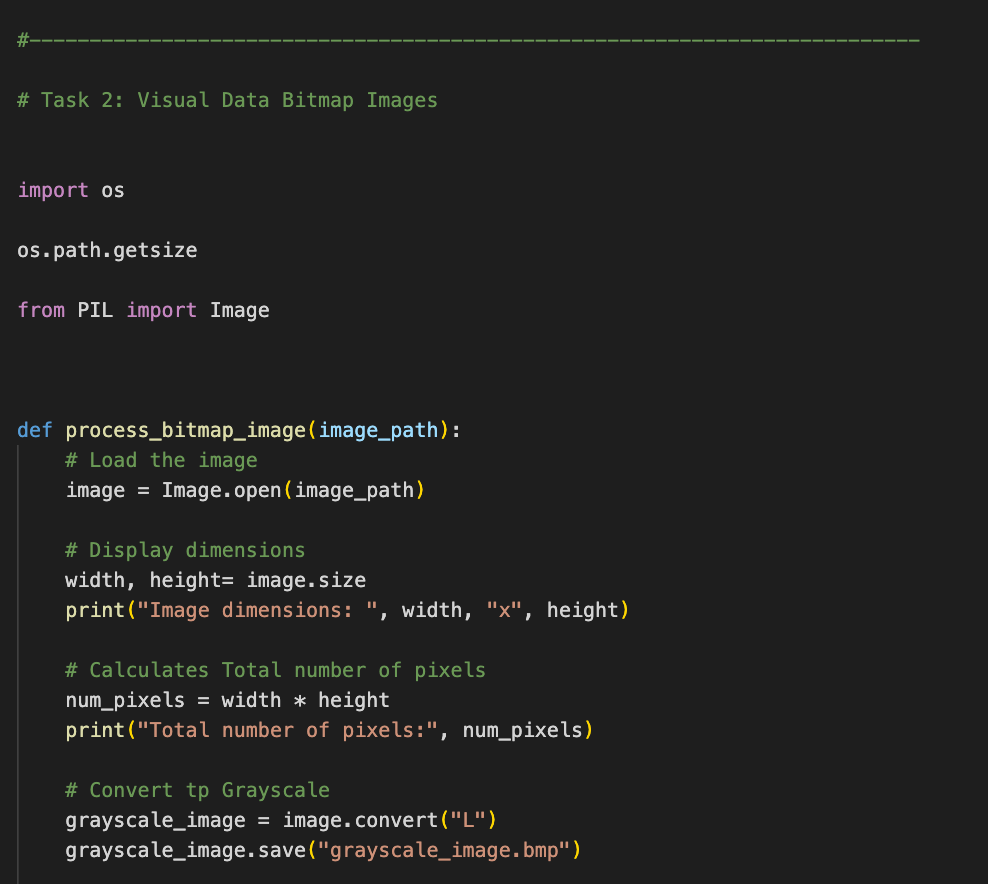
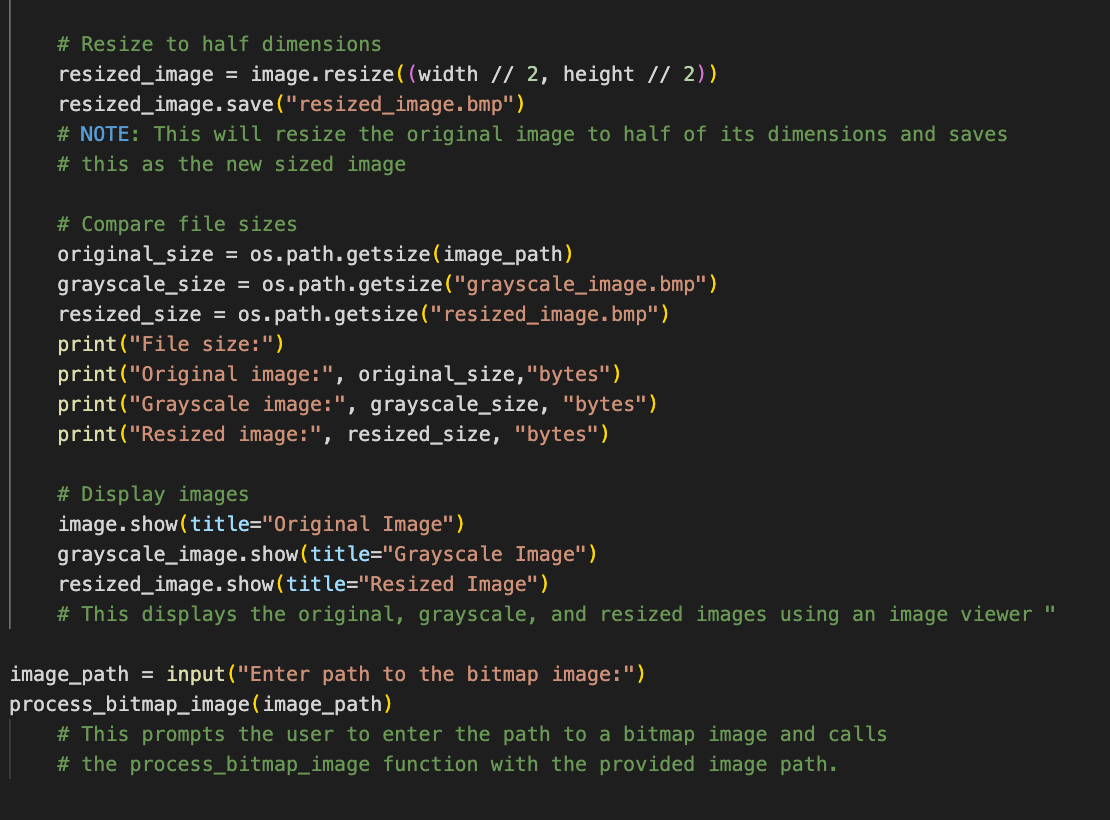
This is my code from my python file called "Data_BitMap.py"
Question 1. Make a program that compresses a given directory into a ZIP file and saves it. The program should also
provide functionality to decompress a ZIP file and extract its contents into a specified directory.
Note: Be able to sample files like (DMP, PNG, JPEG, PDF, TXT) in the directory when testing for
compression and decompression
Compressing FIles:
Use the Code from my python file above "Data_BitMap.py" and modify accordingly
Part 1. Compress Files
- Prompt the user to enter the path to a directory containing the files to be compressed.
- Use the compress_directory function to compress the directory into a ZIP file.
- Prompt the user to enter the path and filename for the output ZIP file.
- Display the file size of the original directory and the compressed ZIP file using the os.path.getsize function.
- Calculate and display the compression ratio, which is the ratio of compressed file size to original file
size. - Print a message indicating the successful compression of the directory
Part 2. Decompress Files
- Prompt the user to enter the path to a ZIP file to be decompressed.
- Prompt the user to enter the path for extracting the contents of the ZIP file.
- Use the decompress_zip function to extract the contents of the ZIP file into the specified directory.
- Print a message indicating the successful extraction of the ZIP file.
import os import datetime def print_system_info(): # Get user data os.system('cls') # os.system ('clear') for Mac username = os.getlogin() # Get computer information computer_info = os.name # Get current date and time current_time = datetime.datetime.now() # Format log message log_message = f"User: {username}\ nTime: {current_time} Computer Info: {computer_info}" # Print log message print (log_message) # Call the function to print the log
Step by Step Solution
There are 3 Steps involved in it

Get step-by-step solutions from verified subject matter experts
 Study Help